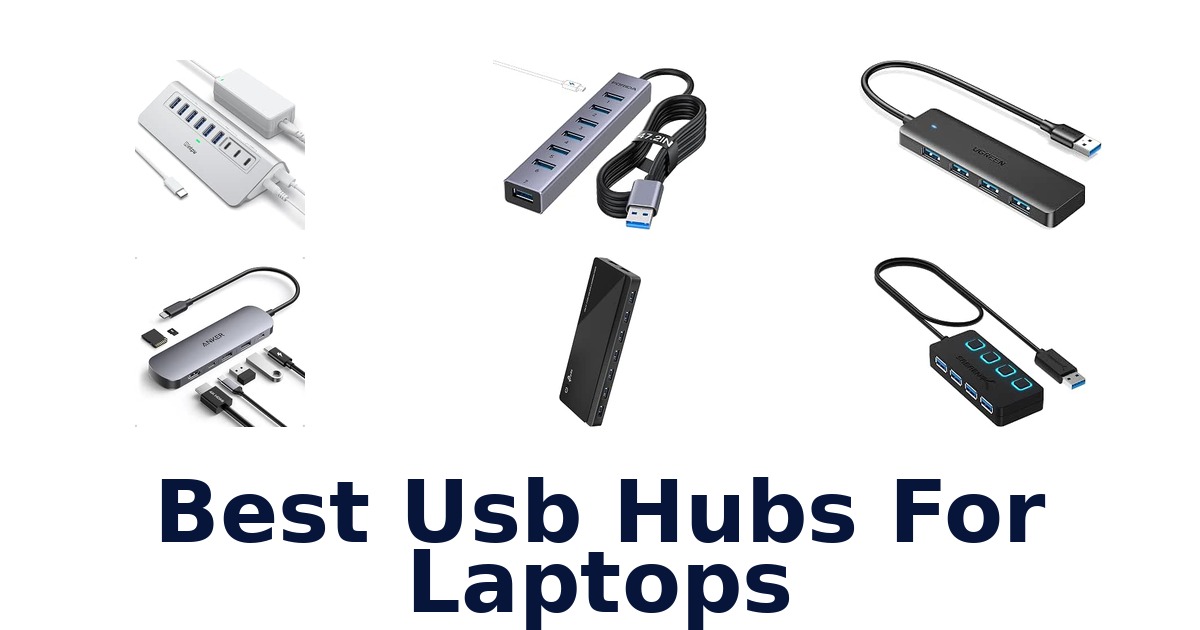
A strong laptop USB hub adds the ports your setup lacks, while matching your laptop’s connector and the work you need it to do. The Anker 7-in-1 Hub is a versatile pick for compatible USB-C laptops, combining HDMI, card readers, USB ports, and power delivery. For a simpler USB-A expansion, four-port models add room for everyday peripherals; powered hubs offer more connections for a fixed desk.
The products here range from compact, bus-powered splitters to larger units with separate power adapters. Their capabilities differ significantly: some support video or device charging, while others handle data only.
Check your laptop’s port, monitor needs, and power requirements before choosing. The comparisons below highlight these distinctions so you can narrow the field to a hub that fits your actual setup.
The Anker 7-in-1 Hub is the strongest all-around choice for a laptop with a compatible USB-C port. It combines HDMI output up to 4K at 60Hz, two USB-A ports, a USB-C data port, SD and TF card slots, and a USB-C PD input rated up to 100W. Its video and charging features depend on laptop compatibility and the right port capabilities, so it is not a universal fit.
For a laptop that only needs extra USB-A ports, a simpler four-port hub may be a better match.
Our Top Picks
 Best Overall
Adds HDMI at 4K@60Hz, two USB-A ports, USB-C data, SD and TF slots, and up to 100W PD input in one compact USB-C adapter.
View on Amazon Best Mixed-Use Adapter
Pairs HDMI up to 4K@30Hz with two USB 3.1 ports, card slots, and PD input up to 100W; video requires USB-C DP Alt Mode.
View on Amazon Fastest Data Ports
Its powered layout includes three USB ports rated at 10Gbps and four at 5Gbps, plus two PD charging ports; it does not provide video output.
View on Amazon- Most Data Ports TP-Link UH720 Hub
- Most Compact UGREEN 4-Port Hub
Compare these laptop USB hubs by ports and features
| # | Product | Dimensions | Weight | Enclosure Material | Warranty Description | Buy |
|---|---|---|---|---|---|---|
| 1 | 1. Anker 7-in-1 HubBest Overall | 5.17"L x 1.46"W x 0.47"H | 67 g | Metal | 18 months | View on Amazon |
| 2 | 2. Acer 7-in-1 HubBest Mixed-Use Adapter | 5.1"L x 1.4"W x 0.7"H | 68 g | Aluminum | 1 Year Manufacturer | View on Amazon |
| 3 | 3. intpw 9-Port HubFastest Data Ports | 2.5"L x 1"W x 7"H | 0.57 kg | Aluminum | 18 months | View on Amazon |
| 4 |  4. TP-Link UH720 HubMost Data Ports 4. TP-Link UH720 HubMost Data Ports | 7.8"L x 5.8"W x 2.8"H | 500 g | Plastic | 2 years | View on Amazon |
| 5 |  5. Anker 4-Port HubDurable four-port data splitter 5. Anker 4-Port HubDurable four-port data splitter | 4.23"L x 1.23"W x 0.39"H | 1.28 oz | Plastic | 18-month warranty | View on Amazon |
| 6 |  6. UGREEN 4-Port HubMost Compact 6. UGREEN 4-Port HubMost Compact | 3.1"L x 0.8"W x 0.3"H | — | Plastic | 24 Months Warranty Service by UGREEN | View on Amazon |
| 7 |  7. Acer 4-Port HubSimple four-port laptop expansion 7. Acer 4-Port HubSimple four-port laptop expansion | 4.13"L x 1.18"W x 0.35"H | 1.6 oz | Acrylonitrile Butadiene Styrene (ABS) | 1 year manufacturer | View on Amazon |
| 8 |  8. FORIDA 8-Port HubLong-cable seven-port data hub 8. FORIDA 8-Port HubLong-cable seven-port data hub | — | 0.1 kg | Aluminum | 18 month | View on Amazon |
| 9 |  9. Atolla 8-Port HubSwitched seven-port powered hub 9. Atolla 8-Port HubSwitched seven-port powered hub | 6.2"L x 1.69"W x 0.9"H | 256 g | Plastic | — | View on Amazon |
| 10 |  10. SABRENT HB-UM43 HubIndividually switched four-port hub 10. SABRENT HB-UM43 HubIndividually switched four-port hub | 3.44"L x 1.28"W x 0.62"H | 2.2 oz | Acrylonitrile Butadiene Styrene (ABS) | 2-YEAR MANUFACTURER WARRANTY | View on Amazon |
Detailed Reviews: Best Usb Hubs For Laptops
#1 · Best Overall
1. Anker 7-in-1 Hub
- Dimensions: 5.17"L x 1.46"W x 0.47"H
- Weight: 67 g
- Enclosure Material: Metal
- Warranty Description: 18 months
Best for: USB-C display and card workflow.
Why it ranks #1: Adds HDMI at 4K@60Hz, two USB-A ports, USB-C data, SD and TF slots, and up to 100W PD input in one compact USB-C adapter.
A 4K@60Hz HDMI output leads this seven-in-one Anker hub, enabling a compatible USB-C laptop to connect to a smooth high-resolution display. Two USB-A ports, USB-C data, SD and TF card slots, and a 100W PD input also bring common peripherals and charging into the same compact adapter.
The HDMI port supports 4K at 60Hz, which suits presentations or viewing on a compatible monitor; the hub’s notes specify that HDMI is its video output. Two USB-A ports and a USB-C data port each support up to 5Gbps, while the SD and TF slots provide direct card access for transfers. The PD input supports charging up to 100W, helping consolidate a laptop workstation, provided the computer supports the required USB-C video and power functions.
- HDMI supports 4K@60Hz video
- Two USB-A ports and USB-C data port support 5Gbps
- SD and TF card slots included
- USB-C PD input supports up to 100W charging
- Video output is supported only through the HDMI port.
Skip it if you need video through a port other than HDMI; this hub specifies HDMI as its video output.
A good fit for USB-C laptop users who connect a 4K display and move files from SD or TF cards. Check that the computer supports USB-C video and Power Delivery before relying on those functions.
Full product details
| Brand | Anker |
|---|---|
| Color | Gray |
| Compatible Devices | Windows and MacBook computers that support USB-C with DP Alt Mode and Power Delivery, as well as USB4 and Thunderbolt 3/4/5 ports See more |
| Enclosure Material | Metal |
| Dimensions | 5.17"L x 1.46"W x 0.47"H |
| Item Weight | 67 g |
| Manufacturer | Anker |
| Model Number | A83D2 |
| Special Feature | HDMI, SD/TF Card Reader, USB C Hub |
| Warranty Description | 18 months |
Listed on Amazon as: Anker USB C Hub, 7in1 Multi-Port USB Adapter, 4K@60Hz USBC to HDMI Splitter
View on Amazon#2 · Best Mixed-Use Adapter
2. Acer 7-in-1 Hub
- Dimensions: 5.1"L x 1.4"W x 0.7"H
- Weight: 68 g
- Enclosure Material: Aluminum
- Warranty Description: 1 Year Manufacturer
Best for: Seven-in-one USB-C travel adapter.
Why it ranks #2: Pairs HDMI up to 4K@30Hz with two USB 3.1 ports, card slots, and PD input up to 100W; video requires USB-C DP Alt Mode.
Seven connection types in one aluminum Acer adapter make it useful for a USB-C laptop moving between display, card, and peripheral workflows. It provides HDMI at up to 4K@30Hz, two USB 3.1 ports, USB-C, PD input, and separate MicroSD and SD slots.
The HDMI port can mirror or extend a display at up to 4K@30Hz, but the laptop’s USB-C port must support DisplayPort Alt Mode for video. Two USB 3.1 ports support peripheral connections, and the SD and MicroSD slots let users access cards without a separate reader. The PD input supports up to 100W, with up to 90W output to the host, when the device, charger, and cable support PD. Aluminum construction suits a portable workstation setup.
- Seven connection functions in one adapter
- HDMI supports up to 4K@30Hz
- Separate SD and MicroSD card slots
- PD input up to 100W with up to 90W host output
- HDMI video requires USB-C DisplayPort Alt Mode on the host.
Skip it if you need HDMI from a USB-C port that supports only charging or data; this adapter requires DisplayPort Alt Mode.
A fit for USB-C laptop users who need card access, peripherals, and a modest-resolution external display from one adapter. Verify host video support and PD compatibility, and note the HDMI ceiling is 4K@30Hz.
Full product details
| Brand | Acer |
|---|---|
| Color | Space grey |
| Compatible Devices | Card Readers, Desktops, Laptops, Smartphones, Tablets |
| Enclosure Material | Aluminum |
| Dimensions | 5.1"L x 1.4"W x 0.7"H |
| Item Weight | 68 g |
| Manufacturer | acer |
| Model Number | ODK360 |
| Special Feature | 5Gbps Fast Data Transfer, Heat Resistant, PD 100W Fast Charging, Plug and Play |
| Warranty Description | 1 Year Manufacturer |
Listed on Amazon as: Acer USB C Hub, 7 in 1 Multi-Port Adapter for Laptop/Mac Type C Devices
View on Amazon#3 · Fastest Data Ports
3. intpw 9-Port Hub
- Dimensions: 2.5"L x 1"W x 7"H
- Weight: 0.57 kg
- Enclosure Material: Aluminum
- Warranty Description: 18 months
Best for: Powered multi-device desk expansion.
Why it ranks #3: Its powered layout includes three USB ports rated at 10Gbps and four at 5Gbps, plus two PD charging ports; it does not provide video output.
Nine ports combine fast data connections and dedicated charging on this powered intpw hub, giving a desk setup space for multiple peripherals. Three USB 3.2 ports are rated up to 10Gbps, while four USB-A 3.0 ports add 5Gbps data connections alongside two USB-C PD charging ports.
The mix of one USB-C and two USB-A 3.2 data ports rated at 10Gbps can serve faster compatible storage, while four USB-A 3.0 ports provide additional 5Gbps connections for everyday peripherals. Its two USB-C PD ports supply up to 45W charging but do not transmit data, so they should be treated as charging-only connections. The included 65W power adapter supports powered hub operation. This model does not provide video output and is not recommended for charging computers or other high-power devices.
- Three USB 3.2 data ports rated up to 10Gbps
- Four additional USB-A 3.0 data ports
- Two USB-C PD ports support up to 45W charging
- Includes a 65W power adapter
- Does not support video output and is not recommended for charging computers.
Skip it if you need a hub for external-display video or laptop charging; this model lists neither capability.
Consider it for a powered desk setup with many peripherals and separate USB-C charging needs. Its data and charging ports have distinct roles, and it is not a fit for video output or charging a computer.
Full product details
| Brand | intpw |
|---|---|
| Color | Silver |
| Compatible Devices | Card Readers, Keyboards, Laptops, Mouse, Printers |
| Enclosure Material | Aluminum |
| Dimensions | 2.5"L x 1"W x 7"H |
| Item Weight | 0.57 kg |
| Manufacturer | Dong guan Hongxinda Technology Co., Ltd. |
| Model Number | YH6AC |
| Special Feature | Fast Charging, Fast Data Transfer, Heat Resistant, Powered |
| Warranty Description | 18 months |
Listed on Amazon as: intpw Powered USB Hub 10Gbps, 9-Port USB 3.2/USB C Hub, 65W Power Adapter
View on Amazon#4 · Most Data Ports
4. TP-Link UH720 Hub
- Dimensions: 7.8"L x 5.8"W x 2.8"H
- Weight: 500 g
- Enclosure Material: Plastic
- Warranty Description: 2 years
Best for: Powered hub with charging ports.
Why it ranks #4: Provides seven USB 3.0 data ports, two dedicated 5V/2.4A charging ports, and an included power adapter for a larger fixed workstation.
Seven USB 3.0 data ports plus two dedicated smart-charging ports make the TP-Link UH720 suited to a busy desk with both peripherals and chargeable devices. A supplied power adapter supports powered operation, while a power button provides a direct way to turn the hub on or off.
The seven data ports transfer at up to 5Gbps, providing room for devices such as keyboards, mice, and printers without relying on a laptop’s limited port count. Two separate 5V/2.4A ports are dedicated to charging, so data connections and charging have clearly assigned places. Because the hub comes with a power adapter and power switch, it can sit as a fixed desktop station that is switched as needed. Its 9-port footprint is better suited to a desk than a minimal carry setup.
- Seven USB 3.0 data ports
- Two dedicated 5V/2.4A charging ports
- Includes a power adapter
- Power button switches the hub on and off
- Its 9-port, powered desktop setup is less suited to a minimal carry kit.
Skip it if you need a small hub to carry with a laptop; this nine-port powered unit is better suited to a desk.
Choose the UH720 for a desk with several USB data devices and separate charging needs. Its supplied adapter and power switch suit stationary use, while its larger nine-port setup is a consideration for travel.
Full product details
| Brand | TP-Link |
|---|---|
| Color | Black |
| Compatible Devices | Desktops, Keyboards, Mouse, Printers, Smartphones, Tablets |
| Enclosure Material | Plastic |
| Dimensions | 7.8"L x 5.8"W x 2.8"H |
| Item Weight | 500 g |
| Manufacturer | TP-LINK |
| Model Number | UH720 |
| Special Feature | Play, Plug, Powered |
| Warranty Description | 2 years |
Listed on Amazon as: TP-Link Powered USB Hub – 7 USB 3.0 Data Ports & 2 Smart Charging USB Ports
View on Amazon#5
5. Anker 4-Port Hub
- Dimensions: 4.23"L x 1.23"W x 0.39"H
- Weight: 1.28 oz
- Enclosure Material: Plastic
- Warranty Description: 18-month warranty
Best for: Durable four-port data splitter.
Why it ranks #5: A compact USB-A option expands one port to four and supports up to 5Gbps, but the manufacturer says it is not designed to charge devices.
A reinforced built-in cable and heat-resistant connectors distinguish this Anker hub, while its four USB-A ports let one computer port serve several peripherals. Up to 5Gbps data transfer supports quicker file syncing, making it a straightforward choice for a laptop desk with multiple USB-A devices.
The four-port expansion can keep a keyboard, mouse, and flash drive connected rather than requiring frequent swaps. Anker lists transfer speeds up to 5Gbps, useful when moving larger files between compatible USB devices. Its reinforced cable and sturdy exterior casing address wear from routine desk use, and the heat-resistant connectors add another durability feature. This is a data hub, not a device-charging hub, so it fits peripheral and file workflows rather than charging needs.
- Expands one computer port to four USB-A ports
- Up to 5Gbps data transfer
- Reinforced built-in cable
- Heat-resistant connectors and sturdy exterior casing
- Not designed to charge devices.
Skip it if you need a hub for charging connected devices; this Anker model is specified for data, not device charging.
Choose it for a laptop user who wants four USB-A connections for peripherals and file syncing, with reinforced cable construction. Look elsewhere if charging devices through the hub is part of the intended setup.
Full product details
| Brand | Anker |
|---|---|
| Color | Black |
| Compatible Devices | Desktops, Keyboards, Laptops, Mouse, USB Flash Drives |
| Enclosure Material | Plastic |
| Dimensions | 4.23"L x 1.23"W x 0.39"H |
| Item Weight | 1.28 ounces |
| Manufacturer | Anker |
| Model Number | AK-A7516012 |
| Special Feature | Heat Resistant |
| Warranty Description | 18-month warranty |
Listed on Amazon as: Anker USB Hub, 4-in-1 USB Splitter, 4 USB-A Ports with 5Gbps Data Transfer
View on Amazon#6 · Most Compact
6. UGREEN 4-Port Hub
- Dimensions: 3.1"L x 0.8"W x 0.3"H
- Enclosure Material: Plastic
- Warranty Description: 24 Months Warranty Service by UGREEN
Best for: Compact four-port USB-A hub.
Why it ranks #6: Its 3.1-by-0.8-by-0.3-inch body adds four USB-A ports with up to 5Gbps transfers; connected devices should stay within 900mA total.
UGREEN turns one USB-A connection into four in a slim 0.5-foot hub, making it a neat option for nearby laptop peripherals. Its USB 3.0 data connection supports transfers up to 5Gbps, and plug-and-play operation avoids installing extra drivers or software for setup.
Four USB-A ports can keep a mouse, keyboard, flash drive, and other peripherals connected to one computer port. The listed 5Gbps maximum helps when transferring files on compatible USB 3.0 devices, while plug-and-play operation keeps installation simple. Its 0.5-foot cable works best when the laptop and connected devices are close together. UGREEN advises keeping connected devices within a total of 900mA for a stable connection, a relevant constraint for power-hungry combinations.
- Expands one USB-A port to four
- Up to 5Gbps transfer speed
- Plug-and-play without extra drivers or software
- Compact 0.5-foot cable
- Connected devices should not exceed a total of 900mA.
Skip it if you need to connect devices whose combined draw exceeds 900mA; UGREEN lists that as the stability limit.
This suits laptop users who need four nearby USB-A connections for everyday peripherals and appreciate a short, simple cable. Account for the stated 900mA total limit when choosing which devices to connect.
Full product details
| Brand | UGREEN |
|---|---|
| Color | Black |
| Compatible Devices | Keyboards, Laptops, Mouse, Tablets, USB Flash Drives |
| Enclosure Material | Plastic |
| Dimensions | 3.1"L x 0.8"W x 0.3"H |
| Manufacturer | Ugreen Group Limited |
| Model Number | 25851 |
| Special Feature | Play, Plug |
| Warranty Description | 24 Months Warranty Service by UGREEN |
Listed on Amazon as: UGREEN USB 3.0 Hub, 4 Ports USB A Splitter Ultra-Slim USB Expander, 0.5 ft
View on Amazon#7
7. Acer 4-Port Hub
- Dimensions: 4.13"L x 1.18"W x 0.35"H
- Weight: 1.6 oz
- Enclosure Material: Acrylonitrile Butadiene Styrene (ABS)
- Warranty Description: 1 year manufacturer
Best for: Simple four-port laptop expansion.
Why it ranks #7: Adds four USB 3.0 ports and has a 2-foot cable; the listed guidance calls for USB-C power when transferring files with a hard drive.
Four USB 3.0 data ports give the Acer hub room for a mouse, keyboard, flash drive, and printer from one laptop connection. Its 2-foot cable helps place the ports where they are easier to reach, while transfers can reach 5Gbps on a USB 3.0 connection.
The four USB 3.0 ports suit a desk setup that needs several everyday peripherals without repeatedly swapping plugs. For file work, the listed 5Gbps maximum supports faster transfers than a USB 2.0 connection, which is limited to 480Mbps. The 2-foot cable gives some flexibility when the laptop’s port is awkwardly placed. A USB-C power input is specified for stable hard-drive transfers, but the hub is not suitable for two hard drives simultaneously.
- Adds four USB 3.0 data ports
- Up to 5Gbps transfer speed on USB 3.0
- 2-foot cable aids port placement
- Plug-and-play feature listed
- Not suitable for connecting two hard drives simultaneously.
Skip it if you need two hard drives connected together; the hub's listed power limit can cause disconnections.
A practical pick for laptop users adding a mouse, keyboard, printer, and flash drive, especially when the laptop port needs a little reach. Keep its one-hard-drive-at-a-time limitation in mind for storage-heavy work.
Full product details
| Brand | Acer |
|---|---|
| Color | Black |
| Compatible Devices | Desktops, Gaming Consoles, Laptops, Tablets, USB Flash Drives |
| Enclosure Material | Acrylonitrile Butadiene Styrene (ABS) |
| Dimensions | 4.13"L x 1.18"W x 0.35"H |
| Item Weight | 1.6 ounces |
| Manufacturer | acer |
| Model Number | ACER-UH501 |
| Special Feature | Anti-Slip, Fast Data Transfer, Heat Resistant, Indicator Light, Plug and Play |
| Warranty Description | 1 year manufacturer |
Listed on Amazon as: Acer USB Hub 4 Ports, Multiple USB 3.0 Hub, USBA Splitter for Laptop/PC 2FT
View on Amazon#8
8. FORIDA 8-Port Hub
- Weight: 0.1 kg
- Enclosure Material: Aluminum
- Warranty Description: 18 month
Best for: Long-cable seven-port data hub.
Why it ranks #8: Offers seven USB 3.0 ports and a 47.2-inch cable, but its USB-C connection only powers the hub and a 5V power cable is not included.
A 47.2-inch cable gives the FORIDA hub extra reach from a laptop or desktop, while seven USB 3.0 ports expand one connection for multiple peripherals. The aluminum hub supports data transfer up to 5Gbps, making it useful when the computer and accessories are spaced apart.
Seven USB 3.0 ports provide connections for devices such as flash drives, mice, keyboards, and printers, reducing the need to rotate a single port among them. The long cable can place the hub closer to accessories while the computer stays elsewhere on the desk. Its aluminum enclosure and listed 5Gbps transfer support suit a data-focused peripheral station. The USB-C port only powers the hub itself, and the product does not charge other devices; its 5V power cable is not included.
- Seven USB 3.0 ports
- 47.2-inch cable for flexible placement
- Aluminum enclosure
- Up to 5Gbps data transfer
- Does not charge connected devices; its USB-C port powers the hub only.
Skip it if you need a hub to charge phones or other peripherals; this model is for data transfer and USB-C hub power only.
Choose it when a laptop or desktop needs seven data ports positioned away from the computer. The long cable is useful for separated setups, but this is not a charging hub and its 5V power cable is not included.
Full product details
| Brand | FORIDA |
|---|---|
| Color | 47.2in Gray |
| Compatible Devices | Desktops, Laptops, USB Flash Drives |
| Enclosure Material | Aluminum |
| Item Weight | 0.1 kg |
| Manufacturer | FORIDA |
| Special Feature | Fast Data Transfer, Lightweight |
| Warranty Description | 18 month |
Listed on Amazon as: FORIDA Aluminum 8-Port USB Hub Long Cable USB Splitter with 7 USB 3.0 Ports
View on Amazon#9
9. Atolla 8-Port Hub
- Dimensions: 6.2"L x 1.69"W x 0.9"H
- Weight: 256 g
- Enclosure Material: Plastic
Best for: Switched seven-port powered hub.
Why it ranks #9: This powered model supplies seven 5Gbps data ports, individual switches, and one dedicated charging port; combined connected-device current must not exceed 4A.
Seven individually switched USB 3.0 data ports give the atolla hub room for a large peripheral setup, while a separate smart-charging port handles a chargeable device. Its included 5V/4A adapter powers the hub, and data transfers can reach 5Gbps with compatible USB 3.0 connections.
The seven data ports can connect a keyboard, mouse, printer, or hard drive, and individual switches let users control attached devices without repeatedly removing cables. The separate charging-dedicated port keeps that task apart from data connections. With the supplied 5V/4A power adapter, the hub is suited to a powered desk arrangement; the connected devices must stay within a combined 4A for stability. Reaching 5Gbps also depends on using USB 3.0 devices, ports, and cables.
- Seven USB 3.0 data ports
- Individual on/off switches
- Separate smart-charging port
- Includes a 5V/4A power adapter
- Connected devices must stay within a combined current of 4A for stability.
Skip it if you need connected devices to draw more than 4A combined; the listed limit is 4A for stable operation.
A fit for users managing many USB 3.0 peripherals at a powered desk, especially when individual switches are useful. Keep the combined 4A limit in view and use compatible USB 3.0 connections for maximum transfer speed.
Full product details
| Brand | atolla |
|---|---|
| Color | black |
| Compatible Devices | Keyboards, Laptops, Mouse, Printers, Smartphones, Tablets |
| Enclosure Material | Plastic |
| Dimensions | 6.2"L x 1.69"W x 0.9"H |
| Item Weight | 256 g |
| Manufacturer | bauihr |
| Model Number | CH-207U3 |
| Special Feature | Indicator Light, Individual Switches, Plug and Play, Powered |
#10
10. SABRENT HB-UM43 Hub
- Dimensions: 3.44"L x 1.28"W x 0.62"H
- Weight: 2.2 oz
- Enclosure Material: Acrylonitrile Butadiene Styrene (ABS)
- Warranty Description: 2-YEAR MANUFACTURER WARRANTY
Best for: Individually switched four-port hub.
Why it ranks #10: Adds four 5Gbps USB 3.0 ports with individual switches and a 2-foot cable, but its listed compatible-device information names desktops rather than laptops.
Individual on/off switches and a power-status LED for every port set this SABRENT hub apart, letting users control connected devices one at a time. Four USB 3.0 ports expand a single compatible connection, and the 2-foot cable helps bring access to a hard-to-reach laptop port.
The four ports support data transfer up to 5Gbps on USB 3.0, with listed lower speeds for USB 2.0 and USB 1.1 devices. Individual switches let users disconnect a peripheral without unplugging its cable, while each port’s LED indicates power status. The 2-foot cable gives more placement flexibility than a directly attached adapter, which can help when the computer’s port is tucked away. Its stated function is port expansion and data transfer, with no charging capability specified.
- Four USB 3.0 ports
- Individual on/off switch for each port
- LED power indicator for each port
- 2-foot cable aids access to hard-to-reach ports
- The supplied facts do not specify charging support.
Skip it if you need confirmed charging output for connected devices; the listed functions focus on USB data and per-port control.
This is a practical choice for users who want four USB connections and individual control over peripherals at a desk. Its 2-foot cable helps with placement, but charging support is not specified.
Full product details
| Brand | SABRENT |
|---|---|
| Color | Black |
| Compatible Devices | Desktops |
| Enclosure Material | Acrylonitrile Butadiene Styrene (ABS) |
| Dimensions | 3.44"L x 1.28"W x 0.62"H |
| Item Weight | 2.2 ounces |
| Manufacturer | SABRENT |
| Model Number | HB-UM43 |
| Special Feature | Slim |
| Warranty Description | 2-YEAR MANUFACTURER WARRANTY |
Listed on Amazon as: SABRENT 4-Port USB 3.0 Hub with Individual Power Switches (HB-UM43)
View on AmazonAvoid USB-C video and power assumptions
A USB-C connector alone does not guarantee that a hub can send video to a monitor or charge a laptop. The Acer 7-in-1 Hub explicitly requires the laptop port to support DisplayPort Alt Mode for HDMI video; the Anker 7-in-1 Hub likewise lists compatible computers with USB-C video support. If your laptop’s port supports only data or charging, an HDMI socket on the hub will not solve that limitation.
Power claims also need careful reading: the Acer adapter accepts up to 100W PD input and specifies up to 90W output to the host, while the intpw 9-Port Hub warns against using it to charge computers or other high-power devices. Confirm your laptop’s port capabilities and the hub’s host-charging details before connecting a display or relying on pass-through power.
How to Choose a Laptop USB Hub
USB-A expansion or a multiport adapter
Choose the hub by counting the ports and types your laptop setup actually needs. Simple USB-A models here add four ports, including the Anker 4-Port Hub, UGREEN 4-Port Hub, and Acer 4-Port Hub. For a broader USB-C setup, both seven-in-one adapters add HDMI and SD/TF card readers; the Anker 7-in-1 Hub has two USB-A ports, while the Acer 7-in-1 Hub has two USB 3.1 ports.
Larger desk hubs reach seven data ports on the TP-Link UH720 Hub and the intpw 9-Port Hub. A traveler connecting a mouse and flash drive may prefer four-port expansion; users juggling storage, cards, or a monitor may favor a multiport adapter.
Data speed and connected-device limits
Look at the stated transfer speed, then check whether your connected devices and laptop port can use it. Several hubs specify 5Gbps USB 3.0 or USB 3.1 data, while the intpw 9-Port Hub lists three ports at 10Gbps and four at 5Gbps. Those are port capabilities, not a guarantee that every connection will reach the maximum; the Acer 4-Port Hub specifies only 480Mbps when plugged into USB 2.0.
Power draw also limits some setups: UGREEN advises keeping connected devices within 900mA total, and Acer cautions against connecting two hard drives simultaneously to its four-port hub. For routine keyboards and flash drives, 5Gbps ports may suffice; multiple fast storage devices call for checking both speed and power limits.
Power, charging, and desk placement
Decide whether your hub needs a separate adapter, dedicated charging ports, or just a short cable. The TP-Link UH720 Hub includes a power adapter and has seven data ports plus two dedicated 5V/2.4A charging ports. The Atolla 8-Port Hub is also powered and includes a 5V/4A adapter, but connected-device current must stay within 4A.
In contrast, compact four-port hubs draw from the laptop connection and may have device-power limits. Cable reach varies too: the Acer 4-Port Hub and SABRENT HB-UM43 Hub have 2-foot cables, while the FORIDA 8-Port Hub lists a 47.2-inch cable but does not include its 5V power cable.
A desk with many devices favors powered expansion; a mobile setup favors a smaller, simpler hub.
Which USB hub should you choose for your laptop?
Choose the Anker 7-in-1 Hub if your USB-C laptop supports video output and you want HDMI up to 4K@60Hz, card readers, data ports, and PD input in one adapter. The Acer 7-in-1 Hub suits a similar setup where 4K@30Hz HDMI is enough. For a desk with numerous peripherals, the TP-Link UH720 Hub offers seven data ports, two dedicated charging ports, and an included power adapter; choose the intpw 9-Port Hub if its 10Gbps ports matter more and you do not need video.
For basic USB-A expansion, the Anker 4-Port Hub is a straightforward option, while UGREEN 4-Port Hub is especially compact. Consider the FORIDA 8-Port Hub for its long cable, but remember its USB-C port only powers the hub and its power cable is not included.
Frequently Asked Questions
How can I tell whether my laptop’s USB-C port supports video output?
Check your laptop’s specifications or manufacturer documentation for USB-C video support. A USB-C-shaped connector alone does not guarantee video output. The HDMI features on the Anker and Acer multiport hubs depend on a compatible laptop and port, so confirm support before choosing one for an external display.
Can a USB hub charge my laptop and connected peripherals at the same time?
Some hubs can support laptop charging while connecting peripherals, but compatibility depends on the laptop, hub, and power setup. The Anker 7-in-1 provides a USB-C PD input rated up to 100W; its charging capability is not universal. Confirm your laptop supports charging through that port before relying on it.
Why might a hard drive disconnect when connected through a USB hub?
Insufficient power or an unstable connection can cause a drive to drop, especially when other devices share the hub. Try connecting the drive directly, disconnecting other peripherals, and using a powered hub with its adapter when provided. Also check the laptop port and cable connection.
Does every USB-C port on a hub transfer data?
No; a USB-C connector does not necessarily provide data. For example, the FORIDA 8-Port Hub’s USB-C port only powers the hub. Check the product details to confirm what each port does, and do not assume a charging or power-input port can connect a data device.
When should I choose a powered hub?
Choose a powered hub when your setup benefits from its included power adapter or dedicated charging ports. The TP-Link UH720 has seven data ports, two dedicated charging ports, and an included adapter; the intpw 9-Port Hub includes a 65W adapter. Check the listed port functions against your devices.
Final Words
Start by checking which ports your laptop supports and what you need to connect. For compatible USB-C video and charging, the Anker 7-in-1 is the strongest all-around choice; the Acer 7-in-1 suits setups where 4K@30Hz is enough. Choose TP-Link for many data ports and dedicated charging, or intpw for 10Gbps ports without video.
For basic USB-A expansion, consider the four-port hubs; choose FORIDA for a long cable, noting its USB-C port only powers the hub.