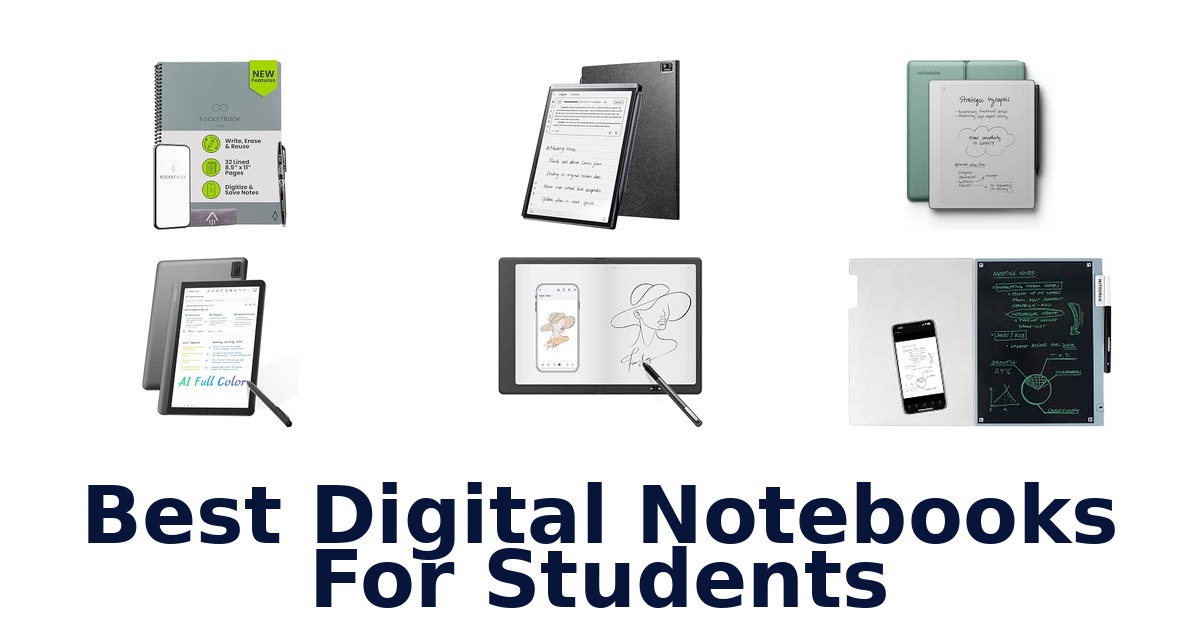
A strong student digital notebook should make class notes easy to capture, organize, and revisit, whether you prefer writing on reusable paper or a dedicated screen. The XP-Pen Magic Note Pad leads this group for students who want a standalone study device, with a 10.95-inch display, 6 GB of RAM, 128 GB of storage, and three display modes. Other options suit different routines: reMarkable Paper Pure focuses on handwriting and document markup, while the iFLYTEK AINOTE Air 2 adds voice-to-text features for lectures.
Paper-based choices from Rocketbook and Ophaya keep the familiar feel of pen and paper while adding app syncing. The right fit depends on screen preference, offline needs, and whether you want a notebook or a tablet-like device.
The XP-Pen Magic Note Pad is the strongest all-around pick for students who want a digital study device: it pairs a 10.95-inch display with 6 GB of RAM and 128 GB of storage, plus three display modes for different reading and writing needs. It is an Android tablet, not an e-ink tablet, so it suits buyers who value a versatile screen more than a strictly paper-like, distraction-free notebook. For a paper-first workflow, Rocketbook Core is a simpler alternative with app-based cloud uploads.
Our Top Picks
 Best Overall
Its 10.95-inch display, 6 GB RAM, 128 GB storage, and three screen modes give students a capable standalone device for varied study tasks.
View on Amazon Best Focused Writing
The 10.3-inch paper tablet is purpose-built for handwriting, reading, and document markup, making it a focused fit for coursework.
View on Amazon Best Lecture Notes
Its 8.2-inch e-ink screen supports handwriting recognition in 133 languages, and its listed voice-to-text feature can help capture lecture notes.
View on Amazon- Best Reusable Paper Rocketbook Core
- Best Phone Sync XP-Pen Note Plus
Compare the notebooks by study style and listed features
| # | Product | Weight | Screen Size | Compatible Devices | Buy |
|---|---|---|---|---|---|
| 1 | 1. XP-Pen Magic Note PadBest Overall | 300 g | 10.95 in | Stylus | View on Amazon |
| 2 | 2. reMarkable Paper PureBest Focused Writing | 360 g | 10.3 in | — | View on Amazon |
| 3 | 3. iFLYTEK AINOTE Air 2Best Lecture Notes | 8.16 oz | 8.2 in | Headphones, Laptop, Stylus | View on Amazon |
| 4 |  4. Rocketbook CoreBest Reusable Paper 4. Rocketbook CoreBest Reusable Paper | 8.8 oz | — | — | View on Amazon |
| 5 |  5. XP-Pen Note PlusBest Phone Sync 5. XP-Pen Note PlusBest Phone Sync | 300 g | 10 in | Smartphone, Tablet | View on Amazon |
| 6 |  6. AISPEECH AINOTE AirAI-assisted seminar notes 6. AISPEECH AINOTE AirAI-assisted seminar notes | 320 g | 8.4 in | Headphones, Keyboard, Mouse, Speaker, Stylus | View on Amazon |
| 7 |  7. OPHAYA Smart Pen NotebookSearchable handwritten class notes 7. OPHAYA Smart Pen NotebookSearchable handwritten class notes | — | — | Tablet | View on Amazon |
| 8 |  8. Noteorius Smart NotebookFolio-based smart-pen notes 8. Noteorius Smart NotebookFolio-based smart-pen notes | — | — | — | View on Amazon |
| 9 |  9. reMarkable Paper ProColor paper-tablet study sessions 9. reMarkable Paper ProColor paper-tablet study sessions | 1.2 lb | 11.8 in | Marker Plus Pen | View on Amazon |
| 10 |  10. Ophayapen Smart Writing SetPaper-and-board smart writing 10. Ophayapen Smart Writing SetPaper-and-board smart writing | 2.4 lb | — | Smartphones, Tablets | View on Amazon |
Detailed Reviews: Best Digital Notebooks For Students
#1 · Best Overall
1. XP-Pen Magic Note Pad
- Weight: 300 g
- Screen Size: 10.95 in
- Compatible Devices: Stylus
Best for: Color-mode study tablet.
Why it ranks #1: Its 10.95-inch display, 6 GB RAM, 128 GB storage, and three screen modes give students a capable standalone device for varied study tasks.
A single press of the X-key switches among Monochrome LCD, Light Color, and Nature Color modes, letting students change the display for different reading and study tasks. This is a regular Android tablet, not an e-ink device, with a 10.95-inch AG nano-etched LCD and included X3 Pro Pencil 2.
The 10.95-inch screen provides room for reading and writing, while its AG nano-etched surface and TCL NXTpaper 3.0 technology are listed as reducing ambient-light interference by up to 95%. The included battery-free X3 Pro Pencil 2 supports handwriting without a separate pencil battery. With 6 GB RAM and 128 GB storage, the tablet has capacity for apps and files; its Android format is distinct from a dedicated e-ink reader.
- Three display modes selected with the X-key
- 10.95-inch AG nano-etched LCD with TCL NXTpaper 3.0 technology
- Included battery-free X3 Pro Pencil 2
- 6 GB RAM and 128 GB storage
- It is a regular Android tablet, not an e-ink tablet.
Skip it if you specifically want an e-ink screen; the reMarkable Paper Pure is a purpose-built black-and-white paper tablet.
Students who want color display modes, stylus writing, and Android-tablet storage in one study device are the clearest fit. Keep in mind that its LCD and Android format differ from a purpose-built e-ink notebook.
Full product details
| Brand | XP-Pen |
|---|---|
| Battery Capacity | 8000 milliamp_hours |
| CPU Model Number | MT8781 |
| Compatible Devices | Stylus |
| Hard-Drive Size | 128 GB |
| Included Components | X3 Pro Pencil 2 |
| Item Dimensions L x W x Thickness | 10"L x 7"W x 0.2"Th |
| Item Weight | 300 g |
| Manufacturer | XP-PEN |
| Memory Storage Capacity | 128 GB |
| Model | Magic Note Pad |
| Model Number | B0dx234nwp |
| Model Series | Magic Note Pad |
| Model Year | 2025 |
| Processor Brand | MediaTek |
| RAM Size | 6 GB |
| Screen Size | 10.95 inches |
| Size | 10.95 |
| Warranty Description | 1 Year Warranty |
| Warranty Type | Limited |
#2 · Best Focused Writing
2. reMarkable Paper Pure
- Weight: 360 g
- Screen Size: 10.3 in
Best for: Distraction-free reading and notes.
Why it ranks #2: The 10.3-inch paper tablet is purpose-built for handwriting, reading, and document markup, making it a focused fit for coursework.
The 10.3-inch black-and-white paper display pairs with digital ink listed at 21 milliseconds, enabling handwriting and document markup in a focused paper-tablet format. The reMarkable Paper Pure is purpose-built for writing, sketching, reading, and meetings rather than functioning as a general tablet computer.
A whiter, higher-contrast third-generation display supports reading and handwritten work, while the stated 21-millisecond digital ink response is intended to keep writing feeling immediate. Students can use the device to review documents and mark them up, as well as take notes in meetings. It has no app store; reading is limited to DRM-free EPUB and PDF files. That narrower software and file scope suits a focused study workflow but matters for students relying on other ebook formats.
- 10.3-inch black-and-white paper display
- Digital ink response listed at 21 milliseconds
- Supports handwriting, sketching, reading, and document markup
- Includes Marker Plus and Mist Green sleeve folio
- It has no app store and supports only DRM-free EPUB and PDF reading.
Skip it if you need color notes or a broad app catalog; the reMarkable Paper Pro offers a color display, though it also has no app store.
Students who prioritize distraction-free handwriting, document markup, and DRM-free PDF or EPUB reading are the intended fit. Check the file-format and app-store boundaries before relying on it for textbooks or software beyond its focused notebook workflow.
Full product details
| Brand | reMarkable |
|---|---|
| Color | Mist Green Sleeve |
| Item Dimensions L x W | 8.98"L x 7.37"W |
| Item Weight | 360 g |
| Manufacturer | reMarkable |
| Model | RM95A |
| Model Number | RM95A-1002NW |
| Screen Size | 10.3 inches |
| Special Feature | Lightweight |
| Warranty Description | 1-year limited warranty |
Listed on Amazon as: reMarkable Paper Pure with Marker Plus and Mist Green Sleeve Folio
View on Amazon#3 · Best Lecture Notes
3. iFLYTEK AINOTE Air 2
- Weight: 8.16 oz
- Screen Size: 8.2 in
- Compatible Devices: Headphones, Laptop, Stylus
Best for: Voice-to-text lecture capture.
Why it ranks #3: Its 8.2-inch e-ink screen supports handwriting recognition in 133 languages, and its listed voice-to-text feature can help capture lecture notes.
Permanent free real-time voice-to-text transcription lets students capture spoken discussion on the 8.2-inch e-ink notebook while handwriting meeting points. The iFLYTEK AINOTE Air 2 combines that audio workflow with a stylus and handwriting recognition listed for 133 languages, supporting mixed written and spoken notes.
The 8.2-inch e-ink screen and stylus provide a paper-like surface for handwritten study notes, while the listed 133-language handwriting recognition can help convert writing for digital use. Real-time voice-to-text transcription adds a second capture channel for lectures or meetings, allowing students to write key points while speech is transcribed. The bundle includes a protective folio case and USB-C cable. With 32 GB storage and a 2600 mAh battery, it is a compact, self-contained notebook setup.
- Real-time voice-to-text transcription
- 8.2-inch e-ink screen with stylus
- Handwriting recognition listed for 133 languages
- Includes protective folio case and USB-C cable
- Its 8.2-inch screen is smaller than the 10.95-inch XP-Pen Magic Note Pad display.
Skip it if you want a larger writing display; the XP-Pen Magic Note Pad has a 10.95-inch screen, though it is a regular Android tablet.
Students who combine handwritten lecture points with voice transcription will find this compact e-ink format relevant. Its 8.2-inch screen favors portability over a larger page area, so consider that tradeoff for extensive diagrams or split-view work.
Full product details
| Brand | iflytek |
|---|---|
| Battery Capacity | 2600 milliamp_hours |
| CPU Model Number | RK3566 |
| CPU Model Speed Maximum | 1.8 GHz |
| Color | Black |
| Compatible Devices | Headphones, Laptop, Stylus |
| Hard-Drive Size | 32 GB |
| Included Components | 1*Paper Tablet, 1*Protective Folio Case, 1*Stylus Pen, 1*USB-C Cable |
| Item Dimensions L x W x Thickness | 8.15"L x 5.83"W x 1.08"Th |
| Item Weight | 8.16 ounces |
| Manufacturer | iFLYTEK |
| Memory Storage Capacity | 32 GB |
| Model | iFLYTEK AINOTE Air 2 |
| Model Number | AINOTE Air 2 |
| Model Series | AINOTE Air 2 |
| Processor Brand | Rockchip |
| Screen Size | 8.2 inches |
| Size | Large Standard |
| Warranty Description | 1 year |
| Warranty Type | Limited |
Listed on Amazon as: iflytek AINOTE Air 2 Bundle with Black Folio Case
View on Amazon#4 · Best Reusable Paper
4. Rocketbook Core
- Weight: 8.8 oz
Best for: Organized lecture-note scanner.
Why it ranks #4: Letter-size reusable pages, Smart Titles, Smart Tags, and uploads to services such as Google Drive suit students who prefer handwritten notes.
Smart Titles and Smart Tags on the college-ruled pages give students a way to label notes as they write, making later organization more intentional. Rocketbook’s letter-size reusable notebook then pairs that paper workflow with app scanning and uploads to services including Google Drive, Dropbox, and OneNote.
The 8.5-by-11-inch lined pages provide a familiar, spacious format for class notes, while Smart Titles and Smart Tags help identify and sort each notebook entry. When a study session ends, the app can scan and upload the writing to supported cloud platforms, so notes are available away from the notebook. Its spiral binding supports page-by-page writing, and the scratch-resistant cover adds protection for carrying it between classes. This remains a paper-first workflow rather than a standalone screen.
- Letter-size college-ruled pages for conventional note-taking
- Smart Titles and Smart Tags help organize scanned notes
- App scans and uploads notes to Google Drive, Dropbox, and OneNote
- Spiral binding and scratch-resistant cover
- Notes reach cloud platforms through app scanning and uploading, not automatic real-time capture.
Skip it if you need handwriting captured automatically as you write; this notebook’s listed workflow scans pages through its app afterward.
Students who prefer writing on lined paper and organizing digitized class notes through cloud services should find this format practical. Choose it with the scan-and-upload step in mind; it is not a screen-based note-taking tablet.
Full product details
| Brand | Rocketbook |
|---|---|
| Color | Gray |
| Item Weight | 8.8 ounces |
| Manufacturer | Rocketbook |
| Paper Size | 8.5 x 11 inches |
| Sheet Size | 8.5 x 11 inches |
| Special Feature | Soft Cover |
| Style | Lined Pages |
Listed on Amazon as: Rocketbook Core Reusable Smart Notebook, Letter Size 8.5×11, Gray
View on Amazon#5 · Best Phone Sync
5. XP-Pen Note Plus
- Weight: 300 g
- Screen Size: 10 in
- Compatible Devices: Smartphone, Tablet
Best for: Phone-synced class notes.
Why it ranks #5: This 300-gram A5-core notebook syncs to smartphones, supports offline storage and online editing, and lists up to 14 hours of battery life.
Bluetooth 5.3 connects the XP-Pen Note Plus to a phone or tablet, enabling a paper-notebook workflow with digital syncing. Its replaceable A5 notebook core suits students who want a familiar writing surface while keeping the option to refresh the paper insert rather than replace the whole notebook.
The Note Plus pairs Bluetooth 5.3 wireless connection with offline storage and online editing, letting students write without requiring an active connection for every note-taking moment and work with notes online later. Its listed 14-hour battery life supports extended use between charges, while 2.5-hour fast charging reduces the wait when power is needed. The 300-gram unit and A5 replaceable core make this a compact paper-oriented setup; compatible devices listed are smartphones and tablets.
- Bluetooth 5.3 wireless connection
- Offline storage and online editing
- Listed 14-hour battery life with 2.5-hour fast charging
- Replaceable A5 notebook core
- Its listed battery life is 14 hours, so extended use requires charging.
Skip it if you need a full-size 10.95-inch tablet display; the XP-Pen Magic Note Pad offers that larger screen and an included stylus.
Students who want phone-connected notes, offline storage, and an A5 paper core will find a focused portable option here. Its 14-hour battery specification is the key boundary for planning long stretches away from charging.
Full product details
| Brand | XP-Pen |
|---|---|
| Color | Grey |
| Compatible Devices | Smartphone, Tablet |
| Item Dimensions L x W | 9.65"L x 6.93"W |
| Item Weight | 300 g |
| Manufacturer | XP-PEN |
| Model | CT860B |
| Model Number | CT860B |
| Screen Size | 10 inches |
| Special Feature | 14hrs Long-lasting Battery Life, 2.5-hour fast charging, Bluetooth 5.3 Wireless Connection, Offline Storage & Online Editing, Replaceable A5 notebook core See more |
| Warranty Description | 1 Year Warranty |
| Additional Information | Important Information Visible screen diagonal 10" / 26 cm |
Listed on Amazon as: XPPen Note Plus Digital Notebook with Pen Syncs to Phone
View on Amazon#6
6. AISPEECH AINOTE Air
- Weight: 320 g
- Screen Size: 8.4 in
- Compatible Devices: Headphones, Keyboard, Mouse, Speaker, Stylus
Best for: AI-assisted seminar notes.
Why it ranks #6: The 8.4-inch color paper-like display and 64 GB storage suit portable study, while its AI features target transcription and organized meeting notes.
Offline audio capture lets students record a conversation locally and unlock transcription, summaries, and cloud sync once connected. AISPEECH’s AINOTE Air also lists real-time voice-to-text and an AI assistant for summarizing key points, extracting action items, answering questions, and searching information.
The 8.4-inch full-color paper-like display and electromagnetic stylus support handwritten notes alongside the device’s audio features. Students can capture meeting audio offline, then access AI transcription, summaries, and cloud sync after connecting; real-time voice-to-text is also listed for live capture. The included leather folio and USB-C cable make the bundle ready to carry and recharge. Its 64 GB storage provides local capacity for files, while the 320-gram weight keeps the device compact for campus use.
- Offline audio capture with transcription and summaries after connecting
- Real-time voice-to-text transcription
- AI assistant can extract action items and answer questions
- 8.4-inch full-color paper-like display with electromagnetic stylus
- Offline recordings unlock AI transcription, summaries, and cloud sync only once connected.
Skip it if you need audio transcription and summaries without a later connection; the iFLYTEK AINOTE Air 2 lists permanent free real-time voice-to-text.
Students who want an AI-assisted record of seminars, interviews, or group meetings alongside handwritten notes are a natural match. Plan for a connection to unlock AI processing and cloud sync for audio captured offline.
Full product details
| Brand | AISPEECH |
|---|---|
| Battery Capacity | 4.5 amp_hours |
| Color | Glacier Grey |
| Compatible Devices | Headphones, Keyboard, Mouse, Speaker, Stylus |
| Hard-Drive Size | 64 GB |
| Included Components | 1 x AINOTE Air Device, 1 x Electromagnetic Stylus Pen, 1 x Leather Folio Case, 1 x USB Type-C Cable, 1 x User Guide |
| Item Dimensions L x W x Thickness | 7.98"L x 5.66"W x 0.27"Th |
| Item Weight | 320 g |
| Manufacturer | AISPEECH |
| Memory Storage Capacity | 64 GB |
| Model | AINOTE-Air-H |
| Model Number | AISPEECH AINOTE Air |
| Model Series | AINOTE Air |
| Model Year | 2026 |
| Processor Brand | MediaTek |
| RAM Size | 4 GB |
| Screen Size | 8.4 inches |
| Size | 8.4 inches |
| Warranty Description | 1 Year Manufacturer |
| Warranty Type | Limited |
Listed on Amazon as: AINOTE Air 8.4" AI Digital Notebook Tablet,Full Color Paper-Like Display
View on Amazon#7
7. OPHAYA Smart Pen Notebook
- Compatible Devices: Tablet
Best for: Searchable handwritten class notes.
Why it ranks #7: The included A5 dot-code notebook, writing board, and smart pen capture handwritten notes for syncing to the phone app.
Real-time capture records handwriting while students write on the dot-code paper, enabling simultaneous paper notes and digital copies. OPHAYA’s Pro+ app syncs with iOS and Android smartphones, while handwriting recognition makes notes searchable—useful when reviewing a semester’s material without relying only on page-by-page browsing.
The set combines a smart pen, an A5 dot-code notebook with 60 sheets, a writing board, and the app, giving students paper and board surfaces for handwritten work. Real-time capture and syncing to a phone can preserve notes as they are written, while searchable handwriting recognition helps locate text during revision. Four ballpoint refills and two plastic pen nibs are included. When the notebook’s paper is used, replacement refills are available, so the paper supply can be replenished separately.
- Captures handwritten notes digitally in real time
- Searchable handwriting recognition
- Pro+ app supports iOS and Android smartphones
- Includes 60-sheet A5 dot-code notebook, writing board, and replacement supplies
- The included notebook has 60 sheets, so students who fill it must obtain replacement paper.
Skip it if you want a screen-based tablet rather than paper and a smart pen; the XP-Pen Magic Note Pad has a 10.95-inch display.
Students who think best on paper but want searchable phone-synced notes should consider this A5 set for lectures and study sessions. Its 60-sheet notebook is a finite supply, with replacement refills available when it runs out.
Full product details
| Brand | OPHAYA |
|---|---|
| Color | Black |
| Compatible Amazon Tablet Models | Amazon Fire 7 12th Generation, Amazon Fire HD 10 11th Generation, Amazon Fire HD 8 11th Generation |
| Compatible Devices | Tablet |
| Enclosure Material | Aluminum, Paper |
| Manufacturer | ophaya |
| Material | Aluminum, Paper |
| Model Number | b2817640-8425-468f-b08f-569cb73ef830 |
Listed on Amazon as: Ophaya Smart Pen & Reusable Digital Notebook – Sync Notes to Your App
View on Amazon#8
8. Noteorius Smart Notebook
Best for: Folio-based smart-pen notes.
Why it ranks #8: Its smart pen captures writing for app syncing, and the folio with magnetic closure offers a paper-based workflow for school notes.
The smart pen powers on automatically when uncapped and captures each stroke, enabling students to begin writing without a separate startup step. Noteorius pairs that pen workflow with a magnetic-closure folio and app syncing, while notes are stored on the pen until they sync to the app.
For students who prefer handwriting to typing, the pen’s smooth-glide writing surface and balanced feel keep the physical act of taking notes central. Automatic activation when uncapped simplifies starting a class page, and the pen stores captured notes until app synchronization, supporting later transfer rather than requiring every stroke to sync immediately. The listing says one charge supports weeks of writing. A magnetic-closure folio packages the notebook setup for carrying, while cloud sync is part of the listed feature set.
- Smart pen activates automatically when uncapped
- Captures every stroke and stores notes until app sync
- Listed weeks of writing on a single charge
- Magnetic-closure folio with cloud-sync feature
- Captured notes remain stored on the pen until they sync to the app.
Skip it if you need handwriting displayed and searchable on a screen during class; this listing describes pen capture and app syncing instead.
Students who want a paper-centered writing feel, automatic pen activation, and a folio to carry their notes may appreciate this workflow. Allow for a separate app-sync step, since captured writing is stored until synchronization.
Full product details
| Brand | Noteorius |
|---|---|
| Color | Gray |
| Manufacturer | Noteorius |
| Special Feature | Smart Pen, Cloud Sync, LCD Display, Magnetic Folio |
| Style | Folio with Magnetic Closure |
Listed on Amazon as: Smart Pen & Reusable Digital Notebook with Folio – Write Naturally, Sync Effortlessly – Writing Pad with App Sync, Cloud Storage for Work, School & Meetings
View on Amazon#9
9. reMarkable Paper Pro
- Weight: 1.2 lb
- Screen Size: 11.8 in
- Compatible Devices: Marker Plus Pen
Best for: Color paper-tablet study sessions.
Why it ranks #9: The 11.8-inch color display supports writing, sketching, and reading, but its specialized, no-app-store design is less flexible for general student tasks.
An 11.8-inch color display lets students write, sketch, and read in color on a reMarkable paper tablet, while its adjustable reading light supports use across different lighting conditions. The bundle includes Marker Plus with a built-in eraser, bringing writing and correction together in the supplied pen.
The large Canvas Color display gives annotated readings, diagrams, and handwritten notes a color option, while the adjustable reading light supports reading when ambient light changes. Marker Plus has a built-in eraser, so correcting a handwritten mark does not require a separate erasing tool. The device is purpose-built for handwriting, sketching, reading, and document markup rather than general tablet use. It has no app store and supports reading DRM-free EPUB and PDF files, an important boundary for course materials.
- 11.8-inch color Canvas display
- Adjustable reading light
- Marker Plus includes a built-in eraser
- Includes six spare Marker tips and USB-C cable
- It has no app store and supports only DRM-free EPUB and PDF reading.
Skip it if you prefer a smaller black-and-white paper display; the reMarkable Paper Pure has a 10.3-inch screen and the same DRM-free EPUB/PDF reading boundary.
Students who annotate color documents, sketch, and read on a large paper-like display may value this bundle. Its purpose-built software and restricted EPUB/PDF reading support mean it is not a general-purpose tablet or universal ebook reader.
Full product details
| Brand | reMarkable |
|---|---|
| CPU Model Number | Cortex-A53 |
| Color | Gray |
| Compatible Devices | Marker Plus Pen |
| Hard-Drive Size | 64 GB |
| Included Components | reMarkable Paper Pro, Marker Plus, 6 spare Marker tips, USB-C cable |
| Item Dimensions L x W x Thickness | 15.04"L x 9.33"W x 1.14"Th |
| Item Weight | 1.2 pounds |
| Manufacturer | reMarkable |
| Memory Storage Capacity | 64 GB |
| Model | RM81C-1000NW |
| Model Number | RM81C-1000NW |
| Model Series | Paper Pro |
| Model Year | 2024 |
| Processor Brand | ARM |
| RAM Size | 2 GB |
| Screen Size | 11.8 inches |
| Size | reMarkable Paper Pro Bundle |
| Warranty Description | 1-year limited warranty |
| Warranty Type | Limited |
Listed on Amazon as: reMarkable Paper Pro with Marker Plus
View on Amazon#10
10. Ophayapen Smart Writing Set
- Weight: 2.4 lb
- Compatible Devices: Smartphones, Tablets
Best for: Paper-and-board smart writing.
Why it ranks #10: Its smart pen and writing board sync notes through an app, but the listed feature set is narrower than the tablet and notebook alternatives.
The Ophayapen set captures handwriting from specialized paper or a writing board and syncs it to the Ophaya Pro+ app, enabling students to move between notebook notes and board sketches. OCR handwriting recognition can convert handwritten text to digital text, while the app supports iOS and Android smartphones.
This 3-in-1 kit includes a smart pen, a 60-sheet PU notebook, and a writing board, giving students two listed surfaces for handwritten work. Bluetooth syncing sends notes and drawings to the Pro+ app in real time, and OCR can convert handwriting into digital text for later use. Four ballpoint refills and two plastic pen nibs are included alongside a USB-C cable. The paper supply is finite, so frequent writers should account for replacing the notebook after its 60 sheets are used.
- Captures notes and drawings from specialized paper or board
- Real-time Bluetooth sync to the Ophaya Pro+ app
- OCR handwriting recognition converts writing to digital text
- Includes 60-sheet notebook, writing board, four refills, and two pen nibs
- The included notebook has 60 sheets, so continued paper use requires a replacement notebook.
Skip it if you need a tablet screen for reading and writing; the XP-Pen Magic Note Pad provides a 10.95-inch display and an included stylus.
Students who want to digitize handwritten notes and board sketches through a smartphone app will find a versatile paper-based kit here. Its included notebook holds 60 sheets, so ongoing use depends on replenishing paper.
Full product details
| Brand | Ophayapen |
|---|---|
| Color | Black |
| Compatible Amazon Tablet Models | Amazon Fire 5th Generation, Amazon Fire 7 5th Generation, Amazon Fire 7 7th Generation, Amazon Fire 7 9th Generation, Amazon Fire HD 10 5th Generation, Amazon Fire HD 10 7th Generation, Amazon Fire HD 10 9th Generation, Amazon Fire HD 6 4th Generation, Amazon Fire HD 7 4th Generation, Amazon Fire HD |
| Compatible Devices | Smartphones, Tablets |
| Enclosure Material | Aluminum |
| Item Dimensions | 11.42 x 9.92 x 1.77 inches |
| Item Weight | 2.4 pounds |
| Dimensions | 11.42 x 9.92 x 1.77 inches |
| Manufacturer | Ophayapen |
| Material | Aluminum |
| Model Number | SMP-3 |
Listed on Amazon as: Ophayapen 3-in-1 Smart Writing-Smart Pen, Digital Notebook, Writing Board
View on AmazonThe key trade-off: paper feel or screen flexibility
The main trade-off is between keeping a paper-first writing habit and using a screen that can handle more study tasks. Rocketbook Core and the Ophaya smart-pen options capture writing from physical pages, so their digital workflow depends on a phone app and, for Rocketbook, scanning pages to cloud platforms. Dedicated tablets avoid that paper-to-app step, but they differ in what they are designed to do.
The reMarkable Paper Pure is explicitly a purpose-built device without an app store; it supports DRM-free EPUB and PDF files, not DRM-protected ebooks. XP-Pen Magic Note Pad is explicitly a normal Android tablet rather than e-ink, with three display modes.
That makes the product category label alone a poor guide: decide whether you value a paper-like, focused device or broader tablet flexibility before comparing screen size or storage.
Check the capture workflow before class
A digital notebook can fail your study routine if its capture method does not match the class. Rocketbook Core relies on scanning written pages and uploading them to cloud platforms, while the XP-Pen Note Plus lists offline storage and later online editing. Smart-pen sets such as OPHAYA capture writing on specialized dot-code paper; the OPHAYA package includes an A5 notebook and a writing board, and its listing specifies an iOS and Android phone app.
Lecture transcription is a different workflow: iFLYTEK AINOTE Air 2 lists real-time voice-to-text, while AISPEECH describes offline audio capture followed by transcription and summaries once connected. These listed features do not establish how well transcription performs in a noisy classroom or whether every app feature works without a network.
Confirm the connection, app, and paper requirements against your own campus setup before relying on them.
How to Choose a Student Digital Notebook
Choose the capture format
Start by choosing whether you want to write on paper or directly on a display. Rocketbook Core uses letter-size reusable sheets and uploads scans to cloud services; the OPHAYA smart-pen set includes an A5 dot-code notebook, a writing board, and a phone app. Screen-based choices range from the 8.2-inch iFLYTEK AINOTE Air 2 to the 11.8-inch reMarkable Paper Pro.
Paper-first products suit students who already take handwritten notes and want a digital copy. A standalone screen is more appropriate if you want to keep notes and reading on one device.
If you carry materials between classes, compare listed dimensions and weight as well as screen diagonal.
Match the screen to your study tasks
Look at screen type and size together, rather than assuming every digital notebook uses e-ink. The iFLYTEK AINOTE Air 2 has an 8.2-inch e-ink screen, while the reMarkable Paper Pure has a 10.3-inch display. XP-Pen Magic Note Pad is a 10.95-inch normal Android tablet with three display modes, not an e-ink device; the reMarkable Paper Pro offers an 11.8-inch color display.
Smaller devices may fit a portable routine, while larger screens can provide more room for documents and notes. Choose the e-ink options if that display format is important to you; choose a larger LCD or color screen when its listed modes or color are more useful.
Decide how much digital processing you need
Check storage, syncing, and transcription features against how you work, since the products range from simple scans to standalone tablets. Rocketbook Core sends page scans to cloud platforms, and the XP-Pen Note Plus lists offline storage and online editing. The Magic Note Pad specifies 128 GB of storage and 6 GB of RAM; the iFLYTEK AINOTE Air 2 lists 32 GB and voice-to-text, while the AISPEECH AINOTE Air lists 64 GB and AI transcription features.
Paper-sync options suit students who mainly need notes backed up on a phone or cloud account. More storage and built-in processing may matter if you keep documents locally or want transcription tools, but verify app and connectivity requirements for your coursework.
Which Digital Notebook Fits Your Study Routine?
For a versatile study device with substantial listed storage, choose the XP-Pen Magic Note Pad: its 10.95-inch screen, 6 GB RAM, and 128 GB storage lead this group. If you want a focused paper-tablet experience for handwriting and document markup, pick reMarkable Paper Pure. Students who want voice-to-text alongside handwritten lecture notes should consider iFLYTEK AINOTE Air 2, while Rocketbook Core fits those who prefer reusable paper and cloud uploads.
Choose XP-Pen Note Plus if you want an A5 notebook that syncs to a phone and lists offline storage. For AI meeting transcription on a compact color display, consider AISPEECH AINOTE Air.
The OPHAYA and Ophayapen sets suit buyers who want a smart pen and physical writing surface; Noteorius is another app-sync paper option.
Frequently Asked Questions
Can these digital notebooks convert handwritten notes into searchable text?
Not all are confirmed to do so by the available product details. The listings mention app syncing for some reusable-paper notebooks, and voice-to-text for the AINOTE Air 2, but app sync alone does not establish handwriting recognition or searchable text. Check the specific product’s listed features before relying on it.
Which options can record or transcribe lectures, and do they work offline?
The iFLYTEK AINOTE Air 2 is the option identified for voice-to-text alongside handwritten lecture notes. The available details do not confirm its recording features or offline transcription. XP-Pen Note Plus lists offline storage, but that does not establish offline recording or transcription; verify those functions for your intended workflow.
Do these notebooks replace a general-purpose tablet for reading and coursework?
The XP-Pen Magic Note Pad is an Android tablet and the most versatile study-device pick here, with listed reading and writing uses. The reMarkable Paper Pure is better suited to focused handwriting and document markup, while reusable-paper options are more specialized. Choose based on whether you need broader tablet functionality.
How should I choose between a reusable-paper notebook and a tablet?
Choose reusable paper if you prefer writing on a physical surface and want app-based cloud uploads; Rocketbook Core fits that workflow. Choose a tablet if you want a digital screen for reading and writing, or a focused paper-tablet experience for markup. The products serve different study habits, so consider how you take and revisit notes.
What should I check before choosing an app-sync notebook?
Confirm that the notebook’s app and cloud workflow fit how you organize and retrieve class notes. The product titles identify app syncing or cloud storage for several paper-and-pen sets, but they do not establish compatibility details or specific export functions. For offline access, XP-Pen Note Plus is the option that lists offline storage.
Final Words
For the broadest study-device role, choose XP-Pen Magic Note Pad if you value its listed screen, memory, storage, and reading and writing modes over an e-ink experience. Pick reMarkable Paper Pure for focused handwriting and markup, or iFLYTEK AINOTE Air 2 if voice-to-text matters. Rocketbook Core is the paper-first cloud-upload option; choose among the remaining pen-and-paper sets by their sync needs.