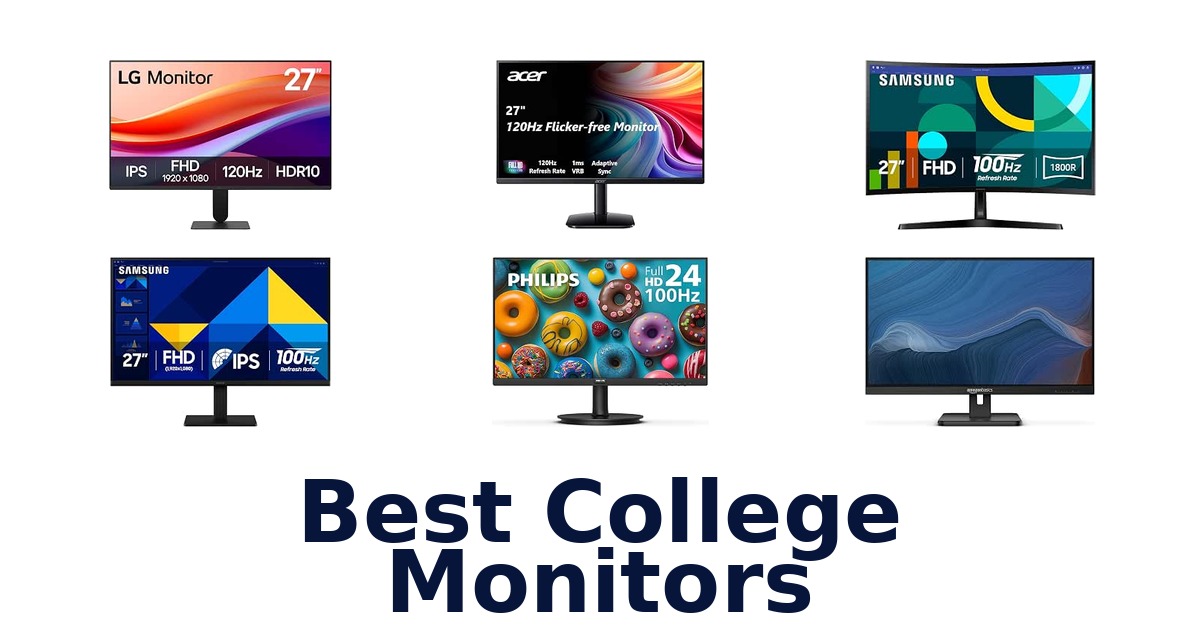
A strong college monitor gives students clear text for coursework, a comfortable viewing experience for long study sessions, and enough screen space for everyday multitasking. The Dell 24 Monitor – SE2426H leads this group with a 23.8-inch Full HD IPS panel, 144Hz refresh rate, 1ms MPRT, and TÜV Rheinland 3-star eye-comfort certification. The selection also includes compact 21.5- and 22-inch displays for smaller desks, 27-inch options for a larger workspace, and monitors with refresh rates from 75Hz to 144Hz.
Consider how much desk space you have, whether you prefer IPS or VA, and which connections and comfort features you need. Every option here supports Full HD, but size, panel type, motion performance, and included features vary enough to affect the fit for your room and routine.
The Dell 24 Monitor – SE2426H is the best college monitor in this lineup for students who want a versatile screen for coursework, streaming, and occasional gaming. Its 23.8-inch Full HD IPS display combines a 144Hz refresh rate and 1ms MPRT with a wide 178-degree viewing angle. TÜV Rheinland 3-star eye-comfort certification is another useful distinction for extended screen sessions.
It also includes an HDMI cable, so it is ready to connect to a compatible device.
Our Top Picks
 Best Overall
Its 23.8-inch Full HD IPS screen, 144Hz refresh rate, 1ms MPRT, and TÜV 3-star eye-comfort certification suit varied study and entertainment use.
View on Amazon Best Large IPS
The 27-inch IPS display offers bright, consistent colors across viewing angles, while its 100Hz refresh rate supports smoother everyday motion.
View on Amazon Best Reader Mode
This 27-inch Full HD IPS monitor has 120Hz, HDR10, Reader Mode, and Flicker Safe, plus a tilt-adjustable stand.
View on Amazon- Best VA Contrast Philips 241V8LB
- Most Compact Philips 221V8LB
Compare the monitors by size, panel, and features
| # | Product | Screen Size | Weight | Dimensions D x W x H | Buy |
|---|---|---|---|---|---|
| 1 | 1. Dell SE2426HBest Overall | 24 in | 7.4 lb | 7.04"D x 21.21"W x 16.23"H | View on Amazon |
| 2 | 2. Samsung S30GD 27-inchBest Large IPS | 27 in | 6.4 lb | 7.89"D x 24.12"W x 18.5"H | View on Amazon |
| 3 | 3. LG 27U411A-BBest Reader Mode | 27 in | 9.3 lb | 8.7"D x 24.1"W x 18"H | View on Amazon |
| 4 |  4. Philips 241V8LBBest VA Contrast 4. Philips 241V8LBBest VA Contrast | 23.8 in | 2900 g | 8.7"D x 21.3"W x 16.4"H | View on Amazon |
| 5 |  5. HP Series 3 327seEye-conscious everyday 27-inch workspace 5. HP Series 3 327seEye-conscious everyday 27-inch workspace | 27 in | 12.9 lb | — | View on Amazon |
| 6 |  6. Acer KB272 G0biLarge adaptive-sync study display 6. Acer KB272 G0biLarge adaptive-sync study display | 27 in | 4.99 kg | 8.27"D x 24.07"W x 17.44"H | View on Amazon |
| 7 | 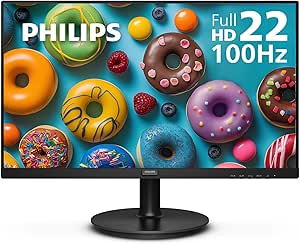 7. Philips 221V8LBMost Compact 7. Philips 221V8LBMost Compact | 21.5 in | 4.21 kg | 8.7"D x 19.4"W x 14.5"H | View on Amazon |
| 8 |  8. Samsung Essential S3 S36GDCurved screen for immersive study breaks 8. Samsung Essential S3 S36GDCurved screen for immersive study breaks | 27 in | 8.4 lb | 9.2"D x 24.5"W x 18.4"H | View on Amazon |
| 9 |  9. Sceptre E225W-FW144GCompact high-refresh gaming desk 9. Sceptre E225W-FW144GCompact high-refresh gaming desk | 22 in | 7 lb | 7"D x 19.9"W x 15.5"H | View on Amazon |
| 10 |  10. Amazon Basics 27-inch IPSPorts and adjustability for shared study 10. Amazon Basics 27-inch IPSPorts and adjustability for shared study | 27 in | 9.9 lb | 7.09"D x 24.16"W x 17.5"H | View on Amazon |
Detailed Reviews: Best College Monitors
#1 · Best Overall
1. Dell SE2426H
- Screen Size: 24 in
- Weight: 7.4 lb
- Dimensions D x W x H: 7.04"D x 21.21"W x 16.23"H
Best for: Fast motion with eye-comfort focus.
Why it ranks #1: Its 23.8-inch Full HD IPS screen, 144Hz refresh rate, 1ms MPRT, and TÜV 3-star eye-comfort certification suit varied study and entertainment use.
A 144Hz refresh rate and 1ms MPRT give Dell’s 23.8-inch Full HD monitor a strong motion-focused profile for gaming between classes and smoother everyday scrolling. Its IPS panel and TÜV Rheinland 3-star eye comfort certification also support extended study sessions with wide viewing angles and reduced blue light.
The 144Hz refresh rate and 1ms MPRT are intended to deliver clearer, more fluid motion across gaming, work, and streaming, while AMD FreeSync supports tear-free viewing. IPS technology and 178/178-degree viewing angles help keep the image consistent when you shift position. TÜV Rheinland 3-star certification addresses eye comfort without compromising color quality, making the compact 23.8-inch screen a useful all-purpose study display. Tilt adjustment lets you angle the monitor to suit your desk position.
- 144Hz refresh rate and 1ms MPRT
- AMD FreeSync
- IPS panel with 178/178-degree viewing angles
- TÜV Rheinland 3-star eye comfort certification
- The 23.8-inch screen offers less workspace than 27-inch monitors.
Skip it if you need a larger screen for documents side by side; the LG 27U411A-B offers a 27-inch IPS display.
A strong match for students combining gaming, streaming, and coursework who value fast motion and eye-comfort features. Its 23.8-inch size is easier to place on a small desk, but limits space for simultaneous windows.
Full product details
| Brand | Dell |
|---|---|
| Color | Black |
| Color Gamut | 72 |
| Included Components | 1 x HDMI cable – 1.8m, Monitor with stand, Power cable, QR card, Safety Information |
| Dimensions | 7.04"D x 21.21"W x 16.23"H |
| Item Weight | 7.4 pounds |
| Manufacturer | Dell |
| Model | Dell 24 Monitor – SE2426H |
| Model Number | SE2426H |
| Screen Size | 24 inches |
| Voltage | 240 volts_of_alternating_current |
| Warranty Description | 1-Year Advanced Exchange Service |
Listed on Amazon as: Dell 24 Monitor – SE2426H – 23.8-inch FHD (1920×1080) 144Hz 1ms Display, in-Plane Switching (IPS) Technology, AMD FreeSyncTM, TÜV 3-Star 2X HDMI, Tilt
View on Amazon#2 · Best Large IPS
2. Samsung S30GD 27-inch
- Screen Size: 27 in
- Weight: 6.4 lb
- Dimensions D x W x H: 7.89"D x 24.12"W x 18.5"H
Best for: Large IPS screen for shared desks.
Why it ranks #2: The 27-inch IPS display offers bright, consistent colors across viewing angles, while its 100Hz refresh rate supports smoother everyday motion.
Samsung’s 27-inch IPS panel keeps colors bright and clear across the screen, making this Full HD monitor a practical choice when you shift seating or share coursework with a study partner. The 100Hz refresh rate adds smoother motion for video and gaming alongside everyday college work.
The IPS panel’s consistent tones and reduced color washing support viewing from different angles, useful when reviewing slides or notes with someone beside you. Its 27-inch Full HD screen offers a broad workspace for documents and video, while 100Hz refresh helps fast-moving content appear smoother. HDMI and D-Sub ports provide connection choices, and the monitor is listed as compatible with laptops, desktops, gaming consoles, and multimedia devices for a flexible dorm or study setup.
- 27-inch Full HD display
- IPS panel with consistent color across viewing angles
- 100Hz refresh rate
- HDMI and D-Sub ports
- The listed refresh rate is 100Hz, below the 120Hz Acer KB272 G0bi.
Skip it if you prioritize a higher listed refresh rate for gaming; the Acer KB272 G0bi supports 120Hz.
Consider this Samsung for students wanting a large IPS display for shared coursework, general computing, and smoother everyday video. Its 100Hz refresh rate balances those uses, while competitive gaming may call for a faster listed option.
Full product details
| Brand | Samsung |
|---|---|
| Color | Black |
| Compatible Devices | Laptop, Desktop, Gaming Console, Multimedia Device |
| Included Components | HDMI, D-Sub Ports |
| Dimensions | 7.89"D x 24.12"W x 18.5"H |
| Item Weight | 6.4 pounds |
| Manufacturer | Samsung |
| Model | S30GD 27" FHD Monitor |
| Model Number | LS27D304GANXZA |
| Screen Size | 27 inches |
| Voltage | 14 volts |
| Warranty Description | 1 Year Manufacturer |
| Warranty Type | 1 Year Manufacturer Warranty |
Listed on Amazon as: Samsung 27" (S30GD) Essential Monitor with IPS Panel
View on Amazon#3 · Best Reader Mode
3. LG 27U411A-B
- Screen Size: 27 in
- Weight: 9.3 lb
- Dimensions D x W x H: 8.7"D x 24.1"W x 18"H
Best for: Borderless IPS workspace for coursework.
Why it ranks #3: This 27-inch Full HD IPS monitor has 120Hz, HDR10, Reader Mode, and Flicker Safe, plus a tilt-adjustable stand.
LG’s three-side virtually borderless design keeps the edges visually slim around its 27-inch Full HD IPS display, helping a college desk feel cleaner while giving coursework and browsing a broad canvas. The 120Hz refresh rate supports smoother motion, and Reader Mode and Flicker Safe add viewing options for study sessions.
The IPS panel delivers sharp, vibrant visuals from virtually any angle, useful when changing position or sharing a screen. Full HD resolution fits everyday tasks such as email, browsing, and managing projects, while 120Hz refresh supports smoother movement through video and other fast content. Reader Mode and Flicker Safe provide additional viewing features, and the tilt-adjustable display moves from -5 to 20 degrees to help set a comfortable viewing position. HDMI connectivity supports straightforward setup.
- 27-inch Full HD IPS display
- 120Hz refresh rate
- Three-side virtually borderless design
- Reader Mode, Flicker Safe, and -5° to 20° tilt
- The listed resolution is Full HD on a 27-inch screen.
Skip it if you prefer a curved screen for a more wrapped-in view; the Samsung Essential S3 has an 1800R curve.
Choose the LG for coursework, browsing, and video on a large IPS screen, especially if slim bezels and tilt adjustment suit your setup. Reader Mode and Flicker Safe add study-oriented options; its resolution remains Full HD.
Full product details
| Brand | LG |
|---|---|
| Color | Black |
| Color Gamut | 99 |
| Included Components | HDMI Cable, Monitor, Power Cable |
| Dimensions | 8.7"D x 24.1"W x 18"H |
| Item Weight | 9.3 pounds |
| Manufacturer | LG Electronics Inc. |
| Model | 27U411A-B.AUSQ |
| Model Number | 27U411A-B.AUSQ |
| Screen Size | 27 inches |
| Voltage | 100 volts |
| Warranty Description | 1 Year Manufacturer |
Listed on Amazon as: LG 27U411A-B 27-inch Full HD (1920 x 1080) IPS Computer Monitor, 120Hz, HDR10, Reader Mode, Flicker Safe, HDMI, Slim Stand Base, Black
View on Amazon#4 · Best VA Contrast
4. Philips 241V8LB
- Screen Size: 23.8 in
- Weight: 2900 g
- Dimensions D x W x H: 8.7"D x 21.3"W x 16.4"H
Best for: Wide-angle study and media viewing.
Why it ranks #4: Its 23.8-inch Full HD VA panel emphasizes deep blacks and bright whites, with a 100Hz refresh rate and four-year parts-and-labor warranty.
The 23.8-inch VA panel pairs Full HD resolution with 16.7 million colors, giving study documents, video lectures, and entertainment defined detail with deeper blacks and brighter whites. Its 178-degree viewing angles help keep colors consistent when a classmate or study partner looks on from beside your desk.
A 100Hz refresh rate supports smoother motion as you move between coursework, streaming, and gaming, while the VA panel’s contrast gives films and videos richer-looking dark scenes. The 178/178-degree viewing angles make the display easier to share without shifting colors from an off-center seat. HDMI compatibility and the included cable support setup with a desktop, laptop, or gaming console, and VESA compatibility offers another mounting option for arranging a college workspace.
- 23.8-inch Full HD 1920×1080 display
- VA panel with 16.7 million colors
- 178/178-degree viewing angles
- 100Hz refresh rate and VESA compatibility
- The listed display is Full HD, not a higher-resolution panel.
Skip it if you need a higher-resolution 27-inch screen; the Samsung S30GD offers a 27-inch IPS display instead.
A good fit for students who want a compact Full HD screen for coursework, videos, and casual gaming, especially when off-angle viewing matters. Its 23.8-inch size suits a smaller desk, but not buyers seeking more screen area.
Full product details
| Brand | Philips Computer Monitors |
|---|---|
| Color | Black |
| Compatible Devices | Desktop, Gaming Console, Laptop |
| Included Components | HDMI Cable, Monitor, Power Cord, User Manual |
| Dimensions | 8.7"D x 21.3"W x 16.4"H |
| Item Weight | 2900 g |
| Manufacturer | Philips |
| Model | 241V8LB |
| Model Number | 241V8LB |
| Screen Size | 23.8 inches |
| Voltage | 12 volts |
| Warranty Description | 4 Year Parts and Labor |
| Warranty Type | 4 Years Manufacturer Warranty |
Listed on Amazon as: Philips 24 Inch Computer Monitor FHD 100Hz VA VESA Flicker-Free, 241V8LB
View on Amazon#5
5. HP Series 3 327se
- Screen Size: 27 in
- Weight: 12.9 lb
Best for: Eye-conscious everyday 27-inch workspace.
Why it ranks #5: A 27-inch IPS panel, 100Hz refresh rate, 1300:1 contrast ratio, and Eyesafe certification make this a well-equipped everyday study display.
HP’s 27-inch IPS monitor combines Full HD resolution with a 1300:1 contrast ratio, helping students see distinctions in colors, shadows, and highlights across everyday coursework. A 100Hz refresh rate smooths movement between frames, while Eyesafe certification and Eye Ease focus the feature set on comfortable daily screen use.
The 1920×1080 panel gives a spacious view for documents and web browsing, and the 1300:1 contrast ratio supports more nuanced differences in shadow and highlight detail. IPS technology helps maintain the image from different positions, while 100Hz refresh allows smoother transitions for scrolling and video. Eye Ease with Eyesafe certification addresses eye comfort during regular use. The monitor is listed as compatible with a desktop or laptop and includes an HDMI cable and AC power cable for setup.
- 27-inch Full HD IPS display
- 1300:1 contrast ratio
- 100Hz refresh rate
- Eye Ease with Eyesafe certification
- The listed brightness is 250 nits, a consideration for very bright rooms.
Skip it if you want a faster refresh rate for gaming; the Acer KB272 G0bi lists 120Hz.
This HP suits students seeking a 27-inch screen for everyday study and browsing, with contrast detail and eye-comfort features. Its 100Hz refresh rate fits general use, while the listed 250-nit brightness matters for brightly lit spaces.
Full product details
| Brand | HP |
|---|---|
| Color | WHITE |
| Color Gamut | 72 |
| Compatible Devices | Desktop, Laptop |
| Included Components | AC power cable, HDMI cable, Monitor, Quick Setup Poster, Warranty card |
| Item Weight | 12.9 pounds |
| Manufacturer | HP |
| Model | HP Series 3 (27 inch FHD Monitor) |
| Model Number | 327S |
| Screen Size | 27 inches |
| Warranty Description | HP standard one-year limited warranty |
Listed on Amazon as: HP Series 3 27 inch FHD Monitor, Full HD Display (1920 x 1080), IPS Panel, 1300:1 Contrast Ratio, 250 Nits, Eye Ease with Eyesafe Certification, Black, 327se (2025)
View on Amazon#6
6. Acer KB272 G0bi
- Screen Size: 27 in
- Weight: 4.99 kg
- Dimensions D x W x H: 8.27"D x 24.07"W x 17.44"H
Best for: Large adaptive-sync study display.
Why it ranks #6: The 27-inch Full HD IPS screen pairs a 120Hz refresh rate with Adaptive-Sync support, useful for students who also play games.
A 27-inch IPS screen with 120Hz refresh gives Acer’s KB272 G0bi room for coursework and smoother motion for gaming or video playback. Adaptive-Sync matches the monitor’s refresh rate to a compatible graphics card, supporting a tear-free experience when study breaks move to games.
Full HD 1920×1080 resolution keeps the display suited to everyday documents, browsing, and media, while the IPS panel supports a wide-angle viewing experience. Adaptive-Sync coordinates refresh with the graphics card for smoother gaming and video playback, and the 120Hz refresh rate adds responsive motion. A frameless bezel and thin enclosure can make the monitor feel less visually bulky on a desk. The included HDMI cable, power cord, and stand cover the listed basic setup components.
- 27-inch Full HD IPS display
- 120Hz refresh rate
- Adaptive-Sync support
- Frameless bezel and thin enclosure
- The 27-inch screen is Full HD rather than a higher-resolution display.
Skip it if you prefer a smaller 23.8-inch screen with 144Hz motion; the Dell SE2426H has those listed specifications.
A fit for students who want a large IPS screen for classes, video, and gaming with Adaptive-Sync. Its 27-inch size provides room to work, but Full HD resolution is the consideration for buyers prioritizing finer detail.
Full product details
| Brand | Acer |
|---|---|
| Color | Black |
| Color Gamut | 99 |
| Included Components | Display, HDMI Cable, Power Cord, Stand |
| Dimensions | 8.27"D x 24.07"W x 17.44"H |
| Item Weight | 4.99 kg |
| Manufacturer | Acer |
| Model | KB272 G0bi |
| Model Number | UM.HK2AA.005 |
| Screen Size | 27 inches |
| Warranty Description | 3 year parts and labor |
| Warranty Type | 3 Years Full Warranty |
Listed on Amazon as: Acer 27in FHD 1920×1080 IPS 120Hz Gaming Monitor | Office KB272 G0bi
View on Amazon#7 · Most Compact
7. Philips 221V8LB
- Screen Size: 21.5 in
- Weight: 4.21 kg
- Dimensions D x W x H: 8.7"D x 19.4"W x 14.5"H
Best for: Small-space study and casual gaming.
Why it ranks #7: Its 21.5-inch Full HD VA display takes a smaller footprint than the larger options, while providing 100Hz and Adaptive-Sync.
The 21.5-inch Philips VA display brings Full HD resolution and a 100Hz refresh rate to a compact college desk, enabling sharper coursework and smoother video or game motion without requiring a large screen footprint. Adaptive-Sync further supports fluid action sequences during compatible gaming and video playback.
The 1920×1080 resolution keeps text and media in Full HD, while the VA panel and 16.7 million colors support vivid images with detail from a wide viewing angle. A 100Hz refresh rate and Adaptive-Sync help smooth motion, so the monitor can move from lecture material to entertainment with less disruption. HDMI compatibility and the included cable support a laptop, desktop, or gaming console; its 21.5-inch viewable area is especially suited to limited desk space.
- 21.5-inch Full HD 1920×1080 display
- 100Hz refresh rate
- Adaptive-Sync for smoother action
- VA panel with 16.7 million colors
- The 21.5-inch viewable screen is small for extensive side-by-side work.
Skip it if you want more screen area for multitasking; the Philips 241V8LB offers a 23.8-inch viewable display.
This Philips suits students fitting a Full HD screen into a compact dorm setup and switching between coursework and casual gaming. Adaptive-Sync and 100Hz help with motion, while the smaller panel is the main workspace tradeoff.
Full product details
| Brand | Philips Computer Monitors |
|---|---|
| Color | Black |
| Compatible Devices | Desktop, Gaming Console, Laptop |
| Included Components | HDMI Cable, Monitor, Power Cord, User Manual |
| Dimensions | 8.7"D x 19.4"W x 14.5"H |
| Item Weight | 4.21 kg |
| Manufacturer | Philips |
| Model | 221V8LB |
| Model Number | 221V8LB |
| Screen Size | 21.5 inches |
| Voltage | 12 volts |
| Warranty Description | 4 Year Parts and Labor |
| Warranty Type | 4 Years Manufacturer Warranty |
Listed on Amazon as: Philips 22 Inch Computer Monitor FHD 100Hz VA VESA Flicker-Free, 221V8LB
View on Amazon#8
8. Samsung Essential S3 S36GD
- Screen Size: 27 in
- Weight: 8.4 lb
- Dimensions D x W x H: 9.2"D x 24.5"W x 18.4"H
Best for: Curved screen for immersive study breaks.
Why it ranks #8: A 27-inch 1800R curved screen and 100Hz refresh rate suit immersive video or gaming, though its VA panel differs from IPS alternatives.
The 27-inch 1800R curved screen wraps closer around your field of vision, giving study sessions, videos, and games a broader, more encompassing view. Samsung’s 100Hz refresh rate helps keep moving content smoother, making this a versatile choice for students who switch between coursework and entertainment.
The curve is intended to enhance depth perception and minimize peripheral distraction, which can help keep attention on a document or video across the wide screen. At 27 inches, it gives room for everyday work and creative projects, while the 100Hz refresh rate reduces lag and motion blur in fast-moving content. HDMI connectivity and the included HDMI cable simplify connection to a laptop, desktop, or gaming console, so it can serve several campus-room uses.
- 27-inch FHD curved display
- 1800R curve wraps the view more closely
- 100Hz refresh rate
- Compatible with desktops, laptops, and gaming consoles
- The curved 1800R screen may not suit buyers who prefer a flat display.
Skip it if you want a flat IPS screen with wide-angle color consistency; the Samsung S30GD has a flat IPS panel.
Choose this for a student who wants a curved 27-inch screen for everyday work, video, and gaming, with smoother motion from 100Hz. Its 1800R curve is the key fit consideration for a shared or multi-purpose desk.
Full product details
| Brand | Samsung |
|---|---|
| Color | Black |
| Color Gamut | 0.95 |
| Compatible Devices | Desktop, Gaming Console, Laptop |
| Included Components | HDMI Cable, Power Cable |
| Dimensions | 9.2"D x 24.5"W x 18.4"H |
| Item Weight | 8.4 pounds |
| Manufacturer | Samsung |
| Model | S36GD |
| Model Number | LS27D366GANXZA |
| Screen Size | 27 inches |
| Voltage | 110 volts |
| Warranty Description | 1 Year Manufacturer |
| Warranty Type | 1 Year Manufacturer Warranty |
Listed on Amazon as: Samsung 27" Essential S3 (S36GD) Series FHD 1800R Curved Computer Monitor
View on Amazon#9
9. Sceptre E225W-FW144G
- Screen Size: 22 in
- Weight: 7 lb
- Dimensions D x W x H: 7"D x 19.9"W x 15.5"H
Best for: Compact high-refresh gaming desk.
Why it ranks #9: This 22-inch Full HD monitor lists up to 144Hz, built-in speakers, and Blue-Light Shift, combining compact sizing with gaming-oriented features.
A refresh rate of up to 144Hz gives this 22-inch Sceptre monitor its clearest college-desk advantage: smoother motion for games and fast-moving video on a compact screen. Built-in speakers also let you keep audio on the monitor rather than adding separate speakers to a crowded study area.
The 1080p display keeps everyday coursework and entertainment in Full HD, while the up-to-144Hz refresh rate targets responsive motion for gaming. Blue-Light Shift reduces blue-light emissions for long viewing sessions, and built-in speakers help keep a small desk uncluttered. HDMI and DisplayPort provide connection options, making it practical to switch among compatible devices. Its 22-inch footprint is a sensible match for limited space, though students prioritizing a larger workspace may want a bigger panel.
- 22-inch Full HD 1080p display
- Refresh rate up to 144Hz
- Built-in speakers help reduce desk clutter
- Blue-Light Shift technology
- The screen is 22 inches, limiting workspace compared with 27-inch monitors.
Skip it if you need more room for side-by-side coursework; the Acer KB272 G0bi has a 27-inch screen.
A fit for students with a compact desk who game, watch video, and value built-in audio. The up-to-144Hz refresh rate and eye-comfort feature are useful, but the 22-inch display is a clear boundary for multitasking.
Full product details
| Brand | Sceptre |
|---|---|
| Color | Machine Black |
| Color Gamut | 100 |
| Dimensions | 7"D x 19.9"W x 15.5"H |
| Item Weight | 7 pounds |
| Manufacturer | e-Sceptre |
| Model | E225W-FW144G |
| Model Number | E225W-FW144G |
| Screen Size | 22 inches |
| Warranty Description | limited 1 year |
| Warranty Type | 1 Year Manufacturer Warranty |
Listed on Amazon as: Sceptre New 22-Inch Gaming Monitor, FHD 1080p, Up to 144Hz, HDMI, DisplayPort, Built-in Speakers, Machine Black (E225W-FW144 Series, 2026)
View on Amazon#10
10. Amazon Basics 27-inch IPS
- Screen Size: 27 in
- Weight: 9.9 lb
- Dimensions D x W x H: 7.09"D x 24.16"W x 17.5"H
Best for: Ports and adjustability for shared study.
Why it ranks #10: Its 27-inch IPS screen has a 75Hz refresh rate, adjustable stand, built-in speakers, and HDMI, DisplayPort, VGA, and USB ports.
Four USB 3.2 ports alongside HDMI, DisplayPort, and VGA give this 27-inch Amazon Basics monitor a connection-rich role at a college desk, supporting varied peripherals and display sources. Its IPS panel keeps colors viewable from different angles, while the adjustable stand tilts to help set a useful viewing position.
The 1920×1080 IPS display supports clear Full HD work and color viewing from different angles, making it practical for webinars, meetings, digital work, and entertainment. HDMI, DisplayPort, and VGA provide multiple input options, while four USB 3.2 ports and a USB-B port add peripheral connectivity. The stand tilts from -5 to 20 degrees, helping adapt the screen angle to a study setup, and built-in speakers keep basic audio integrated with the monitor.
- 27-inch Full HD IPS display
- HDMI, DisplayPort, and VGA inputs
- Four USB 3.2 ports plus USB-B
- Stand tilts from -5° to 20°
- The 75Hz refresh rate is lower than the 100Hz Philips 241V8LB.
Skip it if you prioritize smoother motion for gaming; the Philips 241V8LB lists a 100Hz refresh rate.
A practical pick for students who connect several peripherals or use varied video inputs for classes and shared work. Its adjustable stand and built-in speakers add flexibility, while the 75Hz refresh rate suits general use better than motion-focused gaming.
Full product details
| Brand | Amazon Basics |
|---|---|
| Color | Black |
| Included Components | 1 x HDMI 1.4 Port, 1 x VGA Port, 1 x Dp 1.2 Port, 4 x USB 3.2 Ports, 1 x USB-B Port, 1 x 3.5mm Audio Jack in and out, 1 x Power Chord, 1 x HDMI Cable, 1 x stand |
| Dimensions | 7.09"D x 24.16"W x 17.5"H |
| Item Weight | 9.9 pounds |
| Manufacturer | Amazon |
| Model | 27E2UA |
| Model Number | 27E2UA |
| Screen Size | 27 inches |
| Warranty Description | 1 year |
Listed on Amazon as: Amazon Basics 27 in IPS Monitor, Full HD 1080P, 75 Hz, Adjustable Stand, HDMI, Display Port, VGA Input, Built-in Speakers, VESA Compatible, Black
View on AmazonCheck laptop connections before choosing
A monitor’s listed ports do not guarantee that it will connect directly to your particular laptop, so confirm the computer’s video output and the cable or adapter required. The Amazon Basics 27-inch IPS lists HDMI, VGA, and DisplayPort inputs, while the Samsung S30GD 27-inch lists HDMI and D-Sub ports. Several products, including the Dell SE2426H and both Philips models, list an HDMI cable among their included components; that does not establish compatibility with every laptop port.
A common trap is choosing a screen for its size or refresh rate before checking the connection path, especially when the laptop uses a different output. Also distinguish ports from included accessories: the Amazon Basics specifications list HDMI, VGA, DisplayPort, and USB ports, but its included components list an HDMI cable and stand.
Check the exact monitor and laptop port details before relying on a connection or accessory.
Match Full HD size to viewing distance
Full HD is available here on screens from 21.5 to 27 inches, so screen size changes how large the same 1920-by-1080 image appears. The Philips 221V8LB is a 21.5-inch display, while several models—including the Samsung S30GD 27-inch and LG 27U411A-B—use 27-inch Full HD screens. A larger panel can provide a broader physical workspace, but it does not add resolution in this group; text and interface elements may look larger at the same resolution.
That can suit students who prefer larger on-screen content, while a compact screen may be easier to place on a crowded desk. Avoid assuming that a bigger Full HD monitor automatically shows more detail or more content.
Consider desk depth and how far you sit from the display, then decide whether larger elements or a smaller footprint matter more for your room and study setup.
How to Choose a College Monitor
Screen size and desk fit
Look for a screen size that fits your desk and the viewing distance you can maintain. This lineup ranges from the Philips 221V8LB at 21.5 inches to 27-inch choices such as the Samsung S30GD 27-inch, LG 27U411A-B, and HP Series 3 327se; the Dell SE2426H and Philips 241V8LB are 23.8-inch options. Since all listed options use Full HD, a larger screen gives a physically bigger image rather than a higher resolution.
Students with limited desk space may prefer the 21.5- or 22-inch models, while those who want a broad display for split windows may prefer a 27-inch monitor. Check the listed dimensions against your desk before selecting a size.
Panel type and viewing comfort
Choose a panel and comfort feature that match how long you work and where you sit. IPS options include the Dell SE2426H, Samsung S30GD 27-inch, and LG 27U411A-B; several descriptions note consistent colors across viewing angles. The Philips 241V8LB and 221V8LB use VA panels, with Philips highlighting contrast and deep blacks.
Comfort features also differ: the Dell lists TÜV Rheinland 3-star certification, the HP Series 3 327se lists Eyesafe certification, and the LG 27U411A-B includes Reader Mode and Flicker Safe. For shared or off-angle viewing, an IPS option may suit better; students prioritizing VA contrast may prefer a Philips model.
Treat these as listed features, not guarantees of personal comfort.
Refresh rate and motion features
Look for a refresh rate that fits your mix of coursework, video, and gaming. Listed rates range from 75Hz on the Amazon Basics 27-inch IPS to 144Hz on the Dell SE2426H and up to 144Hz on the Sceptre E225W-FW144G; other models offer 100Hz or 120Hz. The Dell also lists 1ms MPRT, while Philips models include Adaptive-Sync and the Acer KB272 G0bi lists Adaptive-Sync support.
A higher refresh rate can make supported motion appear smoother, but it does not determine image resolution or guarantee a particular gaming experience. Students mainly reading documents and attending video calls may be satisfied with a lower listed rate.
Those who play fast-motion games may favor the 120Hz or 144Hz options, provided their computer supports the desired output.
Which College Monitor Should You Choose?
For one screen that balances coursework and entertainment, choose the Dell SE2426H: its 23.8-inch IPS display, 144Hz rate, 1ms MPRT, and eye-comfort certification make it the most versatile pick. Students who want a larger IPS screen can consider the Samsung S30GD 27-inch or LG 27U411A-B; the LG adds Reader Mode and Flicker Safe. For a smaller desk, the Philips 221V8LB offers a 21.5-inch screen, 100Hz, and Adaptive-Sync.
If contrast matters most, the Philips 241V8LB has a VA panel and 23.8-inch screen. The Sceptre E225W-FW144G combines compact sizing with built-in speakers and up to 144Hz.
Before deciding, verify that your laptop can connect to the monitor’s listed ports and that the screen dimensions fit your desk.
Related Buying Guides
Frequently Asked Questions
Is a 27-inch Full HD monitor too large for a college desk?
Not necessarily; it depends on your available desk space and viewing distance. Check the monitor’s overall dimensions and leave room for its stand, laptop, and study materials. If space is limited, the 21.5-inch Philips 221V8LB or compact 22-inch Sceptre may be easier to accommodate than a 27-inch screen.
Which monitor connections should I check before connecting a laptop?
Check that the monitor’s listed inputs match an output on your laptop, or that you have a compatible adapter. The titles list HDMI for several models; the Sceptre also lists DisplayPort, and the Amazon Basics monitor lists HDMI, DisplayPort, and VGA. Confirm the exact port requirements before choosing.
Does a higher refresh rate matter for studying, or mainly for gaming?
A higher refresh rate is most noticeable in motion, making it more relevant to gaming and smooth scrolling than to reading or writing. For coursework, prioritize a screen size and viewing features that suit your setup. The Dell’s 144Hz rate also supports occasional gaming, alongside its IPS display and eye-comfort certification.
Should I choose an IPS or VA panel for college work?
Choose based on your priorities: the roundup includes IPS models such as the Dell, Samsung S30GD, and LG, while the Philips 241V8LB uses a VA panel. The editorial verdict points to IPS for a versatile coursework-and-entertainment pick and identifies the Philips VA model for students who prioritize contrast.
What should I check to make sure a monitor fits my setup?
Compare the screen size and full monitor dimensions with your desk space, including room for the stand. Also verify that your laptop can connect to the monitor’s listed ports. Stand features vary across this lineup; for example, the Amazon Basics title specifies an adjustable stand, while the Dell title lists tilt.
Final Words
For one monitor that handles coursework, streaming, and occasional gaming, the Dell SE2426H is the strongest all-around choice in this lineup, with a 23.8-inch IPS display, 144Hz refresh rate, 1ms MPRT, and TÜV Rheinland 3-star eye-comfort certification. Consider the Samsung S30GD or LG for a larger IPS screen, or the Philips 221V8LB for a smaller desk. Before deciding, check desk fit and laptop-port compatibility.