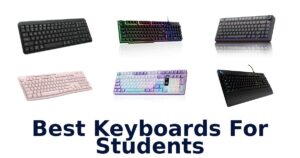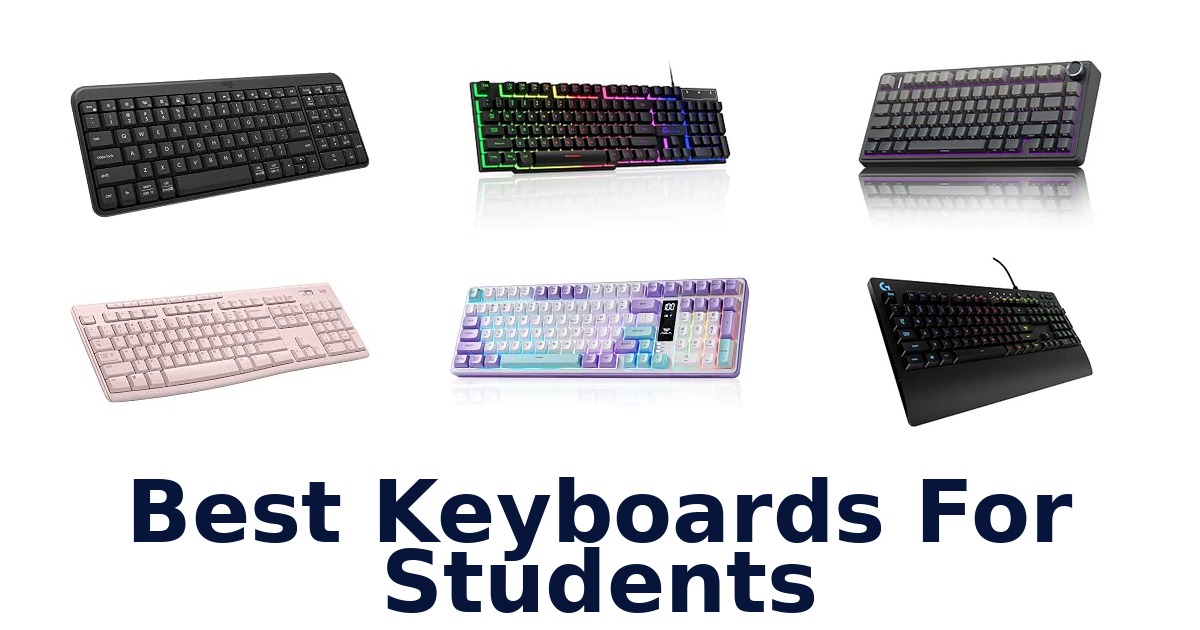
A strong student keyboard offers a familiar layout, dependable connectivity, and the features you need for coursework, whether you type at a fixed desk or move between devices. This lineup includes straightforward USB models such as the Logitech K120 and Amazon Basics Wired Keyboard, wireless choices with Bluetooth or a receiver, and gaming keyboards with lighting and extra controls. For most students, a full-size layout is useful for long typing sessions and number-heavy work, while a compact model can reclaim desk space.
Check device compatibility and connection type before choosing: Bluetooth avoids occupying a USB port, while wired keyboards are ready to use without managing a wireless connection. The rankings prioritize everyday study usefulness, then specific layout, connectivity, and durability details provided for each product.
The Logitech K120 is the best overall choice for students who want a familiar, full-size keyboard for everyday coursework. It connects by USB without software installation and includes F-keys and a number pad, while its deep-profile keys are described as comfortable for extended typing. Its listed water-resistant feature may also suit a busy desk.
Students who need wireless connectivity or a more compact footprint should compare the Bluetooth Logitech K250 and receiver-based Logitech K270 instead.
Our Top Picks
 Best Overall
Full-size layout, F-keys, number pad, deep-profile keys, and simple USB setup make it a practical everyday coursework keyboard.
View on Amazon Best Media Controls
Its full-size QWERTY layout, plug-and-play USB connection, and one-touch media and calculator controls suit straightforward desk-based study.
View on Amazon Best Bluetooth Option
Bluetooth connects without a dongle, and the compact layout retains a number pad, arrow keys, and F-key shortcuts.
View on Amazon- Best Receiver Wireless Logitech K270
Compare keyboard layouts, connections, and study-friendly features
| # | Product | Dimensions | Compatible Devices | Compatible Operating System Family | Buy |
|---|---|---|---|---|---|
| 1 | 1. Logitech K120Best Overall | 17.7"L x 6.1"W x 0.9"H | Laptop | Windows | View on Amazon |
| 2 | 2. Amazon Basics Wired KeyboardBest Media Controls | 17.4"L x 5"W x 1.1"H | PC | Linux, Windows | View on Amazon |
| 3 | 3. Logitech K250Best Bluetooth Option | — | Laptop, Personal Computer, Tablet | Windows | View on Amazon |
| 4 |  4. Logitech K270Best Receiver Wireless 4. Logitech K270Best Receiver Wireless | 17.25"L x 5.75"W x 0.75"H | Laptop, PC | Windows | View on Amazon |
| 5 |  5. HP 320K KeyboardCompact wired office setup 5. HP 320K KeyboardCompact wired office setup | 19"L x 8"W x 2"H | PC | Windows | View on Amazon |
| 6 | 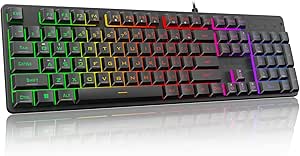 6. Redragon K521Backlit gaming and study 6. Redragon K521Backlit gaming and study | — | Laptop, PC | Windows | View on Amazon |
| 7 |  7. GEODMAER GM104Full-size gaming coursework 7. GEODMAER GM104Full-size gaming coursework | — | Laptop, PC | Windows | View on Amazon |
| 8 |  8. Logitech G213Spill-resistant gaming desk 8. Logitech G213Spill-resistant gaming desk | 8.58"L x 17.8"W x 1.3"H | PC | Windows | View on Amazon |
| 9 |  9. AULA F75 ProMulti-device mechanical setup 9. AULA F75 ProMulti-device mechanical setup | 12.7"L x 5.64"W x 1.7"H | Gaming Console, Laptop, PC, Smartphone, Tablet | Android, Windows | View on Amazon |
| 10 |  10. AULA S99pro V2Quiet shared-room typing 10. AULA S99pro V2Quiet shared-room typing | 15.95"L x 5.33"W x 1.62"H | Gaming Console, Laptop, PC, Smartphone, Tablet | — | View on Amazon |
Detailed Reviews: Best Keyboards For Students
#1 · Best Overall
1. Logitech K120
- Dimensions: 17.7"L x 6.1"W x 0.9"H
- Compatible Devices: Laptop
- Compatible Operating System Family: Windows
Best for: Full-size number-pad typing.
Why it ranks #1: Full-size layout, F-keys, number pad, deep-profile keys, and simple USB setup make it a practical everyday coursework keyboard.
Deep-profile keys paired with a full-size layout, F-keys, and number pad give the Logitech K120 a familiar setup for coursework that mixes typing with numeric entry. Its USB corded connection requires no software installation, so it is ready to use after plugging into a Windows computer.
The standard full-size layout gives students dedicated F-keys and a number pad, which can make spreadsheet entry and routine keyboard navigation more direct. Deep-profile keys with a springy, responsive bounce-back support a familiar feel during longer typing sessions. The USB corded setup avoids a separate receiver or software installation, while the listed Windows 7, 8, 10, or later compatibility helps establish whether it fits a Windows study computer. Its water-resistant feature offers a practical safeguard around drinks.
- Full-size layout includes F-keys and number pad
- Deep-profile keys with responsive bounce-back
- USB plug-and-play setup requires no software installation
- Water-resistant feature
- Its corded USB connection limits placement to within cable reach of the computer.
Skip it if you want Bluetooth without a USB cable; the Logitech K250 connects wirelessly and frees a USB port.
The K120 suits students who want a conventional Windows keyboard with a number pad for coursework and a simple wired setup. Pick it for a fixed desk, not a workspace where wireless placement is important.
Full product details
| Brand | Logitech |
|---|---|
| Color | Black |
| Compatible Devices | Laptop |
| Compatible Operating System Family | Windows |
| Enclosure Material | Plastic |
| Dimensions | 17.7"L x 6.1"W x 0.9"H |
| Item Weight | 16 ounces |
| Keyboard Backlighting Color Support | Single Color |
| Manufacturer | Logitech |
| Model | K120 |
| Model Number | 920-002478 |
| Recommended Uses | Home, Work |
| Special Feature | Water Resistant |
| Style | Wired Keyboard K120 |
| Style Name | Wired Keyboard K120 |
| Warranty Description | 2 years |
Listed on Amazon as: Logitech K120 Full Size Wired Keyboard USB Plug-and-Play Windows – Black
View on Amazon#2 · Best Media Controls
2. Amazon Basics Wired Keyboard
- Dimensions: 17.4"L x 5"W x 1.1"H
- Compatible Devices: PC
- Compatible Operating System Family: Linux, Windows
Best for: Windows study desk.
Why it ranks #2: Its full-size QWERTY layout, plug-and-play USB connection, and one-touch media and calculator controls suit straightforward desk-based study.
One-touch access to media controls, volume, Calculator, and My Computer gives the Amazon Basics wired keyboard useful shortcuts for everyday coursework. Its full-size US QWERTY layout keeps familiar key placement, while the USB connection makes setup straightforward on a compatible Windows computer.
The full-size layout and comfortably spaced, low-profile keys support familiar typing and quick movement across the keyboard, useful for notes and assignments. A wired USB connection means you can plug in and start without a separate wireless receiver. Dedicated hot keys provide direct access to media, mute, volume, My Computer, and Calculator, reducing the need to navigate menus for those tasks. It is listed for Windows and Linux, though Windows versions are specifically named in its compatibility details.
- Full-size US QWERTY layout with well-spaced keys
- USB plug-and-play wired setup
- Hot keys for media, volume, mute, Calculator, and My Computer
- Windows and Linux listed as compatible operating system families
- The USB cable keeps the keyboard physically tethered to the computer.
Skip it if you need a wireless keyboard for flexible seating; the Logitech K250 connects by Bluetooth without a dongle.
Choose this for a familiar full-size typing setup at a Windows study desk, especially if one-touch media and utility shortcuts are useful. Its wired USB connection suits a fixed workstation better than a cable-free workspace.
Full product details
| Brand | Amazon Basics |
|---|---|
| Color | Black |
| Compatible Devices | PC |
| Compatible Operating System Family | Linux, Windows |
| Included Components | USB Cable |
| Dimensions | 17.4"L x 5"W x 1.1"H |
| Item Weight | 15.68 ounces |
| Manufacturer | Amazon |
| Model Number | MD005 |
| Recommended Uses | Office |
| Special Feature | Multimedia Keyboard |
| Style | Wired |
| Style Name | Wired |
Listed on Amazon as: Amazon Basics Wired QWERTY Keyboard, Works with Windows, Plug and Play, Easy to Use with Media Control, Full-Sized, Black
View on Amazon#3 · Best Bluetooth Option
3. Logitech K250
- Compatible Devices: Laptop, Personal Computer, Tablet
- Compatible Operating System Family: Windows
Best for: Compact Bluetooth coursework.
Why it ranks #3: Bluetooth connects without a dongle, and the compact layout retains a number pad, arrow keys, and F-key shortcuts.
Bluetooth pairing without a dongle lets the Logitech K250 connect while leaving a USB port free for another device. Its compact layout still includes a number pad, arrow keys, and F-key shortcuts, giving students useful navigation and numeric-entry keys without a full-size footprint.
The compact design can help conserve desk space, while retaining the number pad, arrow keys, and F-key shortcuts for spreadsheet entry and document navigation. Bluetooth connectivity needs no dongle, so it does not occupy a USB port and supports a less cluttered setup. Deep-profile keys and an adjustable tilt leg give students options for typing position. Its spill-resistant design and stated 12-month battery life support regular use, with battery life varying according to conditions.
- Bluetooth connection works without a dongle
- Compact layout retains number pad, arrow keys, and F-key shortcuts
- Adjustable tilt-leg design
- Spill-resistant design with stated 12-month battery life
- The listed compatible operating system family is Windows, not macOS.
Skip it if you use a Mac as your main study computer; the Redragon K521 lists Mac compatibility.
Choose the K250 for a compact Bluetooth study setup that still needs numeric entry and navigation keys. Its listed operating system compatibility is Windows, so check that boundary against the computer you plan to use.
Full product details
| Brand | Logitech |
|---|---|
| Color | Graphite |
| Compatible Devices | Laptop, Personal Computer, Tablet |
| Compatible Operating System Family | Windows |
| Item Weight | 380 g |
| Manufacturer | Logitech |
| Model Number | 920-013442 |
| Special Features | Lightweight, Portable |
| Special Feature | Lightweight, Portable |
| Warranty Description | 1 Year Limited Hardware Warranty |
Listed on Amazon as: Logitech K250 Compact Wireless Bluetooth Keyboard with Number Pad, Graphite
View on Amazon#4 · Best Receiver Wireless
4. Logitech K270
- Dimensions: 17.25"L x 5.75"W x 0.75"H
- Compatible Devices: Laptop, PC
- Compatible Operating System Family: Windows
Best for: Wireless full-size Windows typing.
Why it ranks #4: This full-size wireless keyboard uses a small 2.4 GHz receiver that can stay in a laptop, avoiding a cable across the desk.
The Logitech K270 combines a full-size keyboard layout with 2.4GHz wireless connectivity, letting students type without a cable across the desk. Its small Unifying receiver can stay in a laptop, and Logitech says it can also support another compatible mouse or keyboard through that receiver.
A full-size layout gives students a familiar arrangement for coursework, while the wireless connection removes the keyboard cable from the work surface. The tiny Unifying receiver is small enough to remain in a laptop, so it does not need to be removed between uses. Logitech also says another compatible mouse or keyboard can be added without multiple USB receivers. The product is identified as a Windows keyboard; its listed dimensions are 17.25 by 5.75 inches, a useful desk-space consideration.
- Full-size layout
- 2.4GHz wireless connection
- Small Unifying receiver can remain in a laptop
- Can add another compatible mouse or keyboard without multiple USB receivers
- The Unifying receiver uses a USB port on the connected device.
Skip it if you want Bluetooth that does not occupy a USB port; the Logitech K250 connects without a dongle.
The K270 fits students who want full-size wireless typing at a Windows laptop or desktop, especially if the receiver can stay connected. Its USB receiver still occupies a port, so account for that in a crowded setup.
Full product details
| Brand | Logitech |
|---|---|
| Color | Rose |
| Compatible Amazon Tablet Models | Amazon Fire 5th Generation, Amazon Fire 7 5th Generation, Amazon Fire HD 10 5th Generation, Amazon Fire HD 6 4th Generation, Amazon Fire HD 7 4th Generation, Amazon Fire HD 8 5th Generation, Amazon Fire HD 8 6th Generation, Amazon Fire HDX 8.9 4th Generation, Amazon Fire Kids 5th Generation, Amazon |
| Compatible Devices | Laptop, PC |
| Compatible Operating System Family | Windows |
| Compatible Tablet Computer Models | AAUB P30 |
| Enclosure Material | Plastic |
| Dimensions | 17.25"L x 5.75"W x 0.75"H |
| Item Weight | 1.1 pounds |
| Keyboard Backlighting Color Support | Single Color |
| Manufacturer | Logitech |
| Model | Logitech K270 Keyboard |
| Model Number | 920-013289 |
| Recommended Uses | Home, Multimedia, Travel, Work |
| Special Feature | Spill Proof |
| Style | Keyboard |
| Style Name | Keyboard |
| Warranty Description | Manufacturer’s warranty can be requested from customer service. |
Listed on Amazon as: Logitech K270 Full Size Wireless Keyboard for Windows – Rose
View on Amazon#5
5. HP 320K Keyboard
- Dimensions: 19"L x 8"W x 2"H
- Compatible Devices: PC
- Compatible Operating System Family: Windows
Best for: Compact wired office setup.
Why it ranks #5: A compact-construction wired office keyboard from HP could suit a simple study desk, though the supplied details omit its layout and connection specifics.
Compact construction gives the HP 320K a space-conscious footprint for a student desk, while its cable connectivity keeps the setup straightforward. The product is listed for PC and Windows use, and its office recommendation suits routine typing and coursework at a stationary workstation.
The compact construction can leave more room on a crowded desk, which is useful when books or a laptop share the work surface. Cable connectivity means the keyboard connects directly rather than relying on a wireless pairing process. HP describes it as designed for comfort and easy to connect and use, supporting a simple everyday office workflow. Its listed compatible device is PC and its operating system family is Windows, so those details help students match it to a Windows study computer.
- Compact construction for a crowded desk
- Cable connectivity
- Listed for PC and Windows
- Described as easy to connect and use
- Its cable connection requires the keyboard to remain within reach of the computer.
Skip it if you want wireless placement without a cable; the Logitech K270 uses a 2.4GHz wireless connection.
The HP 320K suits a student who wants a straightforward, compact keyboard for a Windows PC and a fixed desk. Its cable connection is the key fit consideration for anyone planning a flexible or wireless setup.
Full product details
| Brand | HP |
|---|---|
| Color | Information Not Available |
| Compatible Devices | PC |
| Compatible Operating System Family | Windows |
| Enclosure Material | Plastic |
| Dimensions | 19"L x 8"W x 2"H |
| Keyboard Backlighting Color Support | Single Color |
| Manufacturer | HP Inc. |
| Model | 320K Keyboard |
| Model Number | 320K |
| Recommended Uses | Office |
| Special Feature | Mechanical, Wear Resistant |
| Style | Classic |
| Style Name | Classic |
| Warranty Description | 1 year Manufacturer |
Listed on Amazon as: HP 320K Keyboard
View on Amazon#6
6. Redragon K521
- Compatible Devices: Laptop, PC
- Compatible Operating System Family: Windows
Best for: Backlit gaming and study.
Why it ranks #6: Its 104-key wired layout and multimedia keys cover everyday typing, but rainbow lighting and gaming features are less study-focused.
One-touch backlighting and a 104-key layout give the Redragon K521 a full-size setup with visible keys for gaming or study sessions. Anti-ghosting and multimedia keys add practical controls, while the wired connection links it to compatible computers and listed gaming consoles.
The 104-key full-size layout keeps familiar key spacing and supplies multimedia controls, making it useful for switching between coursework and gaming without changing keyboards. Anti-ghosting is listed as a feature for simultaneous key input, while one-touch lighting control and adjustable breathing modes let users manage the backlight. The included USB cable supports a wired connection. The product title lists PC, Mac, PS4/5, and Xbox compatibility; its specifications list Windows as the compatible operating system family.
- 104-key full-size layout
- Anti-ghosting feature
- One-touch backlight control with adjustable breathing mode
- USB wired connection; title lists PC, Mac, PS4/5, and Xbox
- The wired USB design requires a cable connection to the device.
Skip it if you need Bluetooth for a cable-free desk; the Logitech K250 connects without a dongle.
The K521 fits students who also want backlighting, multimedia controls, and a full-size gaming layout. Its wired connection is best for a desk where the USB cable can reach the computer or listed console.
Full product details
| Brand | Redragon |
|---|---|
| Color | Black |
| Compatible Devices | Laptop, PC |
| Compatible Operating System Family | Windows |
| Included Components | USB Cable, Keycaps |
| Keyboard Plate Material | ABS |
| Manufacturer | Redragon |
| Model | K521 |
| Model Number | K521 |
| Recommended Uses | Gaming |
| Special Feature | Backlit, Quiet |
| Style | Classic |
| Style Name | Classic |
| Warranty Description | 2 |
Listed on Amazon as: Redragon K521 Upgrade Rainbow LED Gaming Keyboard, 104 Keys Wired Mechanical Feeling Keyboard with Multimedia Keys, One-Touch Backlit, Anti-Ghosting, Compatible with PC, Mac, PS4/5, Xbox
View on Amazon#7
7. GEODMAER GM104
- Compatible Devices: Laptop, PC
- Compatible Operating System Family: Windows
Best for: Full-size gaming coursework.
Why it ranks #7: A full-size 104-key wired layout and multimedia keys serve general computer use, though its gaming-oriented backlight and anti-ghosting target play.
A 104-key layout with 12 multimedia keys gives the GEODMAER GM104 familiar full-size controls for switching between study tasks and gaming. Its 1.5-meter wired connection is plug-and-play, while 19-key anti-ghosting and backlighting add gaming-oriented features to a Windows PC or laptop setup.
The full-size 104-key layout keeps a familiar arrangement for document work, and its 12 multimedia keys add direct controls for common media tasks. A 1.5-meter wired connection and plug-and-play setup avoid driver installation, making it straightforward to connect to a PC or laptop. The listed 19-key anti-ghosting feature supports multiple simultaneous inputs, while the spill-resistant membrane design gives the keyboard a practical feature for shared study spaces. Its backlighting is useful when visible keys matter.
- Full-size 104-key layout with 12 multimedia keys
- 1.5-meter wired connection and plug-and-play setup
- 19-key anti-ghosting feature
- Spill-resistant membrane design with backlighting
- The 1.5-meter wired connection limits placement to its cable reach.
Skip it if you want a wireless keyboard for a cleaner desk; the Logitech K270 connects over 2.4GHz wireless.
Choose the GM104 for a student who wants full-size keys, multimedia access, and gaming-oriented anti-ghosting on a Windows PC or laptop. Its fixed 1.5-meter cable makes desk placement a relevant consideration.
Full product details
| Brand | GEODMAER |
|---|---|
| Color | Black 104 Keys Keyboard |
| Compatible Devices | Laptop, PC |
| Compatible Operating System Family | Windows |
| Enclosure Material | Plastic |
| Manufacturer | GEODMAER |
| Material | Plastic |
| Model | GM104 Gaming Keyboard |
| Model Number | GM104 |
| Recommended Uses | Gaming |
| Special Feature | Backlit |
| Warranty Description | 3 Years Manufacturer |
Listed on Amazon as: GEODMAER 104 Keys Gaming Keyboard, Full Size LED Backlit Wired Keyboard with Multimedia Keys, Anti-Ghosting, Spill-Resistant Membrane Gaming Keyboard for PC Laptop
View on Amazon#8
8. Logitech G213
- Dimensions: 8.58"L x 17.8"W x 1.3"H
- Compatible Devices: PC
- Compatible Operating System Family: Windows
Best for: Spill-resistant gaming desk.
Why it ranks #8: It combines a full-size layout with spill-resistant construction, but its customizable RGB zones and gaming-focused features are not essential for coursework.
Five customizable lighting zones with more than 16.8 million colors let the Logitech G213 tailor its RGB appearance to a study or gaming setup. Its full-size layout supports productivity as well as gaming, and its spill-resistant construction is intended to make cleanup easier.
The full-size layout combines gaming and productivity use, giving students one keyboard for assignments and play. Performance-tuned keys are described as tactile and responsive, while five customizable lighting zones can be personalized through Logitech G Hub and synchronized with other Logitech G devices. The slim body helps keep the footprint lower-profile, and the spill-resistant construction is intended to repel liquids, crumbs, and dirt for easier cleanup. It is listed for PC and Windows, which narrows its stated compatibility.
- Full-size layout for gaming and productivity
- Five customizable lighting zones with over 16.8 million colors
- Lighting can be personalized and synchronized through Logitech G Hub
- Spill-resistant construction for easier cleanup
- Its listed compatible operating system family is Windows.
Skip it if you need a keyboard listed for Mac; the Redragon K521 names Mac compatibility in its title.
The G213 suits a Windows PC user who wants full-size keys, customizable RGB, and a spill-resistant surface for a mixed study-and-gaming desk. Its listed Windows compatibility is an important fit boundary.
Full product details
| Brand | Logitech G |
|---|---|
| Color | Black |
| Compatible Devices | PC |
| Compatible Operating System Family | Windows |
| Enclosure Material | durable, spill-resistant material(s) |
| Dimensions | 8.58"L x 17.8"W x 1.3"H |
| Item Weight | 1000 g |
| Keyboard Backlighting Color Support | RGB |
| Manufacturer | Logitech |
| Model | G213 |
| Model Number | 920-009284 |
| Recommended Uses | Gaming |
| Special Feature | Lighting |
| Style | Keyboard only |
| Style Name | Keyboard only |
| Warranty Description | 2 Year Limited Hardware Warranty |
Listed on Amazon as: Logitech G213 Prodigy Wired RGB Gaming Keyboard – Black
View on Amazon#9
9. AULA F75 Pro
- Dimensions: 12.7"L x 5.64"W x 1.7"H
- Compatible Devices: Gaming Console, Laptop, PC, Smartphone, Tablet
- Compatible Operating System Family: Android, Windows
Best for: Multi-device mechanical setup.
Why it ranks #9: Tri-mode connections and switching among up to five devices offer flexibility, but its 75% mechanical gaming design is a specialized study fit.
Three connection modes and support for up to five connected devices make the AULA F75 Pro useful for students moving among a computer, tablet, and phone. Its 75% layout adds a knob and hot-swappable keys, while the rechargeable 4000mAh battery supports wireless use.
Bluetooth 5.0, 2.4GHz wireless, and USB wired modes let users choose a connection for different study devices, and shortcut keys or a side button switch between them. The stated five-device capacity can reduce the need to reconnect when moving between compatible computers, tablets, or phones. A 75% layout takes a more compact form than a full-size keyboard, while the knob offers a dedicated control. Hot-swappable switches and pre-lubed Reaper switches add customization details for students who value a mechanical keyboard.
- Bluetooth 5.0, 2.4GHz wireless, and USB wired modes
- Can connect up to five devices and switch by shortcut or side button
- 75% layout with knob
- Hot-swappable design and pre-lubed Reaper switches
- Its 75% layout does not provide the full-size keyboard footprint.
Skip it if you need a full-size layout with a number pad; the Logitech K120 includes one.
The F75 Pro suits students who switch among several devices and want a compact mechanical keyboard with connection choices. Its 75% layout is a boundary for anyone who relies on a full-size keyboard footprint.
Full product details
| Brand | AULA |
|---|---|
| Color | F75 Pro-Black |
| Compatible Amazon Tablet Models | Amazon Fire HD 10 11th Generation, Amazon Fire HD 10 13th Generation, Amazon Fire HD 10 5th Generation, Amazon Fire HD 10 7th Generation, Amazon Fire HD 10 9th Generation, Amazon Fire HD 10 Kids 11th Generation, Amazon Fire HD 10 Kids 13th Generation, Amazon Fire HD 10 Kids 7th Generation, Amazon Fi |
| Compatible Devices | Gaming Console, Laptop, PC, Smartphone, Tablet |
| Compatible Operating System Family | Android, Windows |
| Enclosure Material | Plastic |
| Dimensions | 12.7"L x 5.64"W x 1.7"H |
| Item Weight | 1.02 kg |
| Keyboard Backlighting Color Support | RGB |
| Manufacturer | AULA |
| Model | F75 Pro- Side Printed Keycap Version |
| Model Number | F75 Pro |
| Recommended Uses | Business, Education, Everyday Use, Gaming, Multimedia, Personal, Photo Editing, Programming, Student, Video Editing See more |
| Special Feature | Backlit, Hot-Swappable, Programmable Keys, Rechargeable, Volume Roller |
| Style | Contemporary |
| Style Name | Contemporary |
| Warranty Description | 6 Months |
#10
10. AULA S99pro V2
- Dimensions: 15.95"L x 5.33"W x 1.62"H
- Compatible Devices: Gaming Console, Laptop, PC, Smartphone, Tablet
Best for: Quiet shared-room typing.
Why it ranks #10: Its quiet membrane design and multiple connection modes could suit shared spaces, but the gaming-focused positioning and limited listed layout details weaken study fit.
A near-silent membrane structure with tactile feedback makes the AULA S99pro V2 a fit for focused work in a shared room. Its tri-mode Bluetooth, 2.4GHz, and USB connections support device switching, while RGB lighting and a rechargeable design add flexibility to the desk setup.
The quiet membrane structure is described as near-silent while retaining tactile feedback, which supports typing in open offices or during late-night study. Bluetooth 5.0, 2.4GHz wireless, and USB wired modes let users choose how to connect, and the product description says multiple devices can be connected and switched with an FN-plus-key combination. Its ergonomic design is described as reducing wrist strain, while RGB lighting provides a visual feature. The listed compatible devices include computers, laptops, tablets, and smartphones.
- Near-silent membrane structure with tactile feedback
- Bluetooth 5.0, 2.4GHz wireless, and USB wired modes
- Multiple-device switching using an FN-plus-key combination
- Ergonomic design and RGB lighting
- The listed dimensions show a 15.95-inch-wide keyboard, which needs substantial desk width.
Skip it if you have a narrow desk and need a smaller footprint; the Logitech K250 has a compact layout.
The S99pro V2 fits students typing in shared rooms who value quieter keys and multi-device connection options. Its 15.95-inch width is worth considering when desk space is limited.
Full product details
| Brand | LEOBOG |
|---|---|
| Color | Star Illusion Purple |
| Compatible Devices | Gaming Console, Laptop, PC, Smartphone, Tablet |
| Enclosure Material | Acrylonitrile Butadiene Styrene, Plastic, Rubber, Silicone |
| Dimensions | 15.95"L x 5.33"W x 1.62"H |
| Keyboard Backlighting Color Support | RGB |
| Manufacturer | AULA |
| Model | S99pro V2 |
| Model Number | S99pro V2 |
| Recommended Uses | Business, Education, Everyday Use, Gaming, Multimedia, Personal, Photo Editing, Programming, Student, Video Editing, Working See more |
| Special Feature | Backlit, Ergonomic, Quiet, Rechargeable, Silent |
| Style | Contemporary |
| Style Name | Contemporary |
| Warranty Description | 1 Year |
Listed on Amazon as: Aula S99pro V2 Wireless Gaming Keyboard,Silent Computer Creamy Keyboard
View on AmazonAvoid connection and compatibility surprises
The main setup trap is assuming every wireless keyboard connects the same way or works with every school device. The Logitech K250 uses Bluetooth and needs no dongle, while the Logitech K270 uses a 2.4 GHz receiver; the AULA F75 Pro offers Bluetooth, 2.4 GHz, and USB wired modes. Those differences matter if a laptop has limited USB ports, Bluetooth is disabled by school policy, or you want to switch among devices.
Compatibility listings also vary: several products list Windows, while the Logitech K250 lists laptops, PCs, and tablets as compatible devices but specifies Windows as its operating-system family. Check your device’s available connection method and operating-system support before buying.
A multi-device or tablet listing does not, by itself, guarantee compatibility with every model or school-managed configuration.
Choose a layout that fits your study routine
A keyboard’s footprint and key layout can affect daily study more than lighting or gaming extras. The Logitech K120 measures 17.7 by 6.1 inches and includes a number pad, while the Logitech K250 is described as compact but retains its own number pad, arrow keys, and F-key shortcuts. The AULA F75 Pro uses a 75% layout, which saves space but may require adapting to a more compact arrangement.
If your assignments involve spreadsheets or frequent number entry, verify that the exact layout meets your needs rather than judging by the product name alone. Also check the desk space available for the keyboard and mouse.
A smaller footprint may help in a crowded study area, but it can mean a different key arrangement or less familiar navigation.
How to Choose a Student Keyboard
Connection type
Choose a connection that matches your device and study setup. The Logitech K120 and Amazon Basics Wired Keyboard connect by USB and work without wireless pairing; the K120 requires no software installation. The Logitech K250 uses Bluetooth without a dongle, and the Logitech K270 uses a small 2.4 GHz receiver.
The AULA F75 Pro adds USB wired mode to Bluetooth and 2.4 GHz. A wired keyboard suits a fixed desk or a laptop with an available port.
Bluetooth is useful when you want to free a USB port, while a receiver may be preferable when Bluetooth is unavailable. Check school-device restrictions and port availability first.
Layout and desk footprint
Look for a layout that supports your assignments without taking more desk space than you have. The Logitech K120 measures 17.7 by 6.1 inches and provides a full-size layout with a number pad; the Amazon Basics model measures 17.4 by 5 inches and is also full-size. The Logitech K250 is identified as compact while retaining a number pad, arrow keys, and F-key shortcuts.
The AULA F75 Pro is a 75% keyboard measuring 12.7 by 5.64 inches. A full-size model favors students entering figures or wanting familiar key placement, while a compact option favors crowded desks and portability.
Check the listed dimensions and layout, not just labels such as compact.
Typing feel and durability features
Prioritize the typing and protection features that match where and how you study. The Logitech K120 has deep-profile keys and a listed water-resistant feature; the Amazon Basics keyboard has spaced, low-profile keys. The Logitech K250 lists a spill-resistant design and adjustable tilt legs, while the Logitech G213 has spill-resistant construction.
These details are not equivalent guarantees of protection, so avoid treating a spill-resistant description as waterproofing. For a shared room or late-night work, the AULA S99pro V2 is described as near-silent, while several other products emphasize gaming lighting instead.
Students who type for long sessions may prefer a key profile that feels familiar; those working around others may prioritize the specifically described quiet design.
Which keyboard should a student choose?
For a dependable keyboard for papers and general coursework, choose the Logitech K120: its full-size layout, number pad, and straightforward USB setup make it the strongest all-around fit. Pick the Amazon Basics Wired Keyboard if one-touch media and calculator controls matter more. Students who want Bluetooth without using a dongle can choose the compact Logitech K250, while the Logitech K270 suits those who prefer a wireless receiver and full-size layout.
If desk space is limited, compare the Logitech K250’s compact design with the smaller 75% AULA F75 Pro, keeping in mind their different layouts. For shared or late-night study spaces, consider the quiet membrane AULA S99pro V2, but verify the device connection and key layout meet your needs before choosing it.
Related Buying Guides
Frequently Asked Questions
Will a wireless keyboard work with my school-issued laptop or tablet?
It can, if the device supports the keyboard’s connection method. The Logitech K250 uses Bluetooth, while the Logitech K270 uses a wireless receiver. Check your school device’s available connections and any school restrictions before choosing, especially if you cannot install accessories or change device settings.
Is a full-size keyboard better for writing papers and entering numbers?
A full-size layout can be useful if you want dedicated function keys and a number pad alongside the typing keys. That layout suits papers and number entry, but takes more desk space than a compact keyboard. Consider how often you use the number pad and how much room you have.
How can I reduce typing noise in a shared study space?
Choose a keyboard described as quiet or membrane-based, such as the AULA S99pro V2, which is described as a quiet membrane keyboard. Noise can also depend on how you type and the surface beneath the keyboard. If possible, consider where and when you study before settling on a model.
What should I consider when choosing a compact keyboard for studying?
Check which keys and layout features matter for your coursework, then compare the keyboard’s footprint with your available desk space. The Logitech K250 is described as compact and includes a number pad; the AULA F75 Pro has a 75% layout. Their layouts differ, so confirm the key arrangement suits you.
Should I choose a wired keyboard or a wireless one?
Choose based on your device connections and how you use your desk. The Logitech K120 connects by USB without software installation; the K250 uses Bluetooth, and the K270 uses a wireless receiver. Check that your laptop or tablet supports the chosen connection before deciding.
Final Words
For a straightforward keyboard for papers and everyday coursework, the Logitech K120 is the strongest all-around choice: it has a full-size layout, number pad, and direct USB setup. Choose the K250 for Bluetooth and a compact footprint, or the K270 for a wireless receiver with a full-size layout. If quieter shared-space typing or a smaller layout matters more, compare the AULA S99pro V2 and F75 Pro, checking their connection and key layout first.