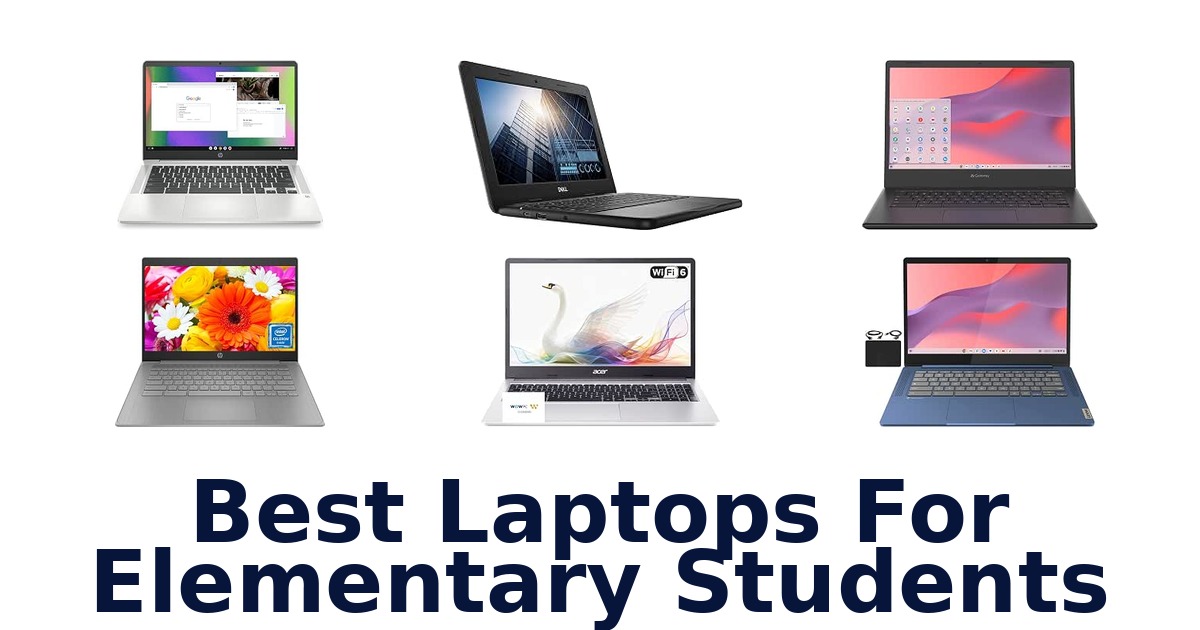
A strong elementary-school laptop should make classroom apps, web research, and video lessons straightforward, with a screen and weight a child can manage. The Lenovo Flagship Chromebook stands out for its 14-inch Full HD touchscreen, octa-core processor, and 2.9-pound weight. This list also compares compact 11.6-inch Chromebooks, larger 14- and 15.6-inch displays, and a Windows option.
Most models have 4GB of memory and 64GB or less of listed storage, so consider the apps and files your child will use before choosing. ChromeOS is common here, while the ASUS runs Windows 11.
A school-issued device policy, required software, and the need for touch input can matter as much as screen resolution when narrowing these options.
The Lenovo Flagship Chromebook is the best overall choice for elementary students because its 14-inch Full HD touchscreen pairs touch navigation with an octa-core MediaTek Kompanio 520 processor and a 2.9-pound listed weight. That mix suits schoolwork, web browsing, and online classes without the bulk of the 15.6-inch option. Choose a smaller model if a child needs a particularly compact device, or the ASUS if Windows software is required.
Our Top Picks
 Best Overall
Its 14-inch Full HD touchscreen, octa-core processor, 64GB eMMC, and 2.9-pound listed weight make a versatile package for school tasks.
View on Amazon Best FHD Display
The 14-inch Full HD anti-glare display offers sharper listed resolution than the HD alternatives, with 64GB eMMC and a 3.3-pound weight.
View on Amazon Best 14-Inch Option
This 14-inch ChromeOS model combines an Intel Celeron N4500 with 4GB memory and 64GB storage for everyday school tasks.
View on Amazon- Best School Design HP Chromebook 11A G8
- Largest Display Acer Chromebook 315
Compare the Student Laptop Options
| # | Product | Memory Storage Capacity | Screen Size | Weight | Buy |
|---|---|---|---|---|---|
| 1 | 1. Lenovo Flagship ChromebookBest Overall | 64 GB | 14 in | 2.9 lb | View on Amazon |
| 2 | 2. Acer Gateway Chromebook 314Best FHD Display | 64 GB | 14 in | 3.3 lb | View on Amazon |
| 3 | 3. Samsung Galaxy Chromebook GoBest 14-Inch Option | 4 GB | — | 3.2 lb | View on Amazon |
| 4 |  4. HP 14-inch Chromebook N4120Four-core Chromebook for schoolwork 4. HP 14-inch Chromebook N4120Four-core Chromebook for schoolwork | 4 GB | 14 in | 3.4 lb | View on Amazon |
| 5 |  5. HP Chromebook 11A G8Best School Design 5. HP Chromebook 11A G8Best School Design | 4 GB | — | 3 lb | View on Amazon |
| 6 |  6. Acer Chromebook 315Largest Display 6. Acer Chromebook 315Largest Display | 1 TB | 15.6 in | — | View on Amazon |
| 7 |  7. Samsung Chromebook 4Lightweight Chromebook for carrying 7. Samsung Chromebook 4Lightweight Chromebook for carrying | 4 GB | 11.6 in | 2.6 lb | View on Amazon |
| 8 |  8. ASUS 14-inch Windows LaptopWindows laptop for school software 8. ASUS 14-inch Windows LaptopWindows laptop for school software | 64 GB | 14 in | 2.9 lb | View on Amazon |
| 9 |  9. HP Chromebook 14Anti-glare screen for home learning 9. HP Chromebook 14Anti-glare screen for home learning | 4 GB | 14 in | 3.2 lb | View on Amazon |
| 10 |  10. Dell Chromebook 11 3100Small-screen Chromebook for basics 10. Dell Chromebook 11 3100Small-screen Chromebook for basics | 4 GB | 11.6 in | 2.9 lb | View on Amazon |
Detailed Reviews: Best Laptops For Elementary Students
#1 · Best Overall
1. Lenovo Flagship Chromebook
- Memory Storage Capacity: 64 GB
- Screen Size: 14 in
- Weight: 2.9 lb
Best for: Touchscreen Chromebook for interaction.
Why it ranks #1: Its 14-inch Full HD touchscreen, octa-core processor, 64GB eMMC, and 2.9-pound listed weight make a versatile package for school tasks.
The 14-inch Full HD touchscreen gives this Lenovo Chromebook a more hands-on way for elementary students to navigate Chrome OS lessons and classroom activities. Its octa-core MediaTek Kompanio 520 processor pairs with an IPS display, while the 720p webcam and privacy shutter support remote learning with a physical camera cover.
Natural finger-touch navigation can make menus and supported learning activities easier to use, and the 1920 x 1080 IPS panel offers wide viewing angles for shared viewing. Lenovo lists 4GB RAM and 64GB eMMC for everyday Chrome OS tasks and local school files. The octa-core Kompanio 520 processor handles the system's routine workload, while the 720p webcam and dual-array microphones support online classes. A privacy shutter lets families cover the camera when it is not in use.
- 14-inch Full HD touchscreen
- IPS technology with wide viewing angles
- Octa-core MediaTek Kompanio 520 processor
- 720p webcam with privacy shutter
- 4GB RAM and 64GB eMMC constrain heavy multitasking and large local collections.
Skip it if you need a spill-resistant keyboard for classroom mishaps; HP Chromebook 11A G8 Education Edition lists one.
This Lenovo fits elementary students who benefit from touch navigation, online classes, and a clear Full HD screen. Its webcam shutter adds a useful privacy control, while the 4GB RAM and 64GB storage point to routine rather than demanding workloads.
Full product details
| Brand | Lenovo |
|---|---|
| Automatic Backup Software Included | Webcam |
| CPU Model | Cortex |
| CPU Model Generation | 2nd Gen |
| CPU Model Number | MediaTek Kompanio 520 |
| CPU Model Speed Maximum | 2 GHz |
| Compatible Devices | USB devices, External displays (with adapters), Wireless devices via Bluetooth, Memory cards |
| Compatible Flash Memory Type | microSD |
| Item Dimensions L x W x Thickness | 12.83"L x 8.73"W x 0.73"Th |
| Item Weight | 2.9 pounds |
| Manufacturer | Lenovo |
| Memory Storage Capacity | 64 GB |
| Model | Newest Flagship Lenovo Chromebook |
| Model Number | Newest Flagship Lenovo Chromebook |
| Model Series | IdeaPad Slim 3 |
| Model Year | 2023 |
| Processor Brand | MediaTek |
| Screen Size | 14 inches |
| Warranty Description | 90-days Warranty |
| Warranty Type | Limited |
Listed on Amazon as: Lenovo Flagship Chromebook, 14'' FHD Touchscreen Slim Thin Light Laptop Computer, 8-Core MediaTek Kompanio 520 Processor, 4GB RAM, 64GB eMMC, WiFi 6,Chrome OS, Abyss Blue
View on Amazon#2 · Best FHD Display
2. Acer Gateway Chromebook 314
- Memory Storage Capacity: 64 GB
- Screen Size: 14 in
- Weight: 3.3 lb
Best for: Full HD Chromebook for reading.
Why it ranks #2: The 14-inch Full HD anti-glare display offers sharper listed resolution than the HD alternatives, with 64GB eMMC and a 3.3-pound weight.
A 14-inch Full HD anti-glare screen gives the Acer Chromebook 314 its strongest elementary-school advantage: sharper classroom materials with reduced reflections. The 1920 x 1080 panel provides more resolution than a basic HD display, while Chrome OS and 64GB eMMC storage support everyday browser-based assignments and saved files.
The Full HD ComfyView anti-glare display helps keep text and lesson content easier to view when room light reflects on the screen. Acer pairs it with a Celeron N4500 and 4GB LPDDR4X memory for routine Chrome OS school workflows. The 64GB eMMC storage holds local documents and downloads, and Wi-Fi 5 provides wireless connectivity. A USB Type-C port supports data transfer, an external display connection, and charging, offering flexibility for compatible peripherals and displays.
- 14-inch Full HD 1920 x 1080 display
- Anti-glare ComfyView panel
- 64GB eMMC storage
- USB Type-C supports data, display, and charging
- The listed 4GB RAM is a modest capacity for running many demanding tasks at once.
Skip it if you need a spill-resistant keyboard for classroom mishaps; HP Chromebook 11A G8 Education Edition lists that protection.
A sensible fit for elementary students who read on screen, attend online lessons, or want Full HD detail in a Chromebook. The 14-inch display is useful for desk work, while the 4GB memory keeps this best suited to everyday school tasks.
Full product details
| Brand | Acer |
|---|---|
| CPU Model | Celeron |
| CPU Model Generation | 8th Gen |
| CPU Model Number | Celeron N4500 |
| CPU Model Speed Maximum | 2.8 GHz |
| Compatible Devices | USB devices, Bluetooth-enabled devices |
| Hard Disk Size | 64 GB |
| Hard-Drive Size | 64 GB |
| Item Dimensions L x W x Thickness | 12.85"L x 0.74"W x 9"Th |
| Item Weight | 3.3 pounds |
| Manufacturer | Acer |
| Memory Storage Capacity | 64 GB |
| Model | Chromebook 314 |
| Model Number | CBO314-1H-C476 |
| Model Year | 2024 |
| Processor Brand | Intel |
| Ram Memory Installed Size | 4 GB |
| Screen Size | 14 inches |
| Warranty Description | One-year International Travelers Limited Warranty (ITW) |
| Warranty Type | Limited |
Listed on Amazon as: acer Gateway Chromebook 314 CBO314-1H-C476 Laptop | Intel Celeron N4500 | 14" Full HD (1920 x 1080) Display | 4GB LPDDR4X | 64GB eMMC | Wi-Fi 5 802.11ac | Chrome OS | Star Black
View on Amazon#3 · Best 14-Inch Option
3. Samsung Galaxy Chromebook Go
- Memory Storage Capacity: 4 GB
- Weight: 3.2 lb
Best for: 14-inch Chromebook for students.
Why it ranks #3: This 14-inch ChromeOS model combines an Intel Celeron N4500 with 4GB memory and 64GB storage for everyday school tasks.
Samsung's 14-inch Galaxy Chromebook Go gives elementary students a larger workspace than compact 11.6-inch Chromebooks while keeping the system on Chrome OS. Its Celeron N4500, 4GB RAM, and 64GB storage support everyday browser-based school activities, with room for local documents and downloads.
The 14-inch screen gives children more space for reading classroom material and working through web-based assignments than a small-screen device. Samsung pairs it with an Intel Celeron N4500 and 4GB memory for everyday Chrome OS tasks. The 64GB storage capacity provides room for more local files than a 32GB configuration, while the listed microSD compatibility offers another route for compatible memory cards. At 3.2 pounds, it remains movable, though it is not as light as the Samsung Chromebook 4.
- 14-inch display
- Intel Celeron N4500 processor
- 64GB storage
- microSD compatibility
- At 3.2 pounds, it weighs more than the 2.6-pound Samsung Chromebook 4.
Skip it if you prioritize lower carrying weight over a larger screen; Samsung Chromebook 4 is listed at 2.6 pounds.
A useful fit for elementary students who want a 14-inch Chrome OS screen for everyday assignments and prefer 64GB storage. Its 3.2-pound weight is a practical boundary for children carrying a laptop throughout the school day.
Full product details
| Brand | Samsung |
|---|---|
| Automatic Backup Software Included | Chrome OS |
| CPU Model | Celeron N |
| CPU Model Generation | Tiger Lake |
| CPU Model Number | Intel® Celeron® Processor N4500 |
| CPU Model Speed Maximum | 2.8 GHz |
| Compatible Devices | Mouse |
| Compatible Flash Memory Type | microSD |
| Item Dimensions L x W x Thickness | 12.88"L x 8.8"W x 0.63"Th |
| Item Weight | 3.2 pounds |
| Manufacturer | SAMSUNG |
| Memory Storage Capacity | 4 GB |
| Model | XE340XDA-KA2US |
| Model Number | XE340XDA-KA2US |
| Model Series | Galaxy Chromebook Go |
| Model Year | 2025 |
| Processor Brand | Intel |
| Voltage | 5 volts |
| Warranty Description | 1 Year Manufacturer |
| Warranty Type | Limited |
Listed on Amazon as: Samsung 14" Galaxy Chromebook Go Laptop PC Computer, Intel Celeron N4500 Processor, 4GB RAM, 64GB Storage, ChromeOS, XE340XDA-KA2US, Student Laptop, Silver
View on Amazon#4
4. HP 14-inch Chromebook N4120
- Memory Storage Capacity: 4 GB
- Screen Size: 14 in
- Weight: 3.4 lb
Best for: Four-core Chromebook for schoolwork.
Why it ranks #4: Its 14-inch HD anti-glare screen, Celeron N4120, 4GB RAM, and 64GB eMMC cover common Chromebook schoolwork needs.
Four processing cores give this HP Chromebook a concrete edge for elementary students switching among classroom tabs and assignments. Its Celeron N4120, 4GB RAM, and Chrome OS form a straightforward setup for browser-based learning, while the 14-inch anti-glare HD screen provides a larger workspace for reading and class activities.
The 14-inch, 1366 x 768 anti-glare display offers room for worksheets and video lessons while reducing reflections from bright rooms. HP lists 64GB eMMC storage for local files, and Chrome OS supports a cloud-first school workflow. The N4120's four cores divide processing work across tasks, with 4GB RAM for everyday multitasking. At 3.4 pounds, it is portable between rooms, though families should account for the modest 4GB memory and 64GB storage.
- Four-core Intel Celeron N4120 processor
- 14-inch anti-glare HD display
- 64GB eMMC storage
- Chrome OS operating system
- 4GB RAM and 64GB storage limit room for local files and heavier multitasking.
Skip it if you need a touchscreen for hands-on navigation; Lenovo's 14-inch Chromebook touchscreen is the listed alternative.
A good fit for elementary students doing browser-based lessons, reading, and everyday assignments on Chrome OS. Choose it when a 14-inch anti-glare screen matters, but consider the 4GB RAM and 64GB storage limits for larger offline collections.
Full product details
| Brand | HP |
|---|---|
| Automatic Backup Software Included | Microsoft Office 2024 |
| CPU Model | Celeron |
| CPU Model Generation | 13th Generation |
| CPU Model Number | Intel Celeron N4120 |
| CPU Model Speed Maximum | 5 GHz |
| Compatible Devices | USB, HDMI, Wi-Fi, Bluetooth compatible devices |
| Hard Disk Size | 64 GB |
| Item Dimensions L x W x Thickness | 19"L x 10.6"W x 2.4"Th |
| Item Weight | 3.4 pounds |
| Manufacturer | HP |
| Memory Storage Capacity | 4 GB |
| Model | 17-cn3327dx |
| Model Number | HP |
| Model Year | 2025 |
| Processor Brand | Intel |
| Ram Memory Installed Size | 4 GB |
| Screen Size | 14 inches |
| Warranty Description | 1 Year |
| Warranty Type | One-year seller warranty |
Listed on Amazon as: HP 14" HD Chromebook Laptop for Students, Intel Quad-Core N4120(> N4020), 4GB RAM, 64GB eMMC, WiFi, Webcam, HDMI, USB-A&C, 14 Hours Battery Life, Zoom, Chrome OS, CUE Accessories
View on Amazon#5 · Best School Design
5. HP Chromebook 11A G8
- Memory Storage Capacity: 4 GB
- Weight: 3 lb
Best for: School-ready compact Chromebook.
Why it ranks #5: The education-edition model lists a spill-resistant keyboard and compact 11.6-inch display, although its renewed status and 32GB storage merit consideration.
A pick-and-spill-resistant keyboard is the practical differentiator on this HP 11A G8 Education Edition, helping it suit busy elementary-school desks and backpacks. The compact 11.6-inch display keeps the learning setup small, while Chrome OS and a webcam support cloud-based classwork and video lessons.
The 11.6-inch anti-glare HD panel keeps the device compact for younger students, and its 720p camera with integrated microphone supports remote classes. A pick-and-spill-resistant, full-size keyboard addresses classroom messes, while the backlit keys help when lighting is dim. Wi-Fi 5 connects to wireless learning services, and the microSD slot offers a way to work with compatible memory cards. Its 32GB eMMC capacity makes it a better match for cloud-centered work than a large local library.
- Pick-and-spill-resistant full-size keyboard
- Backlit keyboard
- 720p HD camera and integrated microphone
- Wi-Fi 5 and microSD slot
- 32GB eMMC storage leaves limited room for locally saved school files.
Skip it if you want a larger Full HD screen for worksheets; Acer Chromebook 314 has a 14-inch 1920 x 1080 display.
This renewed HP is a practical option for elementary students whose schoolwork is web-based and who benefit from a spill-resistant keyboard. Its smaller HD screen and 32GB storage suit simple classroom tasks better than extensive offline media or large projects.
Full product details
| Brand | Amazon Renewed |
|---|---|
| Automatic Backup Software Included | Webcam |
| CPU Model | AMD A Series |
| CPU Model Generation | 7th Gen |
| CPU Model Number | AMD A4-9120C |
| CPU Model Speed Maximum | 2.4 GHz |
| Compatible Devices | External displays, USB devices, microSD cards, headphones, microphones, Bluetooth devices |
| Compatible Flash Memory Type | microSD |
| Item Dimensions L x W x Thickness | 9.1"L x 9.1"W x 9.1"Th |
| Item Weight | 3 pounds |
| Manufacturer | hp |
| Memory Storage Capacity | 4 GB |
| Model | HP Chromebook |
| Model Number | 16W64UT#ABA-CR |
| Model Series | HP Chromebook 11A G8 |
| Model Year | 2020 |
| Processor Brand | AMD |
| Voltage | 11.6 volts |
| Warranty Description | 90 days limited warranty |
| Warranty Type | Limited |
Listed on Amazon as: HP Chromebook 11A G8 Education Edition AMD A4-9120C 4GB DDR4-1866 SDRAM, 32GB eMMC 11.6-inch WLED HD Webcam Chrome OS (Renewed)
View on Amazon#6 · Largest Display
6. Acer Chromebook 315
- Memory Storage Capacity: 1 TB
- Screen Size: 15.6 in
Best for: Large-screen Chromebook for desk work.
Why it ranks #6: Its 15.6-inch Full HD screen and full-size keyboard with numeric keypad suit a stationary study space better than a small backpack.
The 15.6-inch Full HD display is the Acer Chromebook 315's defining feature, giving elementary students more room for online lessons, worksheets, and split-screen schoolwork. Its listed full-size keyboard adds a numeric keypad, while Chrome OS and Wi-Fi 6 support a familiar school-focused, wireless workflow.
A 1920 x 1080 screen provides more workspace for class materials and document editing than a smaller laptop panel. The full-size keyboard with numeric keypad gives children dedicated number-entry keys for math and other school tasks. Acer lists a Celeron N4500, 4GB RAM, and 64GB eMMC, a configuration aimed at everyday Chrome OS use rather than demanding workloads. Wi-Fi 6 and Bluetooth 5.2 support wireless connectivity, and the listing includes a sleeve for carrying the larger device.
- 15.6-inch Full HD 1920 x 1080 display
- Full-size keyboard with numeric keypad
- Wi-Fi 6 and Bluetooth 5.2
- Sleeve included
- Its 15.6-inch size is less compact to carry than an 11.6-inch student Chromebook.
Skip it if you need a compact laptop for a small backpack; Samsung Chromebook 4 is 2.6 pounds with an 11.6-inch display.
Best suited to elementary students who mostly work at a desk and benefit from a large Full HD workspace and numeric keypad. The 15.6-inch format offers room for school tasks, but it is a less compact choice for daily carrying.
Full product details
| Brand | Acer |
|---|---|
| CPU Model | Intel Celeron D |
| CPU Model Generation | 7th Generation |
| Color | Silver |
| Hard Disk Size | 64 GB |
| Hard-Drive Size | 64 GB |
| Item Dimensions L x W x Thickness | 14.4"L x 9.6"W x 0.7"Th |
| Manufacturer | Acer |
| Memory Storage Capacity | 1 TB |
| Model | Acer Chromebook 315 |
| Model Number | Acer Chromebook 315 |
| Model Series | Aspire Lite |
| Model Year | 2026 |
| Special Features | Anti Glare Coating, HD Audio, Lightweight, Memory Card Slot, Spill Resistant |
| RAM Size | 4 GB |
| Ram Memory Installed Size | 4 GB |
| Ram Memory Maximum Size | 4 GB |
| Screen Size | 15.6 inches |
| Special Feature | Anti Glare Coating, HD Audio, Lightweight, Memory Card Slot, Spill Resistant |
| Warranty Description | 1 Year Manufacturer |
#7
7. Samsung Chromebook 4
- Memory Storage Capacity: 4 GB
- Screen Size: 11.6 in
- Weight: 2.6 lb
Best for: Lightweight Chromebook for carrying.
Why it ranks #7: At a listed 2.6 pounds, this 11.6-inch Chromebook is the lightest option here, with 4GB RAM and 32GB eMMC.
At a listed 2.6 pounds, the Samsung Chromebook 4 is a notably portable option for elementary students moving between classrooms and home. Its 11.6-inch HD screen keeps the footprint compact, while the listed 12.5-hour battery life supports extended use away from a charging spot, subject to actual workload.
Samsung combines an 11.6-inch display with a compact, light design, making the Chromebook easier for a child to carry than a large-screen model. The Celeron N4000 and 4GB memory suit basic Chrome OS browsing and school activities. Its 32GB eMMC storage calls for a cloud-centered workflow when assignments and downloads accumulate. Gigabit Wi-Fi supports connectivity, and the product lists military-grade durability; families should still keep the modest local storage in mind for offline work.
- 2.6-pound listed weight
- 12.5 hours of listed battery life
- Military-grade durability
- Gigabit Wi-Fi
- 32GB eMMC storage limits how many files can be kept locally.
Skip it if you need a larger screen for split-screen worksheets; Acer Chromebook 315 offers a 15.6-inch Full HD panel.
A strong fit for elementary students who need a compact Chrome OS laptop for basic classwork and frequent carrying. Its listed battery life and durability are useful traits, while 32GB storage favors cloud use over a large offline collection.
Full product details
| Brand | Samsung |
|---|---|
| Automatic Backup Software Included | Webcam |
| CPU Model | Celeron N4000 |
| CPU Model Generation | 8th Gen |
| CPU Model Number | XE310XBA-K01US |
| Compatible Devices | External keyboards, mice, storage devices, headphones, displays, printers, and other accessories that support USB, USB-C, MicroSD, Bluetooth, or Wi-Fi connectivity. |
| Compatible Flash Memory Type | microSD |
| Hard Disk Size | 32 GB |
| Item Dimensions L x W x Thickness | 7.96"L x 11.33"W x 0.66"Th |
| Item Weight | 2.6 pounds |
| Manufacturer | Samsung |
| Memory Storage Capacity | 4 GB |
| Model | Chromebook 4 |
| Model Number | XE310XBA-K01US |
| Model Year | 2019 |
| Processor Brand | Intel |
| Screen Size | 11.6 inches |
| Voltage | 5 volts |
| Warranty Description | 1 year manufacturer |
| Warranty Type | Limited |
Listed on Amazon as: Samsung Chromebook 4 Chrome OS 11.6" HD Intel Celeron Processor N4000 4GB RAM 32GB eMMC Gigabit Wi-Fi – XE310XBA-K01US
View on Amazon#8
8. ASUS 14-inch Windows Laptop
- Memory Storage Capacity: 64 GB
- Screen Size: 14 in
- Weight: 2.9 lb
Best for: Windows laptop for school software.
Why it ranks #8: Windows 11 may suit required Windows-only school software, and the 14-inch Full HD display is paired with 4GB RAM and 64GB eMMC.
Windows 11 distinguishes this ASUS from the Chrome OS options, giving elementary students a familiar Windows environment for compatible school programs. Its 14-inch Full HD display provides a clear workspace, and the included one-year Microsoft 365 subscription supports productivity tasks alongside the Celeron N4500 and 4GB memory.
The 1920 x 1080 display offers more detail for reading and classroom documents than an HD panel. Windows 11 provides the operating system for compatible applications, while the Celeron N4500 and 4GB RAM support everyday programs and browser tabs. ASUS lists 64GB eMMC for local files and quick bootup, and the NumberPad adds number-entry functionality. HDMI and Wi-Fi broaden connection options for compatible displays and wireless access, but the 64GB storage calls for careful file management.
- 14-inch Full HD display
- Windows 11 operating system
- NumberPad for number entry
- One-year Microsoft 365 subscription
- 64GB eMMC storage leaves limited space for large offline projects and media.
Skip it if you want Chrome OS for a cloud-first school workflow; HP Chromebook 14 has Chrome OS and 64GB eMMC.
A fit for elementary students whose school activities call for Windows-compatible programs, Full HD visuals, or number entry. The included Microsoft 365 year is relevant for productivity, but families should plan around the laptop's 64GB eMMC capacity.
Full product details
| Brand | ASUS |
|---|---|
| CPU Model | Celeron N |
| CPU Model Generation | 14th Gen |
| CPU Model Number | Intel Celeron N4500 |
| CPU Model Speed Maximum | 2.8 GHz |
| Compatible Devices | External displays, keyboards, mice, storage devices, and other USB or wireless peripherals |
| Hard Disk Size | 64 GB |
| Hard-Drive Size | 64 GB |
| Item Dimensions L x W x Thickness | 12.8"L x 0.71"W x 8.54"Th |
| Item Weight | 2.9 pounds |
| Manufacturer | ASUS |
| Memory Storage Capacity | 64 GB |
| Model | ASUS Vivobook go 14 inch laptop |
| Model Number | 93a74c29-693b-43bf-bcca-702487aa23f4 |
| Model Year | 2024 |
| Processor Brand | Intel |
| Ram Memory Installed Size | 4 GB |
| Screen Size | 14 inches |
| Warranty Description | 1 year manufacturer |
| Warranty Type | Limited |
Listed on Amazon as: ASUS 14" Laptop for Business & Student, 14" FHD Display, Intel Celeron N4500, 1-Year of Microsoft 365, 4GB Memory, 64GB eMMC, NumberPad, Webcam, HDMI, Wi-Fi, Windows 11
View on Amazon#9
9. HP Chromebook 14
- Memory Storage Capacity: 4 GB
- Screen Size: 14 in
- Weight: 3.2 lb
Best for: Anti-glare screen for home learning.
Why it ranks #9: The 14-inch HD anti-glare display, Celeron N4120, and 64GB eMMC suit basic ChromeOS tasks, though the listed model is older.
HP's 14-inch micro-edge anti-glare screen is the useful differentiator for elementary students working through lessons in bright rooms. The HD panel reduces reflections, and the thin, lightweight design makes it easier to move from a homework spot to another room. Chrome OS keeps the experience centered on web-based schoolwork.
The 1366 x 768 anti-glare display gives students a broad screen for reading assignments and viewing class material, while its micro-edge design keeps the footprint relatively compact. HP pairs it with a Celeron N4120, 4GB RAM, and 64GB eMMC for routine browser-based tasks and local documents. Custom-tuned dual speakers support listening to lessons or media without relying on headphones. The listed 3.2-pound weight supports carrying it around the home, though the HD resolution is below Full HD.
- 14-inch micro-edge anti-glare HD display
- Intel Celeron N4120 processor
- 64GB eMMC storage
- Custom-tuned dual speakers
- The 1366 x 768 screen resolution is lower than Full HD.
Skip it if you want Full HD resolution for sharper on-screen detail; Acer Chromebook 314 has a 14-inch 1920 x 1080 display.
A suitable home-and-school Chromebook for elementary students who value a roomy anti-glare screen and built-in stereo audio. It handles everyday Chrome OS work, but families prioritizing Full HD visuals should consider the screen's 1366 x 768 resolution.
Full product details
| Brand | HP |
|---|---|
| Automatic Backup Software Included | Cloud services: Google Assistant, Cloud services: Google One, Cloud services: Google Play Store |
| CPU Model | Celeron |
| CPU Model Generation | 5th Gen |
| CPU Model Number | N4120 |
| CPU Model Speed Maximum | 3.8 GHz |
| Compatible Devices | External displays, mice, keyboards, storage devices, printers, and other USB/HDMI/Wi-Fi/Bluetooth enabled devices |
| Item Dimensions L x W x Thickness | 12.82"L x 8.6"W x 0.7"Th |
| Item Weight | 3.2 pounds |
| Manufacturer | Hewlett-Packard |
| Memory Storage Capacity | 4 GB |
| Model | Chromebook 14a-na0226nr |
| Model Number | 14a-na0226nr |
| Model Series | Chromebook 14 |
| Model Year | 2022 |
| Processor Brand | Intel |
| Screen Size | 14 inches |
| Voltage | 5 volts |
| Warranty Description | 1-year limited hardware warranty, 90 days limited technical support for software and initial setup (from date of purchase) |
| Warranty Type | Limited |
#10
10. Dell Chromebook 11 3100
- Memory Storage Capacity: 4 GB
- Screen Size: 11.6 in
- Weight: 2.9 lb
Best for: Small-screen Chromebook for basics.
Why it ranks #10: Its 11.6-inch display and 4GB RAM suit basic browsing, but the renewed listing provides only 16GB flash storage.
At 2.9 pounds with an 11.6-inch screen, the Dell Chromebook 11 3100 keeps a school laptop relatively compact for elementary students carrying it between home and class. Chrome OS provides a simple browser-centered platform, and 4GB RAM supports basic school activities such as web research and document work.
The 11.6-inch, 1366 x 768 display offers a compact area for online assignments, while Chrome OS keeps the workflow focused on browser-based tools. Dell lists 4GB RAM and 16GB flash storage, making this most appropriate for simple tasks and limited local files rather than large downloads. Its Bluetooth compatibility supports suitable wireless accessories, and the 2.9-pound listed weight helps when a child needs to move the laptop around. This is a renewed model, so condition is a consideration.
- Compact 11.6-inch display
- 2.9-pound listed weight
- Chrome OS operating system
- Bluetooth compatibility for wireless accessories
- 16GB flash storage provides very little space for locally saved files.
Skip it if you need room for many offline assignments and downloads; Samsung Galaxy Chromebook Go lists 64GB storage.
This renewed Dell suits elementary students who mainly use web-based lessons and need a compact device for basic school tasks. Its 16GB flash storage is the key boundary, so it fits cloud-centered work better than offline files or media.
Full product details
| Brand | Amazon Renewed |
|---|---|
| CPU Model | Celeron N4000 |
| CPU Model Generation | Apollo Lake |
| CPU Model Number | DE10239M1 |
| CPU Model Speed Maximum | 2400 MHz |
| Compatible Devices | External displays, mice, keyboards, storage devices, printers, and other accessories that use Bluetooth, Wi-Fi, or USB connections |
| Compatible Flash Memory Type | SD |
| Item Dimensions L x W x Thickness | 8"L x 11"W x 1"Th |
| Item Weight | 2.9 pounds |
| Manufacturer | Dell Computers |
| Memory Storage Capacity | 4 GB |
| Model | dell 3100 |
| Model Number | Chromebook 3100 |
| Model Series | Chromebook 11 3100 |
| Model Year | 2016 |
| Processor Brand | Intel |
| Screen Size | 11.6 inches |
| Voltage | 3.6 volts |
| Warranty Description | 90 days limited warranty |
| Warranty Type | Limited |
Listed on Amazon as: Dell Chromebook 11 3100 11.6" Chromebook – 1366 x 768 – Celeron N4020-4 GB RAM – 16 GB Flash Memory – Chrome OS – Intel HD Graphics – English (US) Keyboard – Bluetooth (Renewed)
View on AmazonCheck school compatibility before choosing ChromeOS
Confirm the school’s required apps and device policies before choosing a Chromebook, because the operating system can be a bigger constraint than processor speed. Most options here run ChromeOS, including the Lenovo Flagship Chromebook, while the ASUS 14-inch Windows Laptop runs Windows A school may require a particular browser, app, account setup, or management arrangement; the product specifications do not establish that any model meets those requirements.
Also check whether lessons depend on an internet connection. These listings specify storage from 16GB to 64GB for most models, but that number alone does not confirm which school files or apps will work offline.
Ask the school which operating system and classroom tools it supports, then compare the answer with the laptop’s listed OS. This step can prevent a child from receiving a device that cannot use a required program, regardless of display size or processor.
Treat listed storage as a practical constraint
A laptop with 16GB or 32GB of listed storage leaves less room for locally saved work than one with 64GB. The Dell Chromebook 11 3100 lists 16GB flash memory, while the HP Chromebook 11A G8 and Samsung Chromebook 4 each list 32GB; several alternatives list 64GB eMMC. Elementary students who mainly use browser-based school tools may have different storage needs from children who regularly save downloads, videos, or projects locally.
Do not assume that a larger storage figure guarantees more usable space, or that cloud access will always be available: the product data does not specify free space, school account limits, or offline app behavior. Check how the school handles files and whether home internet is reliably available.
For offline assignments or saved media, treat the lower-capacity listings as a reason to verify requirements before buying.
How to Choose a Laptop for Elementary School
Screen size and resolution
Choose a screen size that balances readable schoolwork with how easily a child can carry the laptop. These listings span 11.6 inches to 15.6 inches: the Samsung Chromebook 4 and HP Chromebook 11A G8 are 11.6-inch options, several models measure 14 inches, and the Acer Chromebook 315 reaches 15.6 inches. Resolution also varies: the Acer Gateway Chromebook 314, Lenovo Flagship Chromebook, and ASUS 14-inch Windows Laptop list Full HD at 1920 x 1080, while multiple models list HD at 1366 x 768.
A compact screen can suit a child carrying a device between home and school; a larger or Full HD screen may be preferable for reading and shared viewing at a desk.
Portability and classroom handling
For a child who carries a laptop frequently, compare the listed weight and consider whether the smaller screen is an acceptable trade-off. The Samsung Chromebook 4 is listed at 2.6 pounds, while other compact choices include the renewed Dell Chromebook 11 3100 at 2.9 pounds and HP Chromebook 11A G8 at 3 pounds. The 14-inch models range from 2.9 pounds for the Lenovo Flagship Chromebook and ASUS 14-inch Windows Laptop to 3.4 pounds for the HP 14-inch Chromebook N4120.
The Acer Chromebook 315 is the larger 15.6-inch option. The lightest models may suit backpack carry, while a larger display can be more comfortable for a child who mostly works at a table.
Operating system and storage
Match the operating system to school requirements, then check whether the listed storage fits your child’s work habits. Nine options here list ChromeOS; the ASUS 14-inch Windows Laptop lists Windows 11 and may be a better fit if required software depends on Windows. Storage ranges from 16GB on the Dell Chromebook 11 3100 to 64GB on the Lenovo Flagship Chromebook, Acer Gateway Chromebook 314, and several others.
The HP Chromebook 11A G8 and Samsung Chromebook 4 list 32GB. A browser-focused school workflow may suit ChromeOS, while a Windows-specific app may narrow the choice to the ASUS.
Families expecting more downloads or locally saved projects should examine the 16GB and 32GB listings carefully.
Which Laptop Fits Your Elementary Student?
For a balanced school-and-home Chromebook with touch input, choose the Lenovo Flagship Chromebook: its 14-inch Full HD touchscreen and 2.9-pound listed weight lead this group. If sharper Full HD viewing matters more than touch, the Acer Gateway Chromebook 314 has a 14-inch anti-glare display. For a smaller backpack-friendly device, consider the Samsung Chromebook 4, while the HP Chromebook 11A G8 adds a listed spill-resistant keyboard in a compact education-edition design.
The Acer Chromebook 315 suits a desk-based learner who wants the largest screen. If school software requires Windows, the ASUS 14-inch Windows Laptop is the Windows 11 choice.
Before ordering, confirm the school’s operating-system requirements and whether its work needs local storage.
Related Buying Guides
Frequently Asked Questions
Will a Chromebook run the specific school apps and websites my child needs?
Confirm the school’s required apps and websites work with Chrome OS before choosing a Chromebook. Ask the teacher or school technology team about any required software, browser features, or testing tools. If a required program needs Windows, consider the ASUS Windows 11 laptop instead, and verify compatibility with the school.
Does my child need a touchscreen or a device that converts into a tablet?
A touchscreen can make touch-based navigation easier, but it is not necessary for every student. The Lenovo Flagship Chromebook in this group has a touchscreen; the supplied product details do not identify a convertible design. Consider how your child will use the device, then confirm the features they need before ordering.
How much local storage is needed if schoolwork must be available offline?
Choose enough local storage for the files and apps your child must use without internet, and check the school’s guidance before deciding. Listed capacities in this group range from 16GB to 64GB, but that alone does not establish how much usable space remains. Confirm offline requirements and storage needs with the school.
Which operating system should I choose for school?
Choose the operating system required by your child’s school and its software. Most options here use Chrome OS, while the ASUS listing specifies Windows Check with the school before ordering, especially if assignments, learning platforms, or classroom tools require a particular operating system.
What screen size is practical for a child to carry and use?
Balance portability with the viewing space your child needs. The listed options include screens from 11.6 inches to 15.6 inches; the smaller models may suit a compact backpack, while the largest option may work better for desk-based use. Consider where the laptop will be carried and used most often.
Final Words
For a balanced school-and-home Chromebook with touch input, the Lenovo Flagship Chromebook is the strongest overall fit in this group. Choose the Samsung Chromebook 4 or compact HP education model if a smaller device matters more; consider the Acer 315 for a larger screen. If sharper Full HD viewing matters more than touch, the Acer Gateway is an alternative.
For required Windows software, consider the ASUS. Confirm school requirements and offline storage needs before ordering.