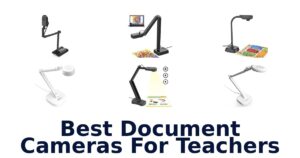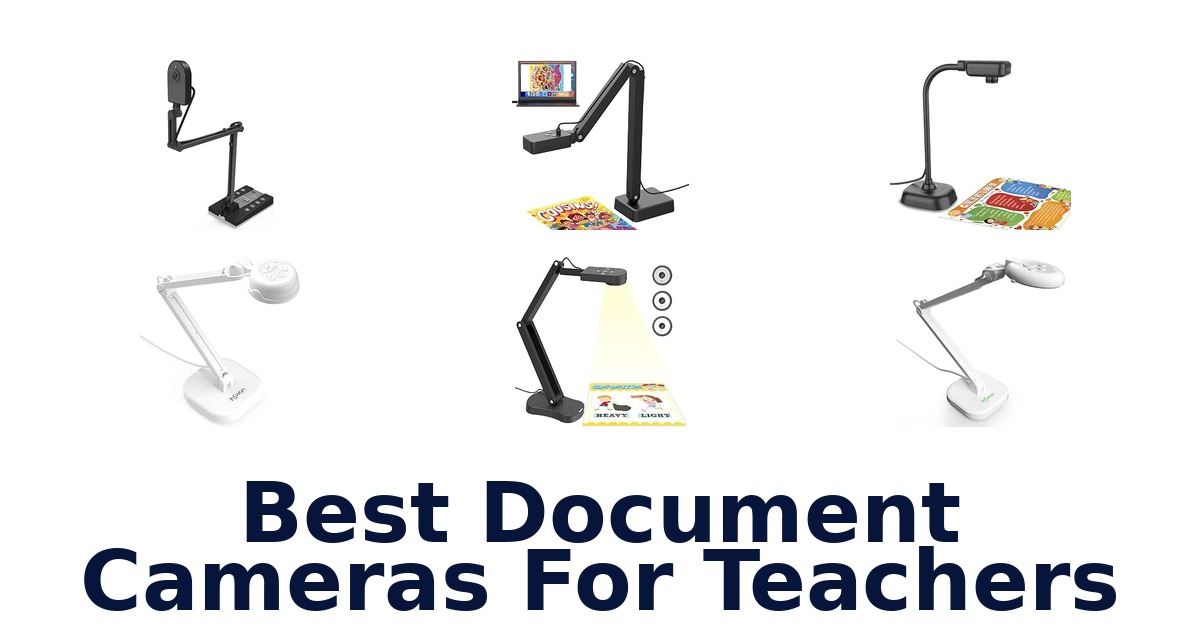
A strong document camera for teachers should show worksheets, books, and classroom objects clearly, with a capture area and connection that suit the lesson. The INSWAN INS-2 leads this roundup with a 13MP Sony sensor, 4K capture at 30fps, and an adjustable arm designed for documents up to A3. Other models cover different needs: the IPEVO V4K offers 8MP capture and broad computer compatibility, while TreasLin adds HDMI and USB-C connections alongside a 15MP sensor.
This list compares ten options by their documented image details, capture formats, compatibility, and useful classroom features. Check the display size and connection requirements before choosing; resolution alone does not guarantee that a camera will fit your workspace or teaching setup.
The INSWAN INS-2 is the best overall choice in this group for teachers who need detailed views of large teaching materials. Its 13MP Sony sensor captures 4K video at 30fps, and its multi-joint arm supports documents up to A3. It also lists a built-in LED light, anti-glare sheet, and compatibility with Windows, Mac, and Chromebook.
If you need a different connection setup or a more compact camera, the ranked alternatives address those priorities.
Our Top Picks
 Best Overall
Its 13MP Sony sensor captures 4K at 30fps, while the adjustable multi-joint arm supports A3 materials for lessons, artwork, and large presentations.
View on Amazon Fast Focusing
The 8MP camera captures up to 3264 x 2448, streams at up to 30fps in full HD, and is compatible with Mac, PC, and Chromebook.
View on Amazon Flexible Connections
Its 15MP sensor supports 4K at 15Hz or 1080P at 30Hz, and listed HDMI and USB-C connections suit varied classroom setups.
View on Amazon- Smooth 8MP Video INSWAN INS-1
- A3 Classroom Area FUVISION P10-4K
Compare document cameras by classroom needs
| # | Product | Dimensions D x W x H | Weight | Compatible Devices | Buy |
|---|---|---|---|---|---|
| 1 | 1. INSWAN INS-2Best Overall | 12.1"D x 3.19"W x 3.66"H | 2.3 lb | PC (Windows 7/8/10/11), Mac (OS10.13 or… | View on Amazon |
| 2 | 2. IPEVO V4KFast Focusing | 1.9"D x 3.1"W x 10.9"H | 1.3 lb | Mac, PC, Chromebook | View on Amazon |
| 3 | 3. TreasLin 15MP CameraFlexible Connections | — | — | — | View on Amazon |
| 4 |  4. INSWAN INS-1Smooth 8MP Video 4. INSWAN INS-1Smooth 8MP Video | 11.38"D x 4.53"W x 3.27"H | 0.8 kg | Chromebook (38.00 or higher), Mac (OS10.11 or… | View on Amazon |
| 5 |  5. FUVISION P10-4KA3 Classroom Area 5. FUVISION P10-4KA3 Classroom Area | 11.61"D x 2.95"W x 12.21"H | 2 lb | Laptop | View on Amazon |
| 6 |  6. THUSTAND 8MP CameraFlexible image orientation lessons 6. THUSTAND 8MP CameraFlexible image orientation lessons | 12.2"D x 5.51"W x 2.56"H | 0.84 kg | Google Meet, Laptop, Desktop PC… | View on Amazon |
| 7 |  7. kitchbai KB-700Teachers needing image reversal 7. kitchbai KB-700Teachers needing image reversal | 4.72"D x 2.36"W x 22.44"H | — | Windows 7/8/10/11, Macs (OS10.11 or higher)… | View on Amazon |
| 8 |  8. PAKOTOO KB700USB teaching with direct controls 8. PAKOTOO KB700USB teaching with direct controls | 3.5"D x 4.3"W x 17.3"H | 0.8 kg | — | View on Amazon |
| 9 |  9. Gawervan USB CameraPortable 1080p remote teaching 9. Gawervan USB CameraPortable 1080p remote teaching | — | 0.53 kg | — | View on Amazon |
| 10 |  10. BexonRuihe BR-200Foldable manual-focus camera 10. BexonRuihe BR-200Foldable manual-focus camera | 4.7"D x 3.5"W x 20.4"H | 1.1 lb | Laptop, Personal Computer | View on Amazon |
Detailed Reviews: Best Document Cameras For Teachers
#1 · Best Overall
1. INSWAN INS-2
- Dimensions D x W x H: 12.1"D x 3.19"W x 3.66"H
- Weight: 2.3 lb
- Compatible Devices: PC (Windows 7/8/10/11), Mac (OS10.13 or…
Best for: A3 artwork and document lessons.
Why it ranks #1: Its 13MP Sony sensor captures 4K at 30fps, while the adjustable multi-joint arm supports A3 materials for lessons, artwork, and large presentations.
A 13MP Sony sensor captures 4K Ultra HD images at 3840 x 2160 and 30fps, helping educators show fine details in artwork, two-page spreads, and large documents. The INS-2’s multi-joint arm adjusts to materials up to A3 size, making it suited to classroom presentations where framing flexibility matters.
The multi-joint arm lets you change the camera angle to frame documents up to A3, helping accommodate broad pages and artwork without limiting the lesson to small handouts. Its 13MP sensor records 4K at 30fps, a combination suited to detailed live presentation. A built-in LED light and anti-glare sheet support viewing under varied classroom lighting and reduce reflections on materials, while compatibility spans Windows, Mac, and Chromebook.
- 13MP Sony sensor with 4K capture at 30fps
- Multi-joint arm adjusts for A3 documents
- Built-in LED light
- Anti-glare sheet included
- Its listed Mac compatibility starts at macOS 10.13.
Skip it if you use a Mac running an earlier operating system; the listed compatibility begins at macOS 10.13.
The INS-2 fits educators and art instructors presenting large-format documents, artwork, or two-page spreads. Its A3 coverage and adjustable arm are useful advantages, while Mac users should note the stated operating-system requirement.
Full product details
| Brand | INSWAN |
|---|---|
| Color | white |
| Compatible Devices | PC (Windows 7/8/10/11), Mac (OS10.13 or higher), and Chromebook (38.00 or higher). |
| Exposure Control Type | Automatic |
| Dimensions | 12.1"D x 3.19"W x 3.66"H |
| Item Weight | 2.3 pounds |
| Manufacturer | INSWAN |
| Model | INS-2 |
| Model Number | INS-2 |
| Screen Size | 11.69 inches |
| Warranty Description | 14 months |
| Additional Information | Important Information Visible screen diagonal 12" / 30 cm |
Listed on Amazon as: INSWAN INS-2 UHD 4K 13MP Document Camera, Built-in LED, Mic, A3 Capture
View on Amazon#2 · Fast Focusing
2. IPEVO V4K
- Dimensions D x W x H: 1.9"D x 3.1"W x 10.9"H
- Weight: 1.3 lb
- Compatible Devices: Mac, PC, Chromebook
Best for: High-detail lesson streaming.
Why it ranks #2: The 8MP camera captures up to 3264 x 2448, streams at up to 30fps in full HD, and is compatible with Mac, PC, and Chromebook.
An 8MP Sony CMOS sensor captures materials at up to 3264 x 2448 pixels, giving teachers a detailed view of small text, diagrams, and other presentation content. The IPEVO V4K also streams at up to 30fps in full HD, supporting fluid live demonstrations across Mac, PC, and Chromebook setups.
Fast focusing helps reduce pauses when you switch between a textbook, worksheet, or another classroom object, keeping a lesson moving. For high-resolution stillness or slower-moving content, the camera reaches 3264 x 2448 pixels; for full-HD streaming, it supports up to 30fps. Its listed compatibility with Mac, PC, and Chromebook systems makes it suitable for teachers presenting from different computer platforms.
- 8MP capture up to 3264 x 2448 pixels
- Streams at up to 30fps at full HD
- Fast focusing for switching between materials
- Compatible with Mac, PC, and Chromebook
- At its maximum 3264 x 2448 resolution, streaming is limited to 15fps.
Skip it if you need 30fps at the camera’s maximum resolution; its top-resolution stream runs at up to 15fps.
Choose the V4K if you regularly switch among printed materials and value high-resolution classroom streaming. Its top-resolution mode is limited to 15fps, so consider how much motion your lessons involve.
Full product details
| Brand | IPEVO |
|---|---|
| Color | Green |
| Compatible Devices | Mac, PC, Chromebook |
| Exposure Control Type | Automatic |
| Dimensions | 1.9"D x 3.1"W x 10.9"H |
| Item Weight | 1.3 pounds |
| Manufacturer | IPEVO |
| Model | CDVU-08IP |
| Model Number | 5-880-4-01-00 |
| Model Series | V4K |
| Screen Size | 0.01 |
| Warranty Description | All IPEVO products come with a one-year warranty from the date of purchase. |
Listed on Amazon as: IPEVO V4K Ultra High Definition 8MP USB Document Camera — Mac OS, Windows, Chromebook Compatible for Live Demo, Web Conferencing, Distance Learning, Remote Teaching, Green
View on Amazon#3 · Flexible Connections
3. TreasLin 15MP Camera
Best for: HDMI and USB-C classroom setups.
Why it ranks #3: Its 15MP sensor supports 4K at 15Hz or 1080P at 30Hz, and listed HDMI and USB-C connections suit varied classroom setups.
A 15MP sensor and support for 4K at 15Hz give the TreasLin camera a high-resolution option for presenting large materials up to A3 size. It also supports 1080P at 30Hz, so teachers can select a smoother listed mode for live lessons, with multi-angle rotation and built-in LED lighting.
The A3 maximum coverage gives room to frame large worksheets or artwork, while multi-angle rotation helps position the view for different classroom materials. Resolution options include 4K at 15Hz and 1080P at 30Hz, allowing buyers to weigh detail against a higher listed frame rate. The built-in LED and adjustable ISO exposure offer tools for managing illumination, and a Micro SD card slot can store captured images.
- 15MP CMOS sensor with 4K at 15Hz support
- 1080P at 30Hz mode
- Maximum coverage up to A3 size
- Built-in LED, adjustable ISO, and Micro SD card slot
- Its 4K mode is limited to 15Hz; 30Hz is listed for 1080P and 720P.
Skip it if you need 4K at 30Hz; this camera lists 4K at 15Hz and 1080P at 30Hz.
The TreasLin fits teachers who need A3 coverage, rotation, and onboard image storage for classroom or art presentations. Choose it with the resolution tradeoff in mind: its listed 30Hz modes are 1080P and 720P.
Full product details
| Brand | TreasLin |
|---|---|
| Color | Black |
| Manufacturer | TreasLin |
| Model Number | USB/HDMI Document Camera(15 MP, Black) |
#4 · Smooth 8MP Video
4. INSWAN INS-1
- Dimensions D x W x H: 11.38"D x 4.53"W x 3.27"H
- Weight: 0.8 kg
- Compatible Devices: Chromebook (38.00 or higher), Mac (OS10.11 or…
Best for: Compact desktop lesson camera.
Why it ranks #4: The 8MP Sony camera streams at 30fps across resolutions and its multi-joint design provides a 14.72 x 11-inch viewing size.
The INS-1 combines 8MP capture with a multi-joint arm and a 14.72-by-11-inch viewing area, letting teachers present books, worksheets, and real objects from a desktop. Its video streams at 30fps across all resolutions, supporting smooth demonstrations on compatible Chromebook, Mac, and Windows computers.
A multi-joint design helps position the camera over materials while keeping the setup compact for a desktop, and the listed viewing area accommodates substantial teaching materials. The 8MP Sony camera captures up to 3264 x 2448 pixels, while 30fps streaming across resolutions supports lessons with movement or page turns. Built-in LED lighting and a microphone add illumination and audio capture for in-class teaching or web conferencing.
- 8MP Sony camera captures up to 3264 x 2448 pixels
- 30fps streaming across all resolutions
- Multi-joint arm with 14.72-by-11-inch viewing area
- Built-in LED and microphone
- Its listed viewing area is 14.72 by 11 inches, smaller than an A3 sheet.
Skip it if you need to show a full A3 sheet at once; the listed viewing area is 14.72 by 11 inches.
This suits teachers who want a compact desktop camera for textbooks, worksheets, and real objects, with smooth 30fps streaming. Its stated viewing area is the key boundary for larger-format teaching materials.
Full product details
| Brand | INSWAN |
|---|---|
| Color | White |
| Compatible Devices | Chromebook (38.00 or higher), Mac (OS10.11 or higher), PC (Windows 7/8/10) |
| Exposure Control Type | Automatic |
| Dimensions | 11.38"D x 4.53"W x 3.27"H |
| Item Weight | 0.8 kg |
| Manufacturer | INSWAN |
| Model | INS-1A |
| Model Number | INS-1 |
| Screen Size | 3 |
Listed on Amazon as: INSWAN INS-1 Classic USB Document Camera/Webcam, 8MP, Built-in LED, Mic
View on Amazon#5 · A3 Classroom Area
5. FUVISION P10-4K
- Dimensions D x W x H: 11.61"D x 2.95"W x 12.21"H
- Weight: 2 lb
- Compatible Devices: Laptop
Best for: Auto-focus classroom demonstrations.
Why it ranks #5: This 8MP camera captures up to 2448P at 30fps, with a flexible multi-joint arm and listed built-in light and microphone input.
An 8MP camera with autofocus captures documents, textbooks, artwork, and small objects at up to 2448P and 30fps, helping teachers show details during live demonstrations. Its flexible multi-joint arm provides an A3/A4 working area, while built-in light and a microphone input support classroom and online teaching setups.
The multi-joint arm provides room to position A3- or A4-sized material under the camera, helping teachers frame different pages and objects. Autofocus supports changes in subject distance, while 8MP capture at up to 2448P and 30fps gives a clear moving image for lessons and virtual meetings. Built-in light supports illumination at the capture area, and the listed laptop compatibility makes the computer setup a consideration before choosing it.
- 8MP capture up to 2448P at 30fps
- Autofocus for changing subjects
- Flexible multi-joint arm with A3/A4 working area
- Built-in light and microphone input
- Its listed compatible device is a laptop.
Skip it if you need a listed desktop-PC or Chromebook connection; this model specifies compatibility with a laptop.
A fit for teachers using a laptop who want autofocus, an adjustable arm, and an A3/A4 area for classroom materials. The listed laptop compatibility is an important setup boundary for other computer arrangements.
Full product details
| Brand | FUVISION |
|---|---|
| Color | 4K-Dark Black |
| Compatible Devices | Laptop |
| Exposure Control Type | Automatic |
| Dimensions | 11.61"D x 2.95"W x 12.21"H |
| Item Weight | 2 pounds |
| Manufacturer | FUVISION |
| Model | 4K 56MP |
| Model Number | P10-4k USB |
| Photo Sensor Size | 1/3-inch |
| Special Feature | Built-In Light, Microphone Input |
| Warranty Description | 1 year warranty |
Listed on Amazon as: 8MP Document Camera for Teachers and Classroom, 4K USB Doc Cam Auto Focus
View on Amazon#6
6. THUSTAND 8MP Camera
- Dimensions D x W x H: 12.2"D x 5.51"W x 2.56"H
- Weight: 0.84 kg
- Compatible Devices: Google Meet, Laptop, Desktop PC…
Best for: Flexible image orientation lessons.
Why it ranks #6: Its 8MP camera streams at 30fps, supports image reversal by button, and folds for storage; the listing also specifies a two-year manufacturer warranty.
Manual left-right and up-down image reversal gives teachers direct control over how a lesson appears to viewers, without relying on software to correct the view. The THUSTAR camera pairs that flexibility with 8MP capture, 30fps video, a foldable form, and A3-size coverage for live classroom demonstrations.
The image-reversal function can help when a worksheet or object needs to appear in a corrected orientation during a video call. Its 8MP camera outputs up to 2448P and supports 30fps transmission, while the focus button initiates automatic focusing when you change materials. A foldable design supports storage between lessons, and listed compatibility includes common conferencing and teaching applications such as Google Meet, Zoom, Teams, and SeeSaw.
- 8MP capture with 30fps video transmission
- Manual horizontal and vertical image reversal
- Focus button initiates automatic focusing
- Foldable design and listed support for teaching apps
- The listed maximum output is 2448P, rather than a stated 4K capture resolution.
Skip it if you require a stated 4K capture resolution; its listed camera output reaches 2448P.
This camera suits teachers who want orientation controls and flexible app use for live demonstrations or distance education. The foldable design helps with storage, while its stated 2448P output is the resolution boundary to weigh.
Full product details
| Brand | THUSTAND |
|---|---|
| Color | black |
| Compatible Devices | Google Meet, Laptop, Desktop PC, Skyp-Microsoft Teams, Tiktok, SeeSaw, Camtasia, Zoom, OBS |
| Exposure Control Type | Automatic |
| Dimensions | 12.2"D x 5.51"W x 2.56"H |
| Item Weight | 0.84 kg |
| Manufacturer | THUSTAND |
| Model | camera document |
| Model Number | KB-700 |
| Screen Size | 2 inches |
| Warranty Description | 2 year manufacturer |
#7
7. kitchbai KB-700
- Dimensions D x W x H: 4.72"D x 2.36"W x 22.44"H
- Compatible Devices: Windows 7/8/10/11, Macs (OS10.11 or higher)…
Best for: Teachers needing image reversal.
Why it ranks #7: The 8MP camera is listed for A3 materials and includes dual microphones, three-level LED lighting, manual image reversal, and Windows, Mac, and Chromebook compatibility.
Manual left-right and up-down image reversal lets teachers correct the camera view for live demonstrations without relying on a fixed orientation. This foldable 8MP visualiser also captures A3-size materials at up to 30fps, making it a flexible option for showing worksheets, books, and classroom objects.
The image-reversal controls let you adjust how materials appear during video chat or image output, which is useful when a demonstration needs a corrected view. Adjustable brightness buttons and a three-level LED light give you ways to tune the picture for different materials and room conditions. Its foldable body can be packed away between lessons, while compatibility with Windows, macOS, and Chrome OS supports common classroom computer setups.
- 8MP capture with real-time video at up to 30fps
- Manual left-right and up-down image reversal
- Three-level LED light and adjustable brightness buttons
- Foldable design; supports Windows, macOS, and Chrome OS
- Its listed computer compatibility is limited to Windows, macOS, and Chrome OS.
Skip it if you need HDMI or iPad connectivity; the listed setup connects through USB and supports computers running Windows, macOS, or Chrome OS.
A fit for teachers who want a foldable USB camera for live document and object demonstrations, especially when image orientation matters. Check that your classroom computer runs one of its listed operating systems.
Full product details
| Brand | kitchbai |
|---|---|
| Color | Black |
| Compatible Devices | Windows 7/8/10/11, Macs (OS10.11 or higher), and Chromebooks |
| Exposure Control Type | Automatic |
| Dimensions | 4.72"D x 2.36"W x 22.44"H |
| Manufacturer | Kitchbai |
| Model | KB-700 |
| Model Number | KB-700 |
#8
8. PAKOTOO KB700
- Dimensions D x W x H: 3.5"D x 4.3"W x 17.3"H
- Weight: 0.8 kg
Best for: USB teaching with direct controls.
Why it ranks #8: It supports A3 and A4 materials, with three brightness levels and button-controlled image reversal; the listing notes USB 2.0 and no HDMI or zoom.
Button-operated image reversal lets teachers flip the picture vertically or horizontally without using software, making it easier to correct the view during a live lesson. The PAKOTOO camera also offers three brightness levels and supports media up to 16.5 by 11.6 inches for classroom document demonstrations.
The direct reversal controls are useful when a document or demonstration appears the wrong way around, since adjustments happen through the camera’s buttons. Three brightness levels provide a simple way to adapt the picture, while the stated maximum media size accommodates large classroom pages. Its USB 2.0 connection provides the computer link, but it does not support zoom, HDMI, or iPad compatibility, which narrows the available setup options.
- Button-operated left-right and up-down image reversal
- Three levels of brightness adjustment
- Supports media up to 16.5 by 11.6 inches
- Connects to a computer through USB 2.0
- It does not support zoom, HDMI, or iPad compatibility.
Skip it if you need HDMI output, zoom, or iPad support; this camera connects to a computer through USB 2.0.
A practical choice for teachers who want straightforward button controls and a large stated document area over USB. It is not a fit for workflows that depend on HDMI, zoom, or an iPad.
Full product details
| Brand | PAKOTOO |
|---|---|
| Color Depth | 24 bits |
| Dimensions | 3.5"D x 4.3"W x 17.3"H |
| Item Weight | 0.8 kg |
| Manufacturer | PAKOTOO |
| Maximum Media Size | 16.5" x 11.6" in |
| Model | KB700 |
| Warranty Description | 1 |
Listed on Amazon as: 8MP USB Document Camera for Teachers and Classroom for A3 A4 Size with Dual Mic, 3-Level LED Light, Up and Down, Left and Right Image Inversion, for Distance Teaching & Learning
View on Amazon#9
9. Gawervan USB Camera
- Weight: 0.53 kg
Best for: Portable 1080p remote teaching.
Why it ranks #9: The foldable 3-in-1 design works as a document camera, visualizer, and webcam, with a rotating lens for 1080P live demonstrations.
A foldable hose and compact USB form make the Gawervan easy to move between teaching spaces, while its 360-degree lens rotation supports multi-angle views. It captures 1080P live demonstrations and can also function as a webcam or visualiser, giving teachers one camera for lessons and video calls.
The 360-degree lens rotation helps frame worksheets, three-dimensional objects, or a speaker from different angles, supporting varied lesson formats. Its 1080P capture provides a defined resolution for live demonstrations, while the three-in-one document camera, webcam, and visualiser functions cover classroom and remote-teaching tasks. A foldable hose and portable USB design make it easier to transport and reposition, and manual exposure control gives users direct exposure adjustment.
- Captures 1080P live demonstrations
- 360-degree lens rotation for multiple viewing angles
- Functions as a document camera, webcam, and visualiser
- Foldable hose and portable USB design
- Manual exposure control requires the user to adjust exposure.
Skip it if you want automatic exposure adjustment; this model lists manual exposure control.
A good fit for teachers moving a USB camera between rooms or switching among documents, objects, and video calls. Its 1080P capture and manual exposure control are relevant boundaries for buyers comparing image detail and setup.
Full product details
| Brand | Gawervan |
|---|---|
| Color | Black |
| Exposure Control Type | Manual |
| Item Weight | 0.53 kg |
| Manufacturer | Gawervan |
| Model Number | Gawervan-Gen-KB200 |
| Warranty Description | 2 Year Manufacturer |
#10
10. BexonRuihe BR-200
- Dimensions D x W x H: 4.7"D x 3.5"W x 20.4"H
- Weight: 1.1 lb
- Compatible Devices: Laptop, Personal Computer
Best for: Foldable manual-focus camera.
Why it ranks #10: Its 2MP camera has manual focus, a built-in microphone, and a foldable flexible structure, but the listed resolution trails the other classroom options.
A flexible, foldable structure lets the BexonRuihe camera be positioned at different angles and packed into less space between lessons. Its 2MP camera works as a document camera, visualiser, and webcam, giving teachers a compact tool for live demonstrations and video calls with manual focus adjustment.
The camera’s flexible structure can be angled to frame materials for a demonstration, while its foldable design helps reduce storage space and supports carrying it between classrooms. Manual focus adjustment lets the user tune image clarity for the displayed material. Its three-in-one document camera, visualiser, and webcam roles support both teaching demonstrations and video calls, and the built-in microphone adds audio capture for remote lessons.
- 2MP camera with document-camera, visualiser, and webcam functions
- Flexible structure adjusts to different angles
- Foldable design for more compact storage
- Manual focus and built-in microphone
- Its 2MP resolution is lower than the 8MP options in this roundup.
Skip it if you need higher-resolution capture for fine print or artwork; the BexonRuihe camera is specified at 2MP.
A fit for teachers prioritizing foldability, adjustable positioning, and webcam use over high-resolution capture. Its manual focus and 2MP specification make it better suited to straightforward demonstrations than detail-critical presentation.
Full product details
| Brand | BexonRuihe |
|---|---|
| Color | Black |
| Compatible Devices | Laptop, Personal Computer |
| Exposure Control Type | Automatic |
| Dimensions | 4.7"D x 3.5"W x 20.4"H |
| Item Weight | 1.1 pounds |
| Manufacturer | BexonRuihe |
| Model | Document Camera BR-200 |
| Model Number | BR-200 |
| Screen Size | 3 inches |
| Warranty Description | 2 Year Manufacturer |
Listed on Amazon as: USB Document Camera for Teachers,Manual Focus Webcam with Mic,Visualizer
View on AmazonAvoid the resolution and frame-rate trap
A higher resolution does not automatically mean smoother live teaching, so compare resolution and frame rate together. The IPEVO V4K lists up to 3264 x 2448 at 15fps and full HD at up to 30fps; the INSWAN INS-2 lists 4K at 30fps. TreasLin lists 4K at 15Hz and 1080P at 30Hz.
These distinctions matter when writing, turning pages, or moving objects beneath the camera: a high-resolution still view may show fine print, while a higher frame rate can make motion appear more fluid. Check which resolution and frame rate apply at the same time rather than treating “4K” as a complete description.
Also confirm that the computer and classroom display can handle the selected mode. Product listings do not establish how a particular classroom system will perform, so verify the intended connection and software separately.
Check the working area against your teaching materials
A camera’s stated capture area can determine whether a whole worksheet or book spread stays in view. Several products list A3 coverage: the INSWAN INS-2 supports documents up to A3, TreasLin lists a maximum area of 16.5 x 11.7 inches, and the PAKOTOO listing specifies a maximum media size of 16.5 x 11.6 inches. By contrast, the INSWAN INS-1 lists a viewing size of 14.72 x 11 inches.
Those figures describe different ways of specifying coverage, so do not assume every camera frames a full sheet identically. Measure your largest teaching material and compare it with the product’s stated area; allow for how the arm positions the camera over your desk.
If you regularly show two-page spreads or artwork, prioritize a documented large-format capture area and an adjustable arm over a compact folded footprint.
How to Choose a Document Camera for Teaching
Resolution and frame rate
Look for a resolution and frame rate that match what you teach, rather than choosing by a 4K label alone. The INSWAN INS-2 lists 13MP and 4K at 30fps; TreasLin lists 15MP with 4K at 15Hz or 1080P at 30Hz. The IPEVO V4K captures up to 3264 x 2448 at 15fps and full HD at up to 30fps, while the Gawervan is specified for 1080P.
Higher-resolution capture can suit art, fine print, and detailed demonstrations; a listed 30fps mode may be more relevant when showing motion. Compare the mode you expect to use with your computer and display, since product specifications do not establish performance in every setup.
Material size and arm positioning
Choose a stated capture area that fits the largest page, book, or object you plan to show. The INSWAN INS-2 is designed for documents up to A3; TreasLin lists coverage up to 16.5 x 11.7 inches, and PAKOTOO specifies media up to 16.5 x 11.6 inches. The INSWAN INS-1 lists a 14.72 x 11-inch viewing size.
These figures are not all expressed in the same way, so measure your materials and check the product’s own coverage description. Teachers presenting large artwork or two-page spreads should favour documented A3-capable models and adjustable arms.
For smaller worksheets or a limited desk, a more compact or foldable model may be easier to position and store.
Computer compatibility and connection
Check the listed operating systems and physical connections against the classroom computer before you buy. The IPEVO V4K specifies compatibility with Mac, PC, and Chromebook, while the kitchbai KB-700 lists Windows, macOS, and Chrome OS. TreasLin describes HDMI and USB-C, whereas PAKOTOO connects by USB 2.0 and explicitly says it does not support HDMI.
These distinctions can matter if the camera will be shared across school devices or connected directly to classroom display equipment. Buyers using a Chromebook or mixed computer fleet should prioritize an explicit compatibility listing.
If you need HDMI, review the connection details rather than assuming every USB document camera supports it; confirm software and conferencing compatibility with your intended setup.
Which Document Camera Should a Teacher Choose?
For large worksheets, artwork, and high-detail lessons, choose the INSWAN INS-2: its 13MP sensor captures 4K at 30fps and its arm supports A3 materials. If you want a documented 8MP option with Mac, PC, and Chromebook compatibility, the IPEVO V4K is a strong fit, especially when fast focusing matters. Choose the TreasLin 15MP Camera if HDMI or USB-C connections and a large listed capture area are priorities, keeping its 4K mode at 15Hz in mind.
The INSWAN INS-1 suits teachers who want 30fps streaming across resolutions and a multi-joint design. For a foldable webcam-style option with 1080P capture, consider the Gawervan USB Camera; for the lowest listed resolution, the BexonRuihe BR-200 is a simpler 2MP choice.
Related Buying Guides
Frequently Asked Questions
Will a document camera work with my school's video-conferencing or classroom software?
It depends on the camera and your school’s setup. Several listed models advertise compatibility with Windows, Mac or macOS, and Chromebook or Chrome OS, but that does not confirm support for every conferencing or classroom app. Check the camera’s stated operating-system compatibility and your school’s software requirements before choosing.
How much desk space and lighting do I need for an A3 document camera?
Plan for enough room to position the camera arm over the material and keep the full A3 page in view. The listings describe A3 support for several models, including cameras with multi-joint or adjustable designs. Some include built-in LED lighting; check the individual listing and your classroom’s lighting conditions.
Do I need a separate microphone or software to use a document camera?
Not necessarily. Several listed cameras advertise a built-in microphone or dual microphones, so a separate mic may not be needed for basic audio. The supplied information does not specify software requirements for every model, so check its connection and compatibility details alongside your school’s video or classroom software.
Which connection should I check before choosing a camera?
Match the camera’s connection to the ports and setup you plan to use. The TreasLin listing names HDMI and USB-C, while several other products are described as USB cameras. Confirm the exact connection your computer or classroom display supports, and check whether your intended setup needs an adapter.
What should I prioritize for worksheets, artwork, or detailed demonstrations?
Prioritize the capture area and image detail that match your lessons. The INSWAN INS-2 combines a 13MP sensor, 4K video at 30fps, and support for A3 materials. The IPEVO V4K is a documented 8MP option with fast focusing, while TreasLin lists 15MP and a large capture area.
Final Words
For large worksheets, artwork, and detailed demonstrations, the INSWAN INS-2 is the strongest overall fit: it combines 13MP capture, 4K at 30fps, and A3 support. Choose the IPEVO V4K if its 8MP specification, broad listed operating-system compatibility, and fast focusing suit your setup. Consider TreasLin for HDMI or USB-C, noting its 4K mode is 15Hz.
For a foldable, webcam-style option, consider Gawervan.