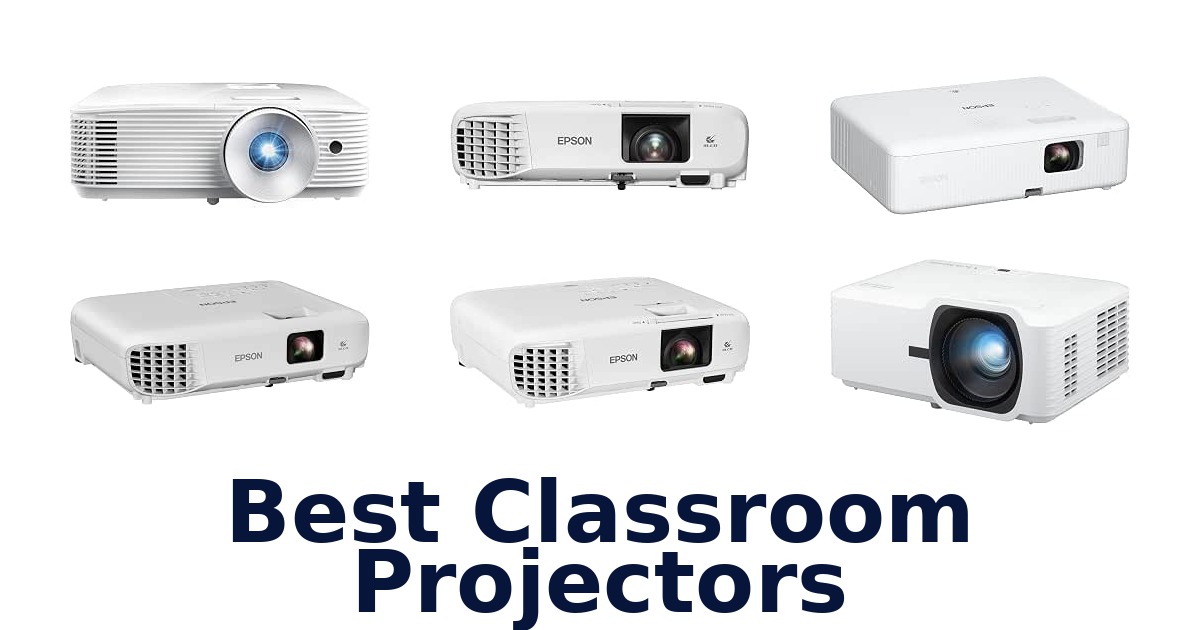
A strong classroom projector delivers readable content under ambient light, fits the room’s screen and placement needs, and connects to the devices teachers use. The Epson PowerLite X49 is the clearest all-around fit here: it is designed for education, produces 3,600 lumens, and supports up to 50 connected users through its moderator function. Other picks span 3,400 to 5,500 lumens, with XGA, WXGA and Full HD resolution, plus lamp and laser light sources.
That range matters because a small room showing slides has different needs from a bright lecture space or a room sharing content from several devices. Compare brightness, resolution, image-size range and classroom-specific features before choosing; maximum screen size alone does not establish how large an image will remain readable in your room.
The Epson PowerLite X49 is the best overall choice because it is explicitly designed for classrooms, combines 3,600 lumens with native XGA resolution, and includes a moderator function for up to 50 users. That makes it a practical match for lessons and collaborative sharing. Choose a higher-brightness model if the room has substantial ambient light or needs Full HD detail; choose a portable general-use model only if mobility outweighs classroom-specific features.
Our Top Picks
 Best Overall
Built for classrooms, it pairs 3,600 lumens and native XGA resolution with wireless connectivity and moderator sharing for up to 50 users.
View on Amazon Brightest Full HD
Its 5,500 ANSI lumens and 1080p resolution suit bright lecture spaces, while the laser light source is specified for up to 30,000 hours.
View on Amazon Best for Sharing
Designed for classrooms, it offers 3,800 lumens, a moderator function for up to 50 users, HDMI, and a stated 17,000-hour lamp life.
View on Amazon- Best Widescreen Epson EX3290
- Flexible Setup Optoma W405LVe
Compare classroom projector features
| # | Product | Weight | Maximum Image Size | Minimum Image Size | Buy |
|---|---|---|---|---|---|
| 1 | 1. Epson PowerLite X49Best Overall | 6 lb | 300 in | 30 in | View on Amazon |
| 2 | 2. ViewSonic LS740HDBrightest Full HD | 6.6 lb | 300 in | 30 in | View on Amazon |
| 3 | 3. Epson PowerLite 118Best for Sharing | 6.2 lb | 300 in | 35.4 in | View on Amazon |
| 4 |  4. Epson EX3290Best Widescreen 4. Epson EX3290Best Widescreen | 5.2 lb | 375 in | 33 in | View on Amazon |
| 5 |  5. ViewSonic PA503WAmbient-light presentation rooms 5. ViewSonic PA503WAmbient-light presentation rooms | 2.2 kg | 300 in | 30 in | View on Amazon |
| 6 |  6. Optoma W405LVeFlexible Setup 6. Optoma W405LVeFlexible Setup | 7.8 lb | 1280 pixels | 1280 pixels | View on Amazon |
| 7 |  7. Epson PowerLite E20Simple HDMI classroom setup 7. Epson PowerLite E20Simple HDMI classroom setup | 2.7 kg | 320 in | 22 in | View on Amazon |
| 8 |  8. BenQ MW560CData-heavy classroom presentations 8. BenQ MW560CData-heavy classroom presentations | — | 300 in | — | View on Amazon |
| 9 |  9. Epson EpiqVision Flex CO-W01Portable whole-class presentations 9. Epson EpiqVision Flex CO-W01Portable whole-class presentations | 5.3 lb | 378 in | 33 in | View on Amazon |
Detailed Reviews: Best Classroom Projectors
#1 · Best Overall
1. Epson PowerLite X49
- Weight: 6 lb
- Maximum Image Size: 300 in
- Minimum Image Size: 30 in
Best for: Collaborative classroom sharing.
Why it ranks #1: Built for classrooms, it pairs 3,600 lumens and native XGA resolution with wireless connectivity and moderator sharing for up to 50 users.
The PowerLite X49’s moderator function connects up to 50 users at once, enabling a teacher to bring multiple students’ devices into a shared classroom display workflow. Its 3LCD technology and 3,600-lumen brightness support colorful, visible presentations, while HDMI and wireless connectivity accommodate laptops and smart devices.
With a moderator function for as many as 50 users, this Epson supports group sharing without limiting the workflow to a single presenting device. Wireless connectivity accommodates smart devices, while HDMI provides a connection option for classroom equipment. Its 3LCD system and 3,600-lumen output help keep displayed material vibrant and visible. The 12,000-hour lamp life is a practical consideration for recurring lessons, and the projector’s 30-to-300-inch image range gives placement flexibility across different classroom setups.
- Moderator function connects up to 50 users
- Wireless connectivity for devices
- 3LCD technology with 3,600-lumen brightness
- 12,000-hour lamp life
- Native XGA resolution is less detailed than Full HD.
Skip it if you need Full HD image detail; the ViewSonic LS740HD offers 1920 x 1080 resolution for classroom content.
The X49 suits teachers who want students to share material from multiple devices and need a projector for regular classroom use. Its XGA resolution is the boundary to weigh if lessons rely on fine visual detail.
Full product details
| Brand | Epson |
|---|---|
| Color | Clear |
| Compatible Devices | Laptop, Smartphone, Tablet |
| Dimensions | 10.2"L x 11.6"W x 3.4"H |
| Item Weight | 6 pounds |
| Lamp Wattage | 210 watts |
| Manufacturer | Epson Corporation |
| Maximum Image Size | 300 inches |
| Minimum Image Size | 30 inches |
| Model | PowerLite |
| Model Number | V11H982020 |
| Recommended Uses | Class Room, Education |
| Special Feature | UHE |
| Warranty Description | Information Not Available |
| Wattage | 345 watts |
Listed on Amazon as: Epson, EPSV11H982020, PowerLite X49 3LCD XGA Classroom Projector with HDMI, 1 Each , 3.4"x11.6"x10.2"
View on Amazon#2 · Brightest Full HD
2. ViewSonic LS740HD
- Weight: 6.6 lb
- Maximum Image Size: 300 in
- Minimum Image Size: 30 in
Best for: Bright Full HD lecture rooms.
Why it ranks #2: Its 5,500 ANSI lumens and 1080p resolution suit bright lecture spaces, while the laser light source is specified for up to 30,000 hours.
Full HD 1920 x 1080 resolution paired with 5,500 ANSI lumens gives the ViewSonic LS740HD the detail and brightness to present classroom material in rooms with ambient light. Its laser phosphor source is rated for up to 30,000 hours in Dynamic Eco mode, supporting long-term use in lecture halls and shared spaces.
The 1.13–1.47 throw ratio gives installers a defined placement range, while 360-degree projection and four-corner adjustment support flexible orientation and image alignment. At 5,500 ANSI lumens, the projector is specified for bright images in classrooms, lecture halls, and boardrooms where ambient light may remain. Full HD resolution supports detailed slides and video. Its laser phosphor light source can operate for up to 30,000 hours in Dynamic Eco mode, reducing the need for frequent light-source changes.
- Full HD 1920 x 1080 resolution
- 5,500 ANSI lumens for ambient-light rooms
- Laser phosphor source rated up to 30,000 hours in Dynamic Eco
- 360-degree projection and four-corner adjustment
- At 6.6 pounds, it is less convenient to carry frequently between rooms.
Skip it if you need a lightweight projector for frequent room changes; the Epson EpiqVision Flex CO-W01 weighs 5.3 pounds.
Consider the LS740HD for a fixed classroom, lecture hall, or other space that benefits from bright Full HD projection and flexible installation. Its 6.6-pound body and throw range make placement worth planning.
Full product details
| Brand | ViewSonic |
|---|---|
| Color | White |
| Compatible Devices | Laptop |
| Dimensions | 11.3"L x 8.5"W x 5"H |
| Item Weight | 6.6 pounds |
| Lamp Wattage | 203 watts |
| Manufacturer | ViewSonic |
| Maximum Image Size | 300 inches |
| Minimum Image Size | 30 inches |
| Model | LS740HD |
| Model Number | LS740HD |
| Recommended Uses | Business, Education, Gaming, Home Cinema |
| Special Feature | 360 degree projection, 4 corner adjustment, Eco-Friendly, Long-lasting, ultra-large screen |
| Voltage | 240 volts |
| Warranty Description | Three-year limited warranty on parts and labor, 1-year limited warranty on lamp, 1st year free Express Exchange® service** |
| Wattage | 210 watts |
| Additional Information | Important Information Visible screen diagonal 300" / 762 cm |
Listed on Amazon as: ViewSonic LS740HD 1080P Laser Projector, 5500 Lumens, Full HD Home Theater
View on Amazon#3 · Best for Sharing
3. Epson PowerLite 118
- Weight: 6.2 lb
- Maximum Image Size: 300 in
- Minimum Image Size: 35.4 in
Best for: Shared-device classroom lessons.
Why it ranks #3: Designed for classrooms, it offers 3,800 lumens, a moderator function for up to 50 users, HDMI, and a stated 17,000-hour lamp life.
The Epson PowerLite 118’s moderator function lets up to 50 users connect and share content, enabling collaborative lessons that draw from students’ laptops or mobile devices. Its 3LCD system produces vibrant images, and HDMI carries video and audio over one cable for a straightforward connection to compatible classroom equipment.
The moderator function supports sharing from up to 50 connected users, giving teachers a way to bring student contributions into a lesson. Its 3LCD technology and 3,800 lumens of color brightness support vibrant classroom images. HDMI carries video and audio through one cable, simplifying the connection to a compatible device, while the built-in speaker can handle projector audio. The 17,000-hour lamp life is suited to recurring classroom use, and the image range starts at 35.4 inches.
- Moderator function connects up to 50 users
- 3LCD technology with 3,800 lumens of color brightness
- HDMI carries video and audio through one cable
- 17,000-hour lamp life and built-in speaker
- The minimum image size is 35.4 inches, limiting very small-image placement.
Skip it if you need an image smaller than 35.4 inches; the Epson PowerLite E20 lists a 22-inch minimum image size.
The PowerLite 118 suits teachers who want students to share content and need a projector for recurring classroom lessons. Its listed 35.4-inch minimum image size makes it a weaker fit for very close, small-image setups.
Full product details
| Brand | Epson |
|---|---|
| Color | Clear |
| Compatible Devices | Laptop, Smartphone, Tablet |
| Dimensions | 10.2"L x 11.6"W x 3.6"H |
| Item Weight | 6.2 pounds |
| Lamp Wattage | 210 watts |
| Manufacturer | Epson Corporation |
| Maximum Image Size | 300 inches |
| Minimum Image Size | 35.4 inches |
| Model | PowerLite |
| Model Number | 118 |
| Recommended Uses | Class Room |
| Special Feature | UHE |
| Voltage | 100 volts |
| Warranty Description | Contact Manufacturer |
| Wattage | 345 watts |
Listed on Amazon as: Epson PowerLite 118 LCD Projector – 4:3 – Ceiling Mountable
View on Amazon#4 · Best Widescreen
4. Epson EX3290
- Weight: 5.2 lb
- Maximum Image Size: 375 in
- Minimum Image Size: 33 in
Best for: Widescreen group presentations.
Why it ranks #4: The WXGA projector provides 4,000 lumens of color and white brightness, two HDMI ports, and images up to 300 inches for group presentations.
The Epson EX3290 pairs widescreen WXGA resolution with 4,000 lumens of color and white brightness, enabling group presentations and video in well-lit classrooms. Its image can reach 300 inches, and two HDMI ports make it easier to connect and switch between compatible laptops and streaming devices without repeatedly changing the source cable.
WXGA 1280 x 800 resolution provides a widescreen format for presentations, spreadsheets, and video, while the 4,000-lumen color and white brightness ratings support use in well-lit rooms. The 300-inch image capability helps display content to a group, and two HDMI ports allow laptops and streaming devices to remain connected for source switching. At 5.2 pounds, the projector is portable enough for movement between rooms, and its listed uses include education and business.
- Widescreen WXGA 1280 x 800 resolution
- 4,000 lumens of color and white brightness
- Two HDMI ports for connecting and switching sources
- 5.2-pound portable design
- The listed resolution is WXGA rather than Full HD.
Skip it if you need Full HD classroom projection; the ViewSonic LS740HD provides 1920 x 1080 resolution.
Choose the EX3290 for widescreen lessons or group presentations in brighter rooms, especially when switching between two HDMI sources is useful. Its WXGA resolution is the fit consideration for detail-intensive content.
Full product details
| Brand | Epson |
|---|---|
| Color | White |
| Compatible Devices | Laptop, Smartphone, Television |
| Dimensions | 11.9"L x 9.3"W x 3.2"H |
| Item Weight | 5.2 pounds |
| Manufacturer | Epson |
| Maximum Image Size | 375 inches |
| Minimum Image Size | 33 inches |
| Model | EX3290 |
| Model Number | V11HB57020 |
| Recommended Uses | Business, Education, Gaming, Home Cinema, Outdoor Movie Night |
| Special Feature | Lightweight, Portable |
| Warranty Description | 1-year projector limited warranty |
| Wattage | 235 watts |
| Additional Information | Important Information Visible screen diagonal 300" / 762 cm |
Listed on Amazon as: Epson EX3290 3-Chip 3LCD Widescreen WXGA Video Projector
View on Amazon#5
5. ViewSonic PA503W
- Weight: 2.2 kg
- Maximum Image Size: 300 in
- Minimum Image Size: 30 in
Best for: Ambient-light presentation rooms.
Why it ranks #5: Its WXGA resolution and 4,000 ANSI lumens target readable presentations in rooms with moderate ambient light, with a listed maximum image size of 300 inches.
The PA503W combines 4,000 ANSI lumens with WXGA resolution to keep text and images visible in classrooms and meeting rooms with moderate ambient light. Its 1.5–1.7 throw ratio provides a defined placement range, making it a practical option for presentation setups where the projector cannot sit close to the screen.
WXGA resolution supports widescreen presentation content, while the 4,000-lumen output is specified to maintain visibility under moderate ambient lighting. The 1.5–1.7 throw ratio helps determine where the projector can sit relative to the screen, which matters when arranging a room around existing tables or ceiling positions. SuperColor is listed as a feature for vibrant colors, and the 30-to-300-inch image range gives flexibility for different presentation spaces. Its listed compatible device is a personal computer.
- 4,000 ANSI lumens for moderate ambient light
- WXGA 1280 x 800 resolution
- 1.5–1.7 throw ratio helps guide placement
- SuperColor feature for vibrant colors
- The 1.5–1.7 throw ratio needs more projection distance than a short-throw setup.
Skip it if you cannot place a projector farther from the screen; the Optoma W405LVe has a 1.1x zoom and vertical keystone correction.
The PA503W fits classrooms or meeting rooms that need readable WXGA presentations and can accommodate its 1.5–1.7 throw ratio. Check the available projection distance before choosing a mounting position.
Full product details
| Brand | ViewSonic |
|---|---|
| Color | White |
| Compatible Devices | Personal Computer |
| Dimensions | 11.6"L x 8.6"W x 4.3"H |
| Item Weight | 2.2 kg |
| Lamp Wattage | 200 watts |
| Manufacturer | ViewSonic |
| Maximum Image Size | 300 inches |
| Minimum Image Size | 30 inches |
| Model | PA503W |
| Model Number | PA503W |
| Recommended Uses | Business |
| Special Feature | High brightness, SuperColor, Energy-efficient |
| Voltage | 220 volts |
| Warranty Description | 3-year limited warranty on parts and labor, 1-year limited warranty on lamp, |
| Wattage | 260 watts |
Listed on Amazon as: ViewSonic PA503W 4000 Lumens WXGA DLP Projector, High Brightness HDMI
View on Amazon#6 · Flexible Setup
6. Optoma W405LVe
- Weight: 7.8 lb
- Maximum Image Size: 1280 pixels
- Minimum Image Size: 1280 pixels
Best for: Plug-in-and-present classrooms.
Why it ranks #6: This classroom-oriented WXGA option lists 4,200 ANSI lumens, HDMI and VGA, a 1.1x zoom, vertical keystone correction, and a built-in 10-watt speaker.
A built-in 10-watt speaker lets the Optoma W405LVe handle classroom presentations without requiring a separate sound system for basic playback. Its 4,200 ANSI lumens support use with ambient light, while WXGA resolution, HDMI and VGA inputs, and USB power for a streaming stick cover common presentation and media workflows.
The 1.1x manual zoom and ±40-degree vertical keystone correction help fit the image to a room without rearranging furniture, while HDMI and VGA provide connections for different presentation sources. USB power can support a streaming stick, and the integrated 10-watt speaker keeps audio in the projector. With 4,200 ANSI lumens and WXGA 16:10 resolution, it is specified for legible slides and web content in classrooms and meeting rooms with ambient light.
- 4,200 ANSI lumens for rooms with ambient light
- WXGA 1280 x 800, 16:10 resolution
- 1.1x manual zoom and ±40-degree vertical keystone
- Built-in 10-watt speaker and USB power for streaming stick
- At 7.8 pounds, it is relatively heavy for carrying between classrooms.
Skip it if you move a projector between rooms every day and prefer a lighter unit; the Epson EX3290 weighs 5.2 pounds.
Choose the W405LVe for classrooms needing flexible HDMI or VGA connections, onboard audio, and straightforward placement adjustment. Its 7.8-pound weight is a consideration if the projector will be moved often.
Full product details
| Brand | Optoma |
|---|---|
| Color | White |
| Compatible Devices | Gaming Console, Laptop, Smartphone, Tablet |
| Dimensions | 12.4"L x 9.6"W x 3.9"H |
| Item Weight | 7.8 pounds |
| Manufacturer | Optoma Technology, Inc. |
| Maximum Image Size | 1280 pixels |
| Minimum Image Size | 1280 pixels |
| Model | W405LVE |
| Model Number | W405LVE |
| Model Series | W405LVE |
| Recommended Uses | Business |
| Special Feature | Business |
| Warranty Description | 1 Year limited parts and labor warranty on the projector, 90 Day light source warranty |
Listed on Amazon as: Optoma W405LVe – WXGA, 4200 ANSI Lumens, 10W Built-in Speaker, HDMI + VGA, USB Power for Streaming Stick, Portable Business & Classroom Projector, WXGA
View on Amazon#7
7. Epson PowerLite E20
- Weight: 2.7 kg
- Maximum Image Size: 320 in
- Minimum Image Size: 22 in
Best for: Simple HDMI classroom setup.
Why it ranks #7: Designed for classroom use, it combines 3,400 lumens, native XGA resolution, HDMI, and a built-in 5-watt speaker for straightforward lesson display.
The PowerLite E20 combines 3LCD imaging with native XGA resolution and a built-in 5-watt speaker, enabling teachers to present lessons with image and audio from one classroom projector. HDMI carries video and audio through a single cable, while the lamp is rated for 12,000 hours for recurring educational use.
The 3,400-lumen output and 3LCD technology support vibrant, true-to-life classroom images, while native XGA resolution suits standard presentation material. HDMI sends both video and audio over one cable, helping keep a compatible source connection simple. The built-in 5-watt speaker can handle basic playback without relying on a separate speaker, and the 12,000-hour lamp life is relevant for regular lessons. Its 22-to-320-inch image range gives flexibility across different classroom screen sizes.
- 3LCD technology for vibrant, true-to-life images
- 3,400 lumens of brightness
- HDMI carries video and audio through one cable
- Built-in 5-watt speaker and 12,000-hour lamp life
- The built-in speaker is rated at 5 watts, limiting its audio output for larger rooms.
Skip it if you need a more powerful built-in speaker; the Optoma W405LVe lists a 10-watt speaker for classroom playback.
The E20 is a fit for classrooms seeking straightforward HDMI presentation and onboard audio for lessons. Its 5-watt speaker suits basic playback, but consider the room’s audio needs before relying on it alone.
Full product details
| Brand | Epson |
|---|---|
| Color | White |
| Compatible Devices | Gaming Console, Laptop, Smartphone, Tablet |
| Dimensions | 9.8"L x 11.8"W x 3.4"H |
| Item Weight | 2.7 kg |
| Lamp Wattage | 210 watts |
| Manufacturer | Epson Corporation |
| Maximum Image Size | 320 inches |
| Minimum Image Size | 22 inches |
| Model | PowerLite |
| Model Number | V11H981020 |
| Recommended Uses | Class Room, Education |
| Special Feature | UHE |
| Voltage | 110 volts, 240 volts |
| Warranty Description | Information Not Available |
| Wattage | 345 watts |
Listed on Amazon as: Epson PowerLite E20 LCD Projector – 4:3 – Ceiling Mountable – White
View on Amazon#8
8. BenQ MW560C
- Maximum Image Size: 300 in
Best for: Data-heavy classroom presentations.
Why it ranks #8: The education-recommended WXGA model lists 4,000 ANSI lumens, 20,000:1 contrast, data review mode, auto vertical keystone, and a built-in speaker.
BenQ’s Data Review Mode emphasizes letters and digits, helping teachers present spreadsheets, tables, and other text-heavy material with clarity. The MW560C pairs that mode with 4,000 ANSI lumens and 20,000:1 contrast for presentations, while an ergonomic retractable foot and automatic vertical keystone assist with setup and alignment.
Data Review Mode is specifically aimed at making letters and digits clear, a useful fit for lessons involving figures, tables, or detailed text. The 4,000-lumen brightness and 20,000:1 contrast support presentation visibility, while HDMI provides a fast data-transmission connection for compatible sources. An ergonomic retractable foot and auto vertical keystone help with positioning and image alignment. SmartEco Mode is listed as saving lamp power, giving schools a mode intended to reduce lamp-power use during operation.
- Data Review Mode for clearer letters and digits
- 4,000 ANSI lumens of brightness
- 20,000:1 contrast ratio
- Retractable foot and auto vertical keystone for setup
- HDMI is the only listed input, so source-device connection options are limited by that specification.
Skip it if you need both HDMI and VGA connections; the Optoma W405LVe lists both inputs for classroom sources.
The MW560C fits teachers presenting figures, documents, and text-heavy slides who value quick vertical alignment. Check that your classroom sources connect through HDMI, its only input specified in the supplied details.
Full product details
| Brand | BenQ |
|---|---|
| Color | White |
| Compatible Devices | Gaming Console, Laptop, Television |
| Manufacturer | BenQ |
| Maximum Image Size | 300 inches |
| Model | Business Series |
| Model Number | MW560C |
| Recommended Uses | Business, Education |
| Special Feature | Built-In Speaker |
| Warranty Description | 3 Year Manufacturer's Warranty |
Listed on Amazon as: BenQ MW560C WXGA Business Projector for meeting rooms 4000 Lumens
View on Amazon#9
9. Epson EpiqVision Flex CO-W01
- Weight: 5.3 lb
- Maximum Image Size: 378 in
- Minimum Image Size: 33 in
Best for: Portable whole-class presentations.
Why it ranks #9: Its 3,000 lumens and portable 5.3-pound design can suit occasional teaching, but the supplied details offer fewer classroom-specific tools than higher-ranked models.
A 3,000-lumen 3LCD picture can reach 300 inches, giving teachers room to enlarge lessons, presentations, or videos beyond a conventional classroom display. Epson’s CO-W01 also weighs 5.3 pounds and is described as compact enough for a backpack, making it practical to carry between rooms or take off campus.
Three-chip 3LCD technology is paired with 3,000 lumens of color and white brightness, supporting clear, color-accurate images in a range of lighting conditions. The projector’s large-screen capability helps make content visible to a group, while its 5.3-pound weight and compact dimensions ease transport between classrooms. Compatibility includes laptops, smartphones, and tablets, so it can work with several common teaching devices. Its listed uses also include education, business, and home viewing.
- 3LCD technology for color accuracy, brightness, and clarity
- 3,000 lumens of color and white brightness
- Projects images up to 300 inches
- Compact 5.3-pound design for carrying between rooms
- At 5.3 pounds, it is heavier than an ultra-light travel projector.
Skip it if you need a moderator function for students to share content; the Epson PowerLite X49 connects up to 50 users.
Choose the CO-W01 if you move a projector between classrooms and want a large image for lessons or video. Its 3,000-lumen brightness suits varied lighting, but consider the 5.3-pound weight when planning frequent transport.
Full product details
| Brand | Epson |
|---|---|
| Color | White |
| Compatible Devices | Gaming Console, Laptop, Smartphone, Tablet, Television, Speaker |
| Dimensions | 11.6"L x 8.3"W x 3.4"H |
| Item Weight | 5.3 pounds |
| Lamp Wattage | 200 watts |
| Manufacturer | Epson |
| Maximum Image Size | 378 inches |
| Minimum Image Size | 33 inches |
| Model | CO-WO1 |
| Model Number | W01 |
| Recommended Uses | Business, Education, Gaming, Home Cinema, Outdoor Movie Night |
| Special Feature | Built-In Wi-Fi |
| Voltage | 110 volts |
| Warranty Description | 1-year projector limited warranty |
| Wattage | 100 watts |
| Additional Information | Important Information Visible screen diagonal 300" / 762 cm |
Listed on Amazon as: Epson EpiqVision Flex CO-W01 Portable Projector 3-Chip 3LCD Technology
View on AmazonAvoid the classroom image-size trap
Do not treat a projector’s maximum image size as proof that it will make a readable image in your classroom. Several products list a maximum of 300 inches, while the Epson EX3290 lists 375 inches and the Epson EpiqVision Flex CO-W01 lists 378 inches; those figures alone do not tell you the throw distance, brightness at that size, or whether the image fits your wall. A projector can also require more room between the unit and screen than a classroom layout allows.
Before ordering, measure the intended screen area and the available mounting or cart position, then check the manufacturer’s throw-distance guidance for that specific model. This is especially important when replacing a ceiling-mounted unit: a different throw ratio can change the image size at the existing mount point.
The provided product data does not give a complete room-placement plan, so verify placement rather than assuming a shared maximum means interchangeable setup.
Check source connections before planning wireless lessons
A projector’s classroom label does not guarantee that it will connect to every school device or network in the way you expect. The PowerLite X49 lists wireless connectivity and a moderator function for up to 50 users, while several other models name HDMI, VGA, or both; the EX3290 lists two HDMI ports. These are different connection approaches, not interchangeable promises.
Confirm whether your school laptop, tablet, adapter, or teaching system provides a matching output, and check whether wireless sharing must pass through a school network or can operate independently. The supplied details do not specify network protocols or full compatibility lists for every device, so do not assume wireless capability means universal device support.
Also consider whether teachers need to switch between a document camera and laptop during a lesson: the number and type of inputs can matter more than a headline image-size figure.
How to Choose a Classroom Projector
Brightness for room lighting
Look for enough listed brightness to keep text and diagrams visible under your classroom’s usual lighting. These options range from 3,000 lumens on the Epson EpiqVision Flex CO-W01 to 5,500 ANSI lumens on the ViewSonic LS740HD; several classroom-focused choices sit between 3,400 and 4,200 lumens. More brightness can be useful when lights stay on or windows add ambient light, but the supplied data does not establish a guaranteed readable screen size for any specific room.
For a typical lesson setup, the 3,400-to-4,000-lumen models offer classroom-oriented options; for a bright lecture space, the LS740HD has the highest listed output. Match the choice to room conditions rather than choosing by maximum image size alone.
Resolution and lesson content
Choose resolution based on the material students need to read, not just the largest image the projector can display. The products include native XGA models such as the PowerLite X49 and PowerLite E20, WXGA options such as the EX3290 and PA503W, and the LS740HD with Full HD 1920 x WXGA provides a widescreen 1280 x 800 format, while Full HD may suit detailed video or fine visual content.
XGA remains a direct option for standard classroom slides and documents. Buyers who show spreadsheets, wide presentations, or video should compare the WXGA and Full HD models; those prioritizing a familiar classroom presentation format can consider the XGA models.
Check the source device’s output as well, since the data does not specify how each model handles every input resolution.
Sharing, connections, and setup
Prioritize the connection and setup features that match how lessons actually run. The PowerLite X49 and PowerLite 118 list moderator functions for up to 50 users; the X49 also lists wireless connectivity. The Optoma W405LVe offers HDMI and VGA, a 1.1x zoom, vertical keystone correction, and a built-in 10-watt speaker, while the EX3290 has two HDMI ports.
For collaborative lessons, the Epson models with moderator sharing stand out; for rooms that frequently change presenters or use older VGA sources, the Optoma’s listed connections and setup tools may be more useful. Confirm the ports required by school equipment before buying.
A built-in speaker can simplify basic playback, but the supplied specifications do not describe classroom-wide sound coverage.
Which Classroom Projector Should You Choose?
For a classroom that needs purpose-built presentation and group sharing, choose the Epson PowerLite X49: its 3,600 lumens, XGA resolution, wireless connectivity, and 50-user moderator feature make it the strongest all-around fit. If your lecture room is especially bright or Full HD is important, the ViewSonic LS740HD brings 5,500 ANSI lumens and 1080p resolution. Choose the Epson PowerLite 118 when you want classroom-oriented sharing and a stated 17,000-hour lamp life.
For widescreen presentations, the Epson EX3290 offers WXGA, 4,000 lumens, and two HDMI ports. The Optoma W405LVe suits rooms needing HDMI and VGA with flexible placement tools.
Consider the Epson PowerLite E20 for basic classroom display; reserve the portable Epson EpiqVision Flex CO-W01 for situations where portability matters more than dedicated classroom features.
Related Buying Guides
Frequently Asked Questions
How bright should a projector be for a classroom with windows or overhead lights?
Choose brightness based on how much ambient light the room has and whether you can control it. The listed options include 3,600-lumen classroom-oriented and 5,500-ANSI-lumen Full HD models. For substantial ambient light, the editorial pick is the ViewSonic LS740HD; compare brightness alongside resolution and intended use.
How do I determine the right projector placement and screen size for my classroom?
Start by measuring the available mounting or placement distance and the screen area, then check the projector’s placement guidance before choosing. Room layout, seating, and sightlines affect the useful image size. The Optoma W405LVe is noted for flexible placement tools; confirm that its guidance fits your room.
Will a classroom projector work with my school laptop, wireless network, or interactive display?
Confirm the projector’s listed connections and wireless capabilities against your school’s laptop, network rules, and display setup before buying. The X49 is described as having wireless connectivity and HDMI; the Optoma W405LVe lists HDMI and VGA. A listed connection alone does not establish compatibility with every device or network.
Which resolution should I choose for classroom slides and video?
Choose resolution according to the detail your lessons require. The X49 provides native XGA, while the EX3290 offers WXGA for widescreen presentations and the LS740HD provides 1080p Full HD. If Full HD detail is important, the LS740HD is the editorial recommendation; otherwise, compare the resolution formats with your content.
What should I consider when comparing lamp life and classroom sharing features?
Compare the sharing tools and any stated lamp life that matter to your teaching routine. The PowerLite X49 includes a moderator function for up to 50 users, while the PowerLite 118 has a stated 17,000-hour lamp life and classroom-oriented sharing. These are distinct advantages, so prioritize the one that fits your use.
Final Words
For a classroom-focused all-around choice, the Epson PowerLite X49 combines 3,600 lumens, native XGA, wireless connectivity, and sharing for up to 50 users. Choose the ViewSonic LS740HD instead when substantial ambient light or Full HD detail matters most. The EX3290 suits widescreen presentations, while the EpiqVision Flex CO-W01 is a portability-first option.
Match the final choice to room conditions, content, connections, and teaching needs.