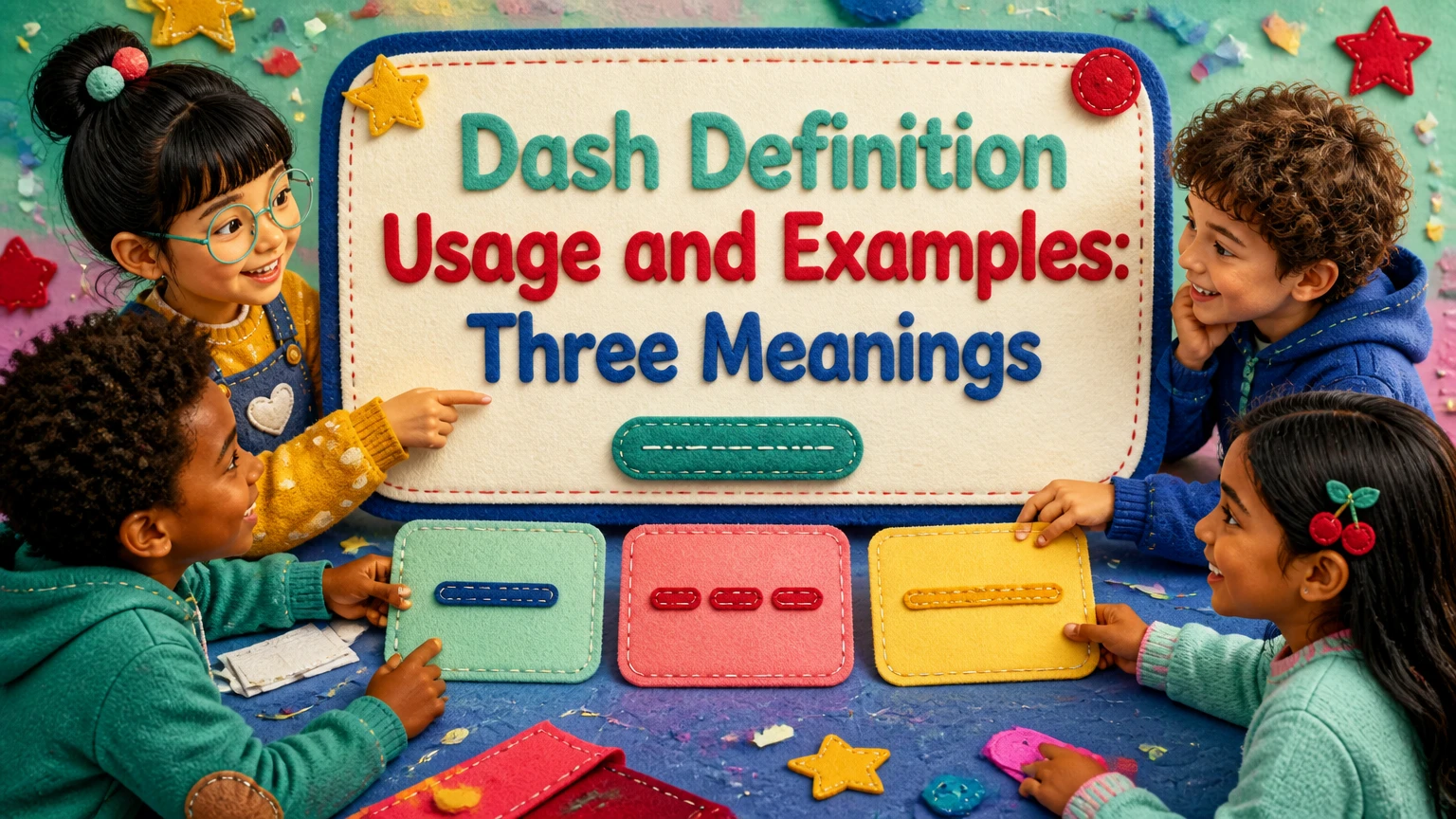
The term “dash” has three major meanings: a punctuation mark, a data dashboard, and the DASH eating plan. In grammar, dashes organize interruption, emphasis, ranges, and open compounds; in technology, dashboards turn connected data into visual decisions; in health, DASH means Dietary Approaches to Stop Hypertension, a dietary pattern centered on lower sodium and nutrient-rich foods.
Key Facts at a Glance
- An em dash (—) marks a strong break, interruption, or parenthetical insertion; an en dash (–) commonly expresses a range or connection.
- A hyphen (-) joins words, while a mathematical minus sign (−) indicates subtraction or a negative value.
- A data dashboard combines selected metrics, visualizations, filters, and data sources for a defined audience and decision.
- Operational dashboards usually monitor current activity; strategic dashboards track longer-term targets; analytical dashboards support investigation.
- DASH stands for Dietary Approaches to Stop Hypertension and commonly uses a 2,300-milligram daily sodium limit.
- The 1,500-milligram DASH sodium target may provide additional blood-pressure benefit, but people taking medication or managing kidney disease need clinical guidance.
What Does a Dash Mean in Grammar?
A dash is a horizontal punctuation mark that creates a stronger separation than a comma and a more flexible break than a colon or semicolon. English primarily uses the em dash and en dash, while the shorter hyphen performs a different joining function. The correct choice depends on whether the writer is separating ideas, expressing a range, or forming a compound.
Dashes affect meaning and rhythm. Compare “The results, which arrived late, changed the plan” with “The results, which arrived late, changed the plan.” The first sentence uses commas for a routine aside. Replacing those commas with em dashes would make the delay more prominent.
The Merriam-Webster editorial explanation calls the em dash “perhaps the most versatile punctuation mark.” That flexibility creates a risk: writers often substitute it for every comma, colon, parenthesis, and pause. Good usage requires a specific relationship between the mark and the words around it.
Which Dash Should You Use?
Use an em dash for an abrupt break or emphatic aside, an en dash for a range or relationship, and a hyphen for a compound word. The three marks differ in length, Unicode character, and grammatical job.
| Mark | Character and Unicode | Primary job | Correct example |
|---|---|---|---|
| Hyphen | -, U+002D |
Join compound words | well-known author |
| En dash | –, U+2013 |
Show ranges or connections | pages 45–60 |
| Em dash | —, U+2014 |
Mark interruption or emphasis | The answer was clear—too clear. |
| Minus sign | −, U+2212 |
Mathematical subtraction or negative number | 8 − 3 = 5; −4°C |
The visual length labels are useful memory aids, but “N dash” and “M dash” are not reliable production rules because typefaces vary. Unicode values and grammatical function provide a more dependable distinction.
How Are Em Dashes Used?
An em dash introduces a strong interruption, an emphatic parenthetical statement, a sudden change, or a sharply defined conclusion. In American publishing, an em dash normally appears without spaces, although British style, house style, and some digital interfaces may use spaced forms.
Use paired em dashes when the inserted material interrupts a sentence without ending it:
The committee’s final recommendation—approved after six hours of debate—changed the budget.
Use a single em dash before a concluding phrase when the second part explains or intensifies the first:
One problem remained—the data had not been validated.
Use an em dash to show an interrupted speaker:
“If you had checked the—”
“The deadline passed yesterday.”
An em dash can replace parentheses when the inserted information deserves attention. It can replace a colon when the writer wants a less formal, more sudden transition. It should not replace every comma in a sentence, because repeated strong breaks make the sentence visually noisy and weaken the hierarchy of information.
Em Dash Examples by Function
| Function | Example | Effect |
|---|---|---|
| Parenthetical insertion | The first prototype—built in 2022—failed testing | Gives the aside strong emphasis |
| Abrupt interruption | “I was going to explain—” | Shows speech stopping suddenly |
| Appositive conclusion | She brought one tool—a calibrated meter | Introduces a specific explanation |
| Dramatic contrast | The forecast promised calm—the harbor disagreed | Creates a sharp turn |
| List introduction | The audit found three defects—latency, duplication, and missing fields | Introduces a compact explanation |
A sentence may contain two em dashes, but the paired marks must enclose a complete interruption. If the inserted text already contains commas, the em dashes can make the boundaries easier to identify.
When Does an En Dash Replace “To”?
An en dash expresses a closed range, a relationship between named entities, or a connection involving an open compound. Use it between numbers, dates, pages, scores, and locations when the implied meaning is “to” or “through.”
Examples include:
- The archive covers 1998–2004.
- Read chapters 7–9 before the seminar.
- The clinic is open 8:30 a.m.–4:30 p.m.
- The Boston–Chicago route operates twice daily.
- The study examines teacher–student communication.
Do not combine a range word with an en dash. “From 2010–2015” is widely seen, but formal editing generally prefers either “from 2010 to 2015” or “2010–2015.” The same principle applies to “between 20–30,” which should become “between 20 and 30” or “20–30.”
An en dash also links an open compound to a following noun or suffix:
- post–World War II architecture
- New York–based publisher
- Google Ads–qualified specialist
- pre–Civil War documents
The en dash signals that “World War II,” “New York,” or “Google Ads” functions as a multiword unit. A hyphen would incorrectly suggest that only the nearest word is connected.
What Is the Difference Between a Dash and a Hyphen?
A dash separates or relates larger units, while a hyphen joins words inside a compound. Substituting a hyphen for an em dash can change readability, and substituting a hyphen for an en dash can make a range look like a malformed compound.
| Intended meaning | Correct form | Incorrect or weaker form | Reason |
|---|---|---|---|
| Compound adjective | high-speed rail | high speed rail | Hyphen joins the modifier |
| Number range | 25–30 minutes | 25-30 minutes | En dash expresses “to” |
| Sentence interruption | The plan—revised yesterday—passed | The plan – revised yesterday – passed | Hyphens do not mark formal interruption |
| Negative number | −12 | -12 in mathematical typography | Minus sign has mathematical spacing and shape |
| Open compound modifier | climate change–related risk | climate-change-related risk | En dash attaches the full open compound |
The hyphen remains correct in many technical contexts because keyboards and software often use the ASCII hyphen as a substitute. Plain-text systems may not support typographic punctuation, but professional documents should use the intended character when the format permits it.
How Should Dashes Be Spaced?
American publishing usually closes an em dash to the surrounding words, as in “The report—released Friday—contains errors.” Many British publications use spaced en dashes for parenthetical breaks, as in “The report – released Friday – contains errors.”
| Style context | Parenthetical form | Range form | Practical rule |
|---|---|---|---|
| Chicago-style American prose | report—released Friday— | 2020–2024 | No spaces around either mark |
| Common British publishing | report – released Friday – | 2020–2024 | Spaced en dash for interruptions |
| Technical documentation | report (released Friday) | 2020-2024 in plain text | Prefer clarity and system compatibility |
| HTML or web typography | report—released Friday— | 2020–2024 | Use semantic entities when needed |
Consistency matters more than choosing one universal convention. A publication, legal department, or academic style guide may override the general rule.
How Do You Type These Marks?
You can type an em dash with Windows Alt+0151 on a numeric keypad or with Option+Shift+Hyphen on macOS. An en dash is commonly entered with Windows Alt+0150 or macOS Option+Hyphen; copying the characters directly is often fastest in browser-based editors.
| Environment | Em dash method | En dash method | Character code |
|---|---|---|---|
| Windows numeric keypad | Alt+0151 | Alt+0150 | U+2014 / U+2013 |
| macOS | Option+Shift+Hyphen | Option+Hyphen | U+2014 / U+2013 |
| HTML | — |
– |
U+2014 / U+2013 |
| Microsoft Word | Insert, Symbol, More Symbols | Insert, Symbol, More Symbols | U+2014 / U+2013 |
| Google Docs | Insert, Special characters | Insert, Special characters | Search “em dash” or “en dash” |
Many word processors convert two hyphens into an em dash, but automatic substitution is not universal. Markdown, code editors, content management systems, and data fields may preserve the two hyphens or normalize the character during export.
What Is a Data Dashboard?
A data dashboard is a visual interface that presents selected metrics, charts, tables, and controls for a defined monitoring or decision-making purpose. A dashboard is more than a collection of graphs because it connects measures to an audience, refresh schedule, threshold, and action.
A typical dashboard workflow has four stages:
- Ingest data: Connect APIs, SQL databases, spreadsheets, event streams, CRM platforms, or data warehouses.
- Model data: Clean fields, define dimensions, create calculated measures, and establish relationships.
- Visualize metrics: Display KPIs through charts, scorecards, maps, tables, or alerts.
- Support action: Let users filter, drill down, compare periods, assign responsibility, or trigger a response.
A dashboard cannot repair unreliable source data. If a CRM contains duplicate opportunities, a polished revenue dashboard will calculate duplicate revenue with impressive visual accuracy.
Which Dashboard Type Fits the Decision?
Operational dashboards fit immediate supervision, strategic dashboards fit target management, and analytical dashboards fit investigation. The correct dashboard type depends on decision frequency, data granularity, and the time available to respond.
| Dashboard type | Typical refresh | Primary audience | Example KPI and decision |
|---|---|---|---|
| Operational | 1-15 minutes | Dispatch supervisor | 42 open tickets, reassign two agents |
| Strategic | Daily or weekly | Executive team | Revenue at 96% of quarterly plan, revise forecast |
| Analytical | Hourly or on demand | Analyst or data scientist | 14-day cohort retention, investigate churn |
| Tactical | Daily | Department manager | 87% campaign conversion target, adjust channel budget |
A report usually emphasizes a fixed narrative or periodic record. A dashboard emphasizes monitoring and interaction. A scorecard emphasizes targets, status, and accountability, often with fewer visual details than an analytical dashboard.
How Do You Build a Useful Dashboard?
Build a useful dashboard by defining one audience and one decision before selecting a chart. A small operational dashboard can take 2-5 hours when the data source is clean; an enterprise implementation with governed pipelines, access controls, and testing commonly takes 4-12 weeks.
Start with a decision statement such as, “The support manager needs to identify queues exceeding a four-hour response target.” That statement determines the measures, filters, alert threshold, and refresh interval.
Use this implementation sequence:
- Name the decision owner: Record the role, business question, and action authority.
- Define each metric: Document formula, source field, time zone, inclusion rules, and owner.
- Validate the source: Compare dashboard totals with a known report across at least two periods.
- Choose the visual: Use a line chart for time, a bar chart for category comparison, and a table for exact values.
- Set the refresh policy: Match freshness to the decision. A weekly planning dashboard does not need minute-level updates.
- Test failure states: Check missing data, delayed loads, zero values, null fields, and permission errors.
- Remove low-value elements: Keep only measures that change a decision or explain an outcome.
A practical screen often contains three to five primary visuals. More charts may be appropriate for analysis, but a single executive or operational view should not force users to scan dozens of competing signals.
What Do Dashboard Tools Cost?
Typical entry-level dashboard licensing ranges from free public products to approximately $10-$75 per user monthly, while implementation cost depends more heavily on data engineering, governance, and integration requirements than on chart design.
| Tool or deployment | Typical price | Typical setup time | Best-fit use |
|---|---|---|---|
| Tableau Public | $0 | 2-8 hours | Public portfolios and demonstrations |
| Tableau Creator | About $75/user/month, annual billing | 1-4 weeks | Governed authoring and business analysis |
| Microsoft Power BI Pro | About $10/user/month | 1-3 weeks | Microsoft-centered teams |
| Custom warehouse dashboard | $5,000-$50,000 typical project range | 4-12 weeks | Multiple sources and governed metrics |
Prices change by region, contract, user role, storage, and capacity model. A low license price does not mean low total cost if the organization needs SQL modeling, identity management, data-quality monitoring, and ongoing maintenance.
What Dashboard Problems Need Troubleshooting?
Dashboard failures usually originate in authentication, schema changes, data freshness, or metric definitions rather than in the chart itself. A blank visual, infinite loading indicator, or unexpected zero should be traced from the displayed measure back through the model to the source query.
Use this diagnostic sequence:
- Check the last successful refresh time and compare it with the promised schedule.
- Reauthenticate expired API tokens and inspect permission changes.
- Compare source-column names with the dashboard query after schema updates.
- Test filters individually, because an invalid date or category filter can return zero rows.
- Check whether a join multiplied records and inflated totals.
- Confirm that time zones, currencies, and fiscal periods match the business definition.
- Display null and zero values separately, since “no data” does not mean “zero.”
One practitioner rule prevents many dashboard disputes: every KPI should have a written owner, formula, source, refresh time, and escalation action. If those five fields are missing, the dashboard is a visual argument rather than a controlled measurement system.
What Is the DASH Diet?
The DASH diet means Dietary Approaches to Stop Hypertension, an eating pattern developed and studied through research supported by the National Heart, Lung, and Blood Institute. DASH emphasizes vegetables, fruits, whole grains, beans, nuts, low-fat dairy, fish, and lean poultry while reducing sodium, processed meat, sweets, and saturated fat.
The diet is designed to lower blood pressure through the combined effect of lower sodium and higher intake of potassium, calcium, magnesium, and fiber. DASH does not guarantee that a person can stop blood-pressure medication. Medication changes require a clinician because blood pressure, kidney function, potassium status, and other conditions affect treatment.
The standard sodium target is 2,300 milligrams per day. The lower 1,500-milligram target is often recommended for people who need a larger sodium reduction or have hypertension, subject to individualized medical advice. The American Heart Association notes that 2,300 milligrams is the daily upper limit for most adults and identifies 1,500 milligrams as an ideal limit for many adults with high blood pressure.
What Does a DASH Day Look Like?
A 2,000-calorie DASH pattern commonly includes six to eight grain servings, four to five vegetable servings, four to five fruit servings, two to three low-fat dairy servings, and limited lean meat, nuts, sweets, and added fats.
| Food group | Typical daily or weekly amount | One serving example | Practical substitution |
|---|---|---|---|
| Whole grains | 6-8 daily | 1 slice whole-wheat bread | 1/2 cup cooked brown rice |
| Vegetables | 4-5 daily | 1 cup raw leafy greens | 1/2 cup cooked carrots |
| Fruits | 4-5 daily | 1 medium apple | 1/2 cup berries |
| Low-fat dairy | 2-3 daily | 1 cup low-fat milk | 1 cup plain yogurt |
| Lean protein | 6 ounces or less daily | 1 ounce cooked poultry | Fish, beans, or tofu |
| Nuts, seeds, legumes | 4-5 weekly | 1/3 cup cooked beans | 2 tablespoons peanut butter |
| Sweets | 5 or fewer weekly | 1 tablespoon sugar | Small portion of dark chocolate |
Serving counts change with calorie needs. A 1,600-calorie plan will generally contain fewer servings than a 2,000-calorie plan, while an active person may need more food without changing the dietary pattern.
How Much Sodium Does DASH Allow?
The standard DASH sodium ceiling is 2,300 milligrams per day, approximately equal to one teaspoon of table salt, while the lower plan uses 1,500 milligrams per day. The comparison is approximate because salt is sodium chloride, and sodium also appears in packaged foods without visible salt crystals.
Most sodium reduction comes from changing packaged and restaurant foods, not merely removing the salt shaker. A single restaurant entrée can contain more than half of the 2,300-milligram daily limit, while canned soup, cured meat, sauces, and snack foods can contribute substantial amounts in smaller portions.
Reduce sodium gradually if sudden dietary change causes headaches or makes meals difficult to sustain. Use garlic, onion, vinegar, citrus, pepper, herbs, and unsalted nuts for flavor, but do not assume “sea salt,” “kosher salt,” or specialty salts contain meaningfully less sodium by weight.
What Are the Benefits and Limits of DASH?
DASH can reduce blood pressure, particularly when paired with lower sodium intake, weight management, physical activity, and prescribed treatment. The original DASH trial, published in the New England Journal of Medicine in 1997, found that the dietary pattern lowered blood pressure compared with a control diet, with a larger effect among participants who reduced sodium.
Benefits include a higher intake of fiber and unsaturated fats, fewer processed meats and sugary foods, and a food structure that can support cardiovascular health. The diet does not require unusual supplements, branded products, or expensive ingredients.
DASH has limits. People with chronic kidney disease may need to restrict potassium, phosphorus, fluids, or protein, which can conflict with unrestricted fruit, vegetables, dairy, nuts, and beans. People using potassium-sparing medication, those with heart failure, and people with diabetes should ask a qualified clinician or registered dietitian how to adapt the plan.
A practical transition is to record three days of food intake, identify the largest sodium sources, replace two high-sodium items, and reassess labels after one week. Increasing fiber rapidly can cause bloating, so increase beans, whole grains, and vegetables while maintaining adequate fluid intake unless a clinician has prescribed fluid restriction.
Which Meaning of “Dash” Applies to You?
Use the punctuation meaning when the surrounding words discuss writing, grammar, typography, ranges, or sentence structure. Use the dashboard meaning when the context includes KPIs, charts, databases, filters, or business intelligence. Use the DASH diet meaning when the context includes blood pressure, sodium, nutrition, or hypertension.
| Context clue | Intended meaning | Example phrase | Best next action |
|---|---|---|---|
| Grammar or editing | Punctuation dash | “Use an em dash here” | Check sentence function and style guide |
| Analytics or business | Data dashboard | “Refresh the sales dashboard” | Verify KPI definitions and data source |
| Nutrition or medicine | DASH diet | “Follow DASH for hypertension” | Review sodium and obtain clinical advice |
| Mathematics | Minus sign | “Subtract 8 from 12” | Use the mathematical minus character |
| Automotive or product name | Brand or model term | “DASH camera” | Identify the named product or acronym |
Capitalization provides a useful clue, but not a complete answer. “DASH” usually identifies the health acronym, “dashboard” identifies the analytics interface, and lowercase “dash” in an editing discussion usually means punctuation.
Common Mistakes and Edge Cases
The most common punctuation mistake is using a hyphen for every horizontal mark. The most consequential dashboard mistake is measuring an undefined KPI. The most consequential DASH diet mistake is assuming a general eating pattern overrides medical restrictions.
Watch for these edge cases:
- Ranges with words: Choose “from 9 to 11” or “9–11,” not “from 9–11.”
- Scores and negative numbers: Sports scores commonly use a hyphen in informal writing, while mathematics requires a minus sign for subtraction.
- Compound modifiers: Use “a 10-year-old policy,” but “the policy is 10 years old.”
- Dashboard vanity metrics: A high page-view count may not explain revenue, retention, or customer support workload.
- Dashboard freshness: A real-time chart with a 45-minute pipeline delay creates false urgency.
- DASH and kidney disease: Do not increase potassium-rich foods without checking renal guidance and medication interactions.
- Sodium labels: Compare serving sizes before judging two packaged foods, because one package may contain several labeled servings.
An honest limitation matters here: no punctuation rule eliminates editorial judgment, no dashboard reveals a cause without valid data modeling, and no diet replaces individualized medical care. The useful goal is accurate matching between mark, measurement, or meal pattern and the decision it must support.
FAQ
Is a dash the same as a hyphen?
No. A hyphen joins parts of a word or compound modifier, as in “well-known.” An em dash separates sentence elements, as in “The result—confirmed yesterday—was unexpected,” while an en dash commonly marks a range, as in “2018–2022.”
Should I use an em dash or parentheses?
Use an em dash when the inserted information deserves emphasis or creates a stronger interruption. Use parentheses when the information is secondary and can be read quietly. In “The device—tested twice—passed,” the testing matters more than in “The device (tested twice) passed.”
Is a dashboard the same as a report?
No. A report usually presents a fixed, periodic analysis, while a dashboard supports monitoring through current metrics, filters, and visual status indicators. A weekly PDF sales report may document performance; an interactive pipeline dashboard helps a manager decide which opportunities need attention today.
Can the DASH diet lower blood pressure quickly?
Blood pressure may improve within weeks when a person consistently follows the eating pattern and reduces sodium, but the response varies by baseline blood pressure, medication, genetics, weight, and adherence. Do not stop or alter prescribed medication without a clinician’s instruction.
What foods should be limited on DASH?
Limit high-sodium packaged meals, cured meats, salty snacks, many restaurant foods, sweets, and foods high in saturated fat. DASH does not require eliminating every treat. Portion size, sodium labels, and the overall weekly pattern matter more than a single meal.
Why does my dashboard show zero after a data update?
A zero may result from an expired connection, renamed source column, failed refresh, invalid date filter, or join that removes records. Check refresh status, source permissions, query results, and filters in that order, then compare the displayed total with a known source report.
Conclusion
The phrase dash definition usage and examples requires context because “dash” can mean a punctuation mark, a data dashboard, or the DASH diet. Choose an em dash for emphatic breaks, an en dash for ranges and relationships, a dashboard design based on a specific decision, and the DASH eating pattern with attention to sodium and medical conditions.