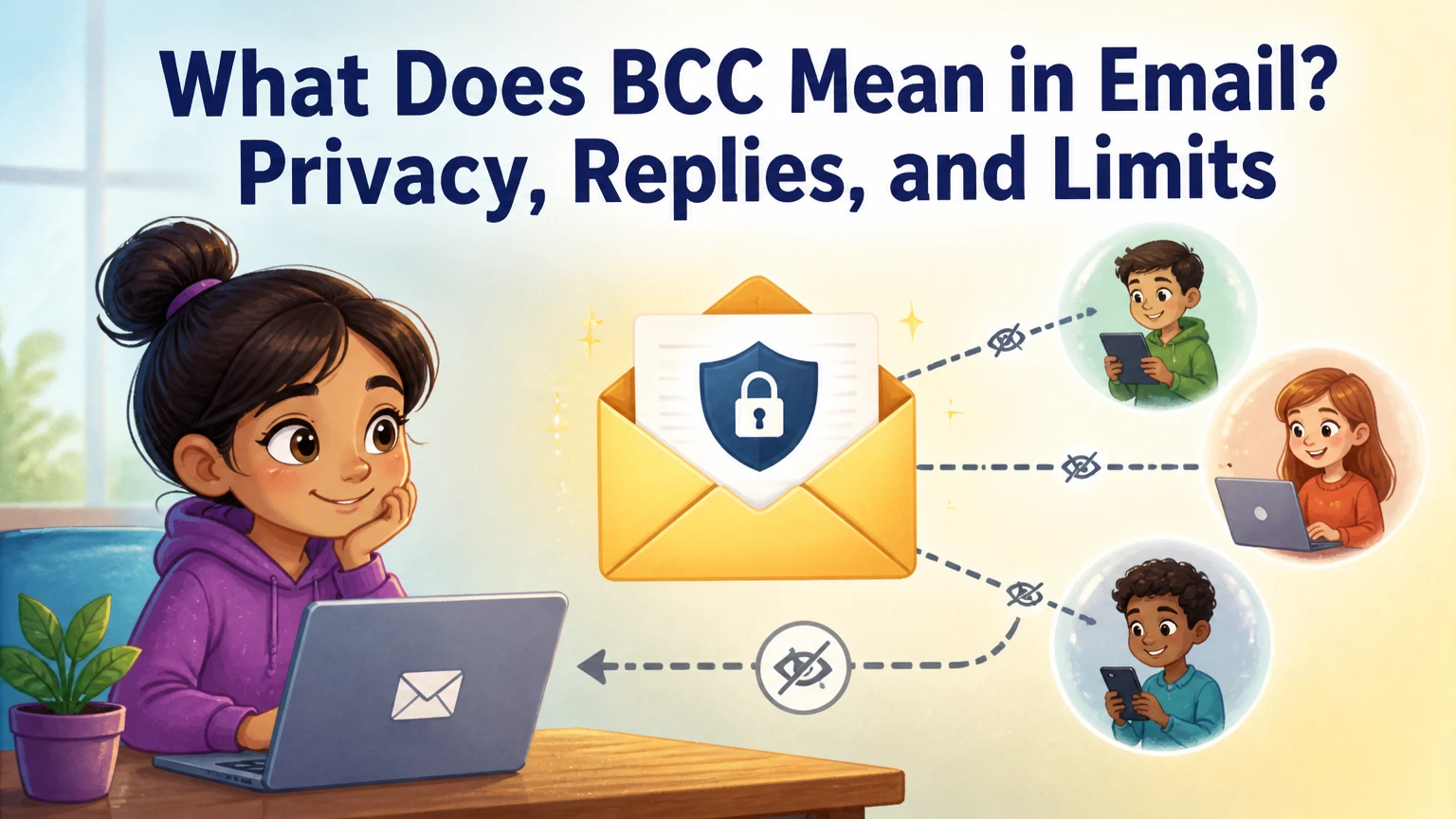
BCC in email means Blind Carbon Copy, a recipient field that hides included addresses from people listed in the To and CC fields. Each BCC recipient receives the message without seeing the other BCC recipients, although the sender, email provider, and message logs can still record delivery information.
What Does BCC Mean in Email?
BCC means Blind Carbon Copy, and its main function is recipient privacy. The sender enters one or more addresses in the BCC field, while people in To and CC normally cannot see those hidden addresses in the delivered message.
The word “blind” describes visibility, not encryption. BCC does not protect the message body from the sender’s email provider, the recipient’s provider, administrators, or anyone who later forwards or screenshots the email. It only prevents ordinary recipients from seeing selected address information.
The Internet Engineering Task Force’s RFC 5322 defines the field this way: “The ‘Bcc’ field contains the addresses of recipients of the message whose addresses are not to be revealed to other recipients of the message.” That standard explains the field’s purpose, while individual providers decide how they display and process it.
BCC at a Glance
- BCC stands for Blind Carbon Copy.
- To and CC recipients normally cannot see BCC addresses.
- BCC recipients usually cannot see other BCC recipients.
- BCC hides addresses, but it does not encrypt email content.
- A BCC recipient who chooses Reply All can expose their participation.
- Email marketing platforms are safer than BCC for recurring or large campaigns.
How Does BCC Work?
BCC works by using message headers and separate delivery instructions. The sending mail system receives the complete recipient list, then delivers copies that omit the BCC header from the visible message headers.
A simplified delivery sequence looks like this:
- The sender adds addresses to To, CC, and BCC.
- The sender’s mail client submits the message to an outgoing mail server.
- The sending server determines the delivery destinations.
- The delivered copy for To and CC recipients omits the BCC header.
- Each BCC recipient receives a copy that does not identify the other BCC recipients.
- The recipient’s mail app displays the headers supplied in that delivered copy.
The result is not necessarily one physically separate message for every person. A mail transfer agent can optimize delivery internally, but the privacy outcome must prevent BCC addresses from appearing to other recipients.
What Can Each Recipient See?
A To recipient can normally see the To and CC addresses, but not BCC addresses. A CC recipient has the same visibility and is included for awareness rather than primary action.
A BCC recipient normally sees the sender and the visible To and CC lists. Depending on the provider, the interface may show the BCC recipient’s own address, show “undisclosed recipients,” or omit the BCC line entirely. The interface is not a reliable record of every hidden recipient.
| Recipient type | Sees To list | Sees CC list | Sees other BCC recipients | Can infer BCC exists? |
|---|---|---|---|---|
| To recipient | Yes | Yes | No | Sometimes |
| CC recipient | Yes | Yes | No | Sometimes |
| BCC recipient | Usually | Usually | No | Usually, from context |
| Sender | Yes | Yes | Yes | Yes |
A recipient may infer that BCC was used if the message addresses “undisclosed recipients,” if a reply behaves unexpectedly, or if the sender mentions a hidden distribution. BCC is designed to hide addresses, not to guarantee that nobody can infer hidden distribution.
When Should You Use BCC?
Use BCC when recipients should receive the same message but should not receive one another’s email addresses. Typical examples include a small personal announcement, a volunteer update sent to unrelated people, or a one-time notice where exposing the list would create a privacy problem.
BCC is also useful when the recipient list is operational rather than conversational. For example, a business may send a client invoice to the client and BCC an approved internal archiving address, provided the organization has a documented retention and privacy policy.
Appropriate BCC Situations
- Personal group messages: Hide friends’ addresses when recipients do not already know one another.
- Small private announcements: Protect a limited list of clients, members, or event guests.
- Operational archiving: Copy an authorized records mailbox or CRM ingestion address.
- One-way notifications: Prevent unrelated recipients from replying to the whole group.
- Address protection: Reduce unnecessary disclosure of personal or business contact details.
The recipient relationship matters more than the number alone. Ten employees in one department may reasonably see one another’s addresses, while ten unrelated customers may not.
When Should You Avoid BCC?
Avoid BCC when the hidden recipient is expected to participate in the conversation. A person who needs to answer, approve a decision, or take ownership should usually appear in To or CC, because visibility establishes responsibility.
Avoid using BCC to secretly monitor coworkers, surprise a correspondent, or circulate confidential material beyond the intended decision group. That practice can violate internal policies and create evidence problems during disputes, audits, or legal discovery.
BCC also performs poorly for newsletters and marketing campaigns. It lacks reliable unsubscribe handling, personalization, bounce processing, consent records, and campaign analytics. In the United States, the Federal Trade Commission’s CAN-SPAM Act requires commercial email to include mechanisms such as a valid physical postal address and an opt-out method. A normal BCC message does not provide those controls automatically.
BCC vs. To vs. CC: Which Field Should You Choose?
Choose To for people expected to act, CC for people who need awareness, and BCC for recipients whose addresses should remain hidden. The correct field depends on both responsibility and visibility, not merely on how important a person is.
| Field | Primary purpose | Address visibility | Typical action | Safer example |
|---|---|---|---|---|
| To | Assign or request action | Visible to To and CC recipients | Reply, approve, complete task | Client and assigned project owner |
| CC | Provide information | Visible to To and CC recipients | Monitor, retain context | Department lead copied on update |
| BCC | Hide recipient addresses | Hidden from other recipients | Read privately, receive notice | Unrelated event guests |
| Forward | Share after delivery | Visible in new message | Review selected context | Manager receives a dispute summary |
CC is not a weaker version of To. CC communicates that the person is informed but does not own the task. BCC, by contrast, communicates nothing to the visible recipients about the hidden person’s role, which makes it unsuitable for transparent collaboration.
Is BCC Better Than CC for Privacy?
BCC is better than CC when the privacy goal is hiding recipient addresses. CC exposes every address to the other visible recipients, so putting unrelated people in CC can create an unnecessary disclosure and increase the risk of address harvesting.
BCC does not make a message confidential in every sense. It leaves the message content visible to every recipient and cannot stop a recipient from forwarding it. For sensitive information, use access-controlled document sharing, encrypted mail where appropriate, or a secure case-management system.
What Happens If a BCC Recipient Uses Reply All?
A BCC recipient who selects Reply All can send a response to the original sender and visible To and CC recipients. The response may reveal the hidden recipient’s identity because the original recipient list did not include that person in the visible headers.
The exact behavior depends on the mail client and message headers. Reply usually goes to the sender, while Reply All may address the sender plus the visible To and CC recipients. Other BCC recipients are not automatically included because their addresses were not available in the delivered header.
How to Prevent Accidental Disclosure
- Open the message and choose Reply, not Reply All, when responding privately.
- Check the recipient line before sending.
- Remove unrelated addresses from the reply.
- Start a new message if the response contains sensitive information.
- Forward the original message to a manager instead of silently BCCing them when oversight is needed.
Practitioner rule: Treat every BCC message as if a reply could reveal the hidden recipient. The field reduces address visibility at delivery, but it cannot enforce recipient behavior after delivery.
Is BCC Safe for Confidential Information?
BCC is safe for limited address privacy, but it is not a confidentiality system. The message body, attachments, timestamps, routing data, and recipient activity may remain available to email providers, workplace administrators, security tools, backups, and recipients.
Healthcare, financial, legal, and employment contexts require additional controls. HIPAA may require a covered entity to use appropriate safeguards for protected health information, while the EU General Data Protection Regulation requires a lawful purpose, data minimization, and suitable security measures. BCC alone does not prove compliance with either framework.
| Information type | BCC suitability | Better control | Main risk |
|---|---|---|---|
| Birthday invitation | Suitable for unrelated guests | Private event platform | Address disclosure |
| Customer invoice | Suitable only under policy | Billing portal or CRM workflow | Financial data forwarding |
| Patient information | Usually insufficient alone | Approved secure messaging | Unauthorized disclosure |
| Employee investigation | Often inappropriate | Restricted case system | Hidden monitoring or discovery |
| Marketing newsletter | Poor fit | Mailchimp, HubSpot, or equivalent | Consent and unsubscribe failure |
The safest workflow separates address privacy from content protection. Use BCC only for the former, and use an approved secure channel for the latter.
Can You Send a Mass Email With BCC?
You can send a small one-time group email with BCC, but BCC is a poor substitute for a bulk-email service. Provider limits vary by account type, recipient count, domain reputation, message content, and sending history, so a stated number is never a universal safe threshold.
Google’s published Gmail guidance has historically described a daily limit of about 500 recipients for consumer Gmail accounts and up to about 2,000 recipients for many Google Workspace accounts, with limits subject to change and recipient-count calculation rules. Exceeding a limit can temporarily block sending rather than merely slow delivery.
| Sending method | Typical practical size | Unsubscribe system | Bounce analytics | Best use |
|---|---|---|---|---|
| Personal Gmail BCC | 5-50 recipients | No built-in campaign workflow | Minimal | One-time private notice |
| Workspace BCC | 5-100 recipients | No campaign workflow | Limited | Internal or small client update |
| Mailchimp campaign | Hundreds to millions | Built in | Detailed | Permission-based marketing |
| HubSpot marketing email | Hundreds to millions | Built in | Detailed | Segmented business campaigns |
These size ranges are practical guidance, not provider guarantees. A 40-recipient message can still trigger filtering if the content, links, authentication, or sending pattern resembles spam.
Why Do BCC Bulk Emails Land in Spam?
Bulk BCC messages can resemble spam because they often have little personalization, no visible primary recipient, repeated content, and a high ratio of recipients to sender history. Filters evaluate authentication, reputation, complaint rates, engagement, links, content, and sending patterns rather than the BCC field alone.
Putting your own address in To may prevent an empty To field, but it does not solve consent, reputation, or unsubscribe problems. It is a formatting workaround, not a deliverability strategy.
For recurring communications, use authenticated domain sending with SPF, DKIM, and DMARC, plus list-unsubscribe support and suppression of bounced or opted-out addresses. The Gmail sender guidelines updated for bulk senders in 2024 emphasize authentication, low spam rates, and one-click unsubscribe for applicable promotional traffic.
How Do You Use BCC in Gmail?
Gmail displays the BCC control beside the To line in a new message. Select BCC, enter hidden recipients, complete the visible recipient field, and verify the address line before sending.
- Open Gmail and select Compose.
- Select Bcc beside the To field.
- Enter addresses in the Bcc field, separated by commas.
- Add your own address or a transparent primary recipient in To when appropriate.
- Add visible collaborators in CC only when they need awareness.
- Check the subject, attachments, and recipient lines.
- Send a test to yourself for unfamiliar workflows.
Gmail may group recipients or display a shortened address summary, so expand the recipient line before sending. Mobile Gmail uses the same concept, although the BCC control may appear under the recipient expansion menu rather than beside the line.
How Do You Show BCC in Outlook?
Outlook lets users reveal the BCC field from a new message’s Options controls. In classic desktop Outlook, open a message, select the Options tab, and choose Bcc in the Show Fields group; Outlook on the web commonly displays Bcc through the recipient-line controls.
- Start a new message.
- Select the BCC command in the message options or recipient line.
- Add hidden addresses.
- Add visible recipients to To or CC when their roles require transparency.
- Confirm the recipient list before selecting Send.
Microsoft’s interface labels and menu positions vary between classic Outlook, new Outlook, Outlook on the web, and mobile applications. If BCC is missing, expand the recipient line or search the compose window’s options rather than assuming the account lacks the feature.
What Are Common BCC Mistakes?
The most damaging BCC mistakes involve accidental disclosure, unclear responsibility, and inappropriate bulk sending. Each error has a different fix, and changing the To field alone cannot repair a privacy or compliance problem.
| Mistake | Immediate consequence | Better correction | Prevention |
|---|---|---|---|
| Selecting Reply All as a BCC recipient | Hidden participation becomes visible | Recall may fail, so send a correction promptly | Use Reply and inspect addresses |
| Adding confidential data to a broad BCC | Every recipient can read and forward it | Contact recipients and follow incident policy | Use a secure channel |
| Using BCC for a newsletter | Weak opt-out and bounce handling | Move the list to a campaign tool | Use consent-based software |
| BCCing a manager to create secret oversight | Trust and process concerns | Forward a summary transparently | Agree on escalation rules |
| Leaving To empty for a large list | Higher filtering risk and poor context | Send a small test or use a platform | Avoid BCC for campaigns |
| Assuming BCC encrypts content | False sense of security | Apply encryption or access controls | Separate privacy from security |
One counterintuitive point matters: BCC can reduce visible address exposure while increasing social risk. Recipients may tolerate a transparent CC but interpret a hidden manager or colleague as surveillance if the message later surfaces.
What Are Better Alternatives to BCC?
The best alternative depends on the communication objective. Use a mailing-list platform for repeated distribution, a shared mailbox for team ownership, a forwarding workflow for oversight, and a secure portal for confidential records.
| Objective | Recommended alternative | Cost pattern | Useful feature |
|---|---|---|---|
| Marketing newsletter | Mailchimp or HubSpot | Free tiers, then monthly fees | Consent and unsubscribe records |
| Team intake | Shared Gmail or Outlook mailbox | Usually included with business plan | Shared ownership and audit trail |
| Manager review | Forward or shared case thread | Usually no added cost | Transparent escalation |
| Secure client documents | Client portal or encrypted service | Free to subscription pricing | Access control and expiration |
| Event announcement | Event platform or mailing list | Free to transaction fees | RSVP and privacy controls |
A forwarding workflow is often safer than hidden managerial BCC because it preserves a clear record of who was informed and why. For customer support, a shared ticketing system provides ownership, timestamps, and permissions that ordinary email headers cannot provide.
Frequently Asked Questions About BCC
Does a BCC recipient know they were BCCed?
A BCC recipient may know because they received the message, but the email interface may not label the BCC field. Gmail, Outlook, and Apple Mail can display the recipient line differently, so the recipient should not rely on a visible BCC marker as proof of how the message was addressed.
Can BCC recipients see one another?
No, BCC recipients normally cannot see one another’s addresses. The sending system removes or withholds the BCC recipient list from delivered headers, although an accidental reply, forwarding error, or sender disclosure can reveal that additional recipients existed.
Does BCC hide the sender?
No, BCC hides selected recipient addresses, not the sender’s identity. The From field remains visible unless separate sender-masking or relay technology is used, and those systems have different authentication, trust, and abuse implications.
Does BCC prevent spam?
No, BCC does not prevent spam and can contribute to filtering when used for large unsolicited lists. Permission, sender authentication, list hygiene, content quality, complaint rates, and unsubscribe handling have greater influence on campaign deliverability.
Can I BCC myself?
Yes, you can BCC yourself to receive a hidden copy, although automatic sent-mail storage or a forwarding rule may make that unnecessary. BCCing yourself does not hide the message from the other recipients if the message body or attachment contains shared information.
Can I remove BCC after sending?
No, you cannot reliably remove BCC information after delivery. You can delete the sent message from your account, but recipients, mail servers, backups, and security archives may retain copies or delivery records beyond the sender’s control.
The Bottom Line
What does BCC mean in email? It means Blind Carbon Copy, a field that hides selected recipient addresses from the other recipients in the message. Use BCC for limited, legitimate address privacy, not for encryption, secret monitoring, or newsletter distribution. Choose To for action, CC for awareness, and a dedicated secure or marketing platform when email privacy requires more than hidden addresses.