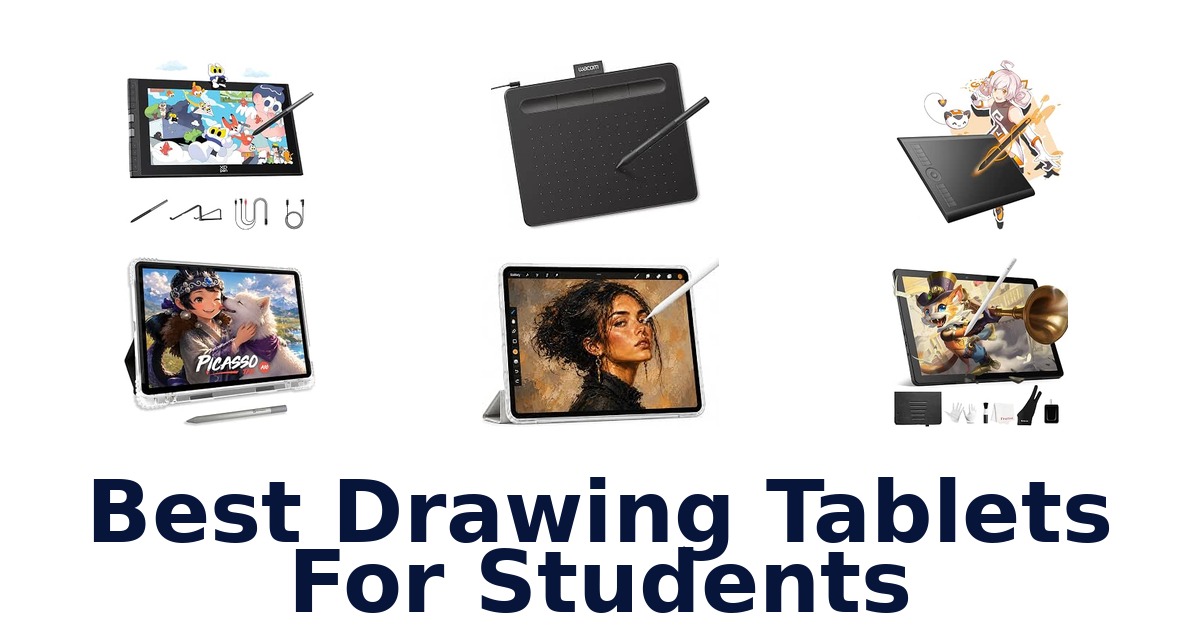
A strong student drawing tablet should match the way you plan to work: standalone models let you draw without a computer, while pen tablets and display tablets connect to compatible devices. The PicassoTab PX11 leads this selection for students who want an 11-inch canvas and a drawing app without needing a computer. For a beginner who already has a laptop or Chromebook, the Wacom Intuos Small offers a compact, battery-free pen and broad software compatibility.
The options here range from 6-inch pen tablets to a 15.6-inch display, so portability and available desk space matter as much as screen size. Check compatibility before choosing: some products list specific operating systems, while standalone models are described as independent devices.
The PicassoTab PX11 is the best overall choice for students who want to draw without carrying or connecting a computer. Its listed 11-inch screen, standalone capability, and included drawing app make it a direct fit for portable learning and creative work. If you already have a compatible computer and prefer a simpler pen tablet, the Wacom Intuos Small is a compact alternative with a battery-free pen.
Choose a screen-free model only if you are comfortable drawing while looking at your computer display.
Our Top Picks
 Best Overall
Its 11-inch screen, standalone capability, and included drawing app suit students who want a portable drawing setup without needing a computer.
View on Amazon Best Full HD Standalone
This standalone model pairs a 10.1-inch Full HD IPS screen at 1920×1200 with portability for students who want a sharper on-device canvas.
View on Amazon Best Beginner Pen Tablet
A battery-free EMR pen, 8.1-ounce weight, and compatibility with Windows, macOS, Chromebook, and select Android devices make it a versatile starter.
View on Amazon- Largest Storage Callsky-Tab Ctab 12
- Most Workflow Controls XP-Pen Artist 12 3rd
Compare these drawing tablets by student use
| # | Product | Screen Size | Compatible Devices | Warranty Description | Buy |
|---|---|---|---|---|---|
| 1 | 1. PicassoTab PX11Best Overall | 11 in | Tablet | 1 Year | View on Amazon |
| 2 | 2. Frunsi RubensTab T11 ProBest Full HD Standalone | 10.1 in | Tablet | 1 | View on Amazon |
| 3 | 3. Wacom Intuos SmallBest Beginner Pen Tablet | 7 in | Windows 7, 8.1 or 10 (excluding Windows 10 S… | 1 year manufacturer | View on Amazon |
| 4 |  4. Callsky-Tab Ctab 12Largest Storage | 11.97 in | Headphones, Keyboard, Mouse, Speaker, Stylus | 1 Year Manufacturer | View on Amazon |
| 5 |  5. PicassoTab A10Portable standalone drawing practice | 10 in | Tablet | 1 Year | View on Amazon |
| 6 |  6. XP-Pen Artist 12 3rdMost Workflow Controls | 11.9 in | Desktop, Laptop, Smartphone, Tablet | 1 Year Warranty | View on Amazon |
| 7 |  7. GAOMON M10KLarge-area desktop sketching | 10 in | Certain Android Tablet & Smartphone, Desktop… | 1 year warranty under non human made damage | View on Amazon |
| 8 |  8. HUION Inspiroy H640PShortcut-focused student workflow | 6 in | Desktop, Laptop, Smartphone, Tablet | 1 year warranty | View on Amazon |
| 9 |  9. XP-Pen StarG640Portable classroom sketching | 6 in | Windows 7 and above, Mac OS X 10.10 (or… | One-Year Warranty | View on Amazon |
| 10 |  10. HUION Kamvas Pro 16Large color-focused pen display | 15.6 | Linux(Ubuntu), Mac OS 10.12 or later, Windows… | — | View on Amazon |
Detailed Reviews: Best Drawing Tablets For Students
#1 · Best Overall
1. PicassoTab PX11
- Screen Size: 11 in
- Compatible Devices: Tablet
- Warranty Description: 1 Year
Best for: Standalone 11-inch student canvas.
Why it ranks #1: Its 11-inch screen, standalone capability, and included drawing app suit students who want a portable drawing setup without needing a computer.
Standalone operation means the PicassoTab X11 can support drawing without a separate computer, giving students a self-contained way to practice or create away from a desk setup. Its 11-inch screen provides a generous canvas, and the included drawing app offers a place to begin working.
The X11 combines an 11-inch screen with a multi-touch display, letting students interact directly with the tablet while using the stylus pen for drawing. Because the product is described as standalone, creating does not depend on connecting a computer, which can simplify moving between study locations. Front- and rear-facing cameras add functions beyond drawing. Its listed compatible device type is tablet, so this is a different setup from a pen tablet intended to connect to a desktop or laptop.
- Standalone drawing with no computer required
- 11-inch screen
- Multi-touch screen and stylus pen
- Drawing app included
- Its 11-inch screen is smaller than the 12-inch Callsky-Tab Ctab 12 display.
Skip it if you want a larger 12-inch Android tablet for drawing and multitasking; Callsky-Tab Ctab 12 has a 12-inch screen.
A fit for students who want a standalone drawing device with an included app and an 11-inch canvas for portable practice. Consider whether that screen size and tablet-based workflow match your assignments.
Full product details
| Brand | PicassoTab |
|---|---|
| Color | Black |
| Compatible Devices | Tablet |
| Manufacturer | Simbans |
| Model | PX11 |
| Model Number | PX11 |
| Screen Size | 11 inches |
| Special Feature | Front Facing Camera, Multi-Touch Screen, Rear Facing Camera, Stylus Pen |
| Warranty Description | 1 Year |
| Additional Information | Important Information Visible screen diagonal 11" / 28 cm |
Listed on Amazon as: 11" Standalone Drawing Tablet, Portable PicassoTab, No Computer Needed -X11
View on Amazon#2 · Best Full HD Standalone
2. Frunsi RubensTab T11 Pro
- Screen Size: 10.1 in
- Compatible Devices: Tablet
- Warranty Description: 1
Best for: Standalone Full HD art practice.
Why it ranks #2: This standalone model pairs a 10.1-inch Full HD IPS screen at 1920×1200 with portability for students who want a sharper on-device canvas.
The Frunsi RubensTab T11 Pro works without a computer and pairs that independence with a 10.1-inch Full HD IPS screen at 1920×1200 resolution. Students can create on a dedicated display wherever they study, while the stated resolution supports viewing artwork with clear detail.
Its 10.1-inch IPS screen is described as offering vibrant colors, sharp details, and wide viewing angles, helping students see their work from different positions. Standalone operation means drawing does not require a separate computer, which can simplify a portable study setup. The product includes a pen and is presented for both beginners and experienced users. The supplied dimensions and screen-size listings differ, so consider the screen specification itself when judging whether its canvas suits your work.
- Standalone operation without a computer
- 10.1-inch Full HD IPS screen
- 1920×1200 resolution
- Pen included
- The listed screen size is smaller than the 11-inch PicassoTab PX11.
Skip it if you want a larger listed screen; PicassoTab PX11 has an 11-inch display and standalone capability.
This fits students seeking a computer-free drawing device with a stated Full HD IPS display for portable art practice. Check that its 10.1-inch canvas works for your assignments before choosing it over a larger screen.
Full product details
| Brand | Frunsi |
|---|---|
| Color | Black |
| Compatible Devices | Tablet |
| Item Dimensions L x W | 7.87"L x 6.69"W |
| Manufacturer | Frunsi |
| Model | RubensTab |
| Model Number | RubensTab |
| Screen Size | 10.1 inches |
| Special Feature | pen |
| Warranty Description | 1 |
| Additional Information | Important Information Visible screen diagonal 11" / 26 cm |
Listed on Amazon as: RubensTab T11 Pro standalone Drawing Tablet
View on Amazon#3 · Best Beginner Pen Tablet
3. Wacom Intuos Small
- Screen Size: 7 in
- Compatible Devices: Windows 7, 8.1 or 10 (excluding Windows 10 S…
- Warranty Description: 1 year manufacturer
Best for: Wired beginner drawing setup.
Why it ranks #3: A battery-free EMR pen, 8.1-ounce weight, and compatibility with Windows, macOS, Chromebook, and select Android devices make it a versatile starter.
Battery-free EMR pen technology gives the Wacom Intuos Small a pen-on-paper feel without requiring a charged stylus, helping students focus on drawing, painting, or photo editing. Its compact 6.3-by-7.87-inch body weighs 8.1 ounces, making it a practical fit for a school bag or crowded desk.
The tablet works with drawing, painting, photo and video editing, design, and document-markup software, so students can use one surface across creative assignments and everyday tasks. Plug-and-play Chromebook support adds a straightforward option for Chromebook users, while compatibility also includes specified Windows and macOS versions. The 7-inch visible diagonal and lightweight body keep the setup compact; note that this is a wired tablet, so it needs a cable connection while in use.
- Battery-free EMR pen technology
- Works with a range of creative and document software
- Plug-and-play Chromebook support
- Compact 8.1-ounce tablet body
- Wired connection is required during use.
Skip it if you want a standalone screen rather than a wired pen tablet; PicassoTab PX11 works without a computer.
A good fit for students starting digital art or editing on a compatible computer or Chromebook, especially when a pen-like feel matters. Choose another format if you need a standalone display or cable-free use.
Full product details
| Brand | Wacom |
|---|---|
| Color | Black |
| Compatible Devices | Windows 7, 8.1 or 10 (excluding Windows 10 S; latest service pack/build), macOS 10.11 or later (latest update) |
| Item Dimensions L x W | 6.3"L x 7.87"W |
| Item Weight | 8.1 ounces |
| Manufacturer | Wacom Technology Corporation |
| Model | Intuos Small |
| Model Number | CTL4100 |
| Screen Size | 7 inches |
| Special Feature | Plug-and-play with Chromebook |
| Warranty Description | 1 year manufacturer |
| Additional Information | Important Information Visible screen diagonal 7" / 18 cm |
Listed on Amazon as: Wacom Intuos Small, Wired Graphic Drawing Tablet with Pen + Software
View on Amazon#4 · Largest Storage
4. Callsky-Tab Ctab 12
- Screen Size: 11.97 in
- Compatible Devices: Headphones, Keyboard, Mouse, Speaker, Stylus
- Warranty Description: 1 Year Manufacturer
Best for: Android art and study multitasking.
Why it ranks #4: Its 12-inch Android tablet includes a stylus, 256 GB storage, and 16 GB RAM, suiting students who want drawing and general tablet functions.
A 12-inch Android 15 screen gives the Callsky-Tab Ctab 12 a broad canvas for drawing alongside online teaching, Zoom meetings, and other study tasks. Its T616 octa-core processor, 16GB RAM, and 256GB storage specify a multitasking-oriented tablet, with storage expandable up to 2TB.
The rechargeable stylus supports drawing and sketching, while the Android tablet format also accommodates the listed teaching and meeting uses. A 12-inch display offers a larger working surface than compact pen pads, and the supplied flip case supports carrying and protecting the tablet. Its 8000 mAh battery capacity and listed 18W PD adapter relate to charging and day-to-day operation; the package also includes a drawing glove and pre-filmed screen protector for the drawing setup.
- 12-inch Android 15 tablet
- T616 processor with 16GB RAM
- 256GB storage, expandable up to 2TB
- Rechargeable stylus, flip case, glove, and screen protector included
- The stylus is rechargeable, so it requires charging unlike battery-free pen options.
Skip it if you want a pen that needs no charging; XP-Pen StarG640 uses a battery-free stylus for drawing.
A fit for students seeking one Android tablet for drawing, online teaching, and meetings, with substantial listed storage and included accessories. Consider the rechargeable stylus and full tablet format if your priority is a simple pen pad.
Full product details
| Brand | Callsky-Tab |
|---|---|
| Battery Capacity | 8000 milliamp_hours |
| CPU Model Number | T616 |
| CPU Model Speed Maximum | 2 GHz |
| Compatible Devices | Headphones, Keyboard, Mouse, Speaker, Stylus |
| Flash Memory Supported Size Maximum | 2 TB |
| Included Components | 18W PD Charging Adapater, 6ft Charging Cable, Anti-Friction Drawing Glove & Pre-filmed Screen Protector, Ctab 12 Tablet, Tablet Case & Stylus & User Manual |
| Item Dimensions L x W x Thickness | 11"L x 6.6"W x 0.27"Th |
| Item Weight | 425 g |
| Manufacturer | Ctab 12pro |
| Memory Storage Capacity | 256 GB |
| Model | Ctab 12pro |
| Model Number | Ctab 12pro |
| Model Series | Ctab 12 |
| Processor Brand | Unisoc |
| RAM Size | 8 GB |
| Screen Size | 11.97 inches |
| Size | 12 inch |
| Warranty Description | 1 Year Manufacturer |
| Warranty Type | Limited |
Listed on Amazon as: Callsky-Tab 12 Inch Drawing Tablet with Stylus Pen & Flip Case
View on Amazon#5
5. PicassoTab A10
- Screen Size: 10 in
- Compatible Devices: Tablet
- Warranty Description: 1 Year
Best for: Portable standalone drawing practice.
Why it ranks #5: The 10-inch standalone design and multi-touch screen let students draw away from a computer, though the supplied details give fewer technical specifications.
The PicassoTab A10 offers standalone drawing without requiring a computer, giving students a portable way to make art at home, in a park, or on the go. Its 10-inch screen, multi-touch display, and stylus pen combine a drawing surface with direct touchscreen interaction.
The A10's standalone capability supports drawing away from a computer, which can simplify moving a creative session between locations. A 10-inch screen provides the canvas, while multi-touch and the stylus pen offer two listed ways to interact with the tablet. Front- and rear-facing cameras add further functions beyond drawing. The supplied specifications identify tablet compatibility and a 10-inch display, so students should weigh that canvas size against the space required by their projects.
- Standalone drawing without a computer
- 10-inch screen
- Multi-touch screen and stylus pen
- Front- and rear-facing cameras
- Its 10-inch screen is smaller than the 11-inch PicassoTab PX11.
Skip it if you want a larger standalone canvas; PicassoTab PX11 has an 11-inch screen and computer-free drawing.
This suits students who want a portable, standalone tablet for drawing in multiple settings and value touchscreen interaction. Its 10-inch screen is the key fit consideration for projects that need more canvas space.
Full product details
| Brand | Simbans |
|---|---|
| Compatible Devices | Tablet |
| Manufacturer | Simbans |
| Model | A10 |
| Model Number | A10 |
| Screen Size | 10 inches |
| Special Feature | Front Facing Camera, Multi-Touch Screen, Rear Facing Camera, Stylus Pen |
| Warranty Description | 1 Year |
| Additional Information | Important Information Visible screen diagonal 10" / 26 cm |
Listed on Amazon as: PicassoTab 10" Standalone Drawing Tablet, No Computer Needed, Portable, A10
View on Amazon#6 · Most Workflow Controls
6. XP-Pen Artist 12 3rd
- Screen Size: 11.9 in
- Compatible Devices: Desktop, Laptop, Smartphone, Tablet
- Warranty Description: 1 Year Warranty
Best for: Screen-based portable art classes.
Why it ranks #6: Its 11.9-inch display, 16K precision pen, dual X-Dial wheels, and eight customizable keys offer substantial drawing controls in a portable format.
Dual X-Dial wheels on the XP-Pen Artist 12 3rd adjust brush size and canvas zoom, giving students direct controls on an 11.9-inch screen-based drawing setup. At 1.58 pounds, it is positioned for carrying between classes, while eight customizable keys add more accessible workflow shortcuts.
The 16K-precision X4 Pen and magnetic design support pen-based work, while AG etched glass and full lamination are listed display features for the drawing surface. The screen specifies 99% sRGB color coverage and ΔE<1.5 accuracy, useful details for students working with color. Dual wheels handle brush size and zoom, and eight keys can be customized to reduce reliance on menus. Compatibility includes desktop, laptop, smartphone, and tablet, though a screen tablet is a larger carry than a compact pen pad.
- 11.9-inch drawing screen
- Dual X-Dial wheels for brush size and zoom
- Eight customizable keys
- 16K-precision magnetic X4 Pen
- At 1.58 pounds, it weighs more than a compact tablet such as the XP-Pen StarG640.
Skip it if you want a lighter, screen-free pen pad; XP-Pen StarG640 weighs 170 g and is 2 mm thin.
A fit for students who want to draw directly on a portable screen and use physical controls for zoom, brush size, and shortcuts. Its 1.58-pound weight and screen-tablet format matter when choosing a daily classroom carry.
Full product details
| Brand | XP-Pen |
|---|---|
| Color | black |
| Compatible Devices | Desktop, Laptop, Smartphone, Tablet |
| Item Dimensions L x W | 14.43"L x 9.17"W |
| Item Weight | 1125 g |
| Manufacturer | XP-PEN |
| Model | Artist 12 3rd drawing tablet |
| Model Number | Artist 12 |
| Screen Size | 11.9 inches |
| Special Feature | 99% sRGB and ΔE<1.5 color accuracy,16.7 million colors, AG etched glass+Full lamination, Magnetic X4 Pen with 16K Precision, The 33% narrower bezels, X-Dial Wheels+8 customizable keys See more |
| Warranty Description | 1 Year Warranty |
| Additional Information | Important Information Visible screen diagonal 12" / 31 cm |
Listed on Amazon as: XPPen Artist 12 3rd 11.9" Drawing Tablet with Screen, 16K, X4 Pen, AG Glass
View on Amazon#7
7. GAOMON M10K
- Screen Size: 10 in
- Compatible Devices: Certain Android Tablet & Smartphone, Desktop…
- Warranty Description: 1 year warranty under non human made damage
Best for: Large-area desktop sketching.
Why it ranks #7: The 10 × 6.25-inch work area, battery-free stylus, touch ring, and 10 keys give students ample drawing space when using a compatible device.
A 10-by-6.25-inch textured drawing surface gives the GAOMON M10K more room for broad strokes and detailed student artwork than a compact tablet. Its battery-free AP31 stylus has 8192 pressure levels, so students can work with pressure-sensitive lines without stopping to recharge the pen.
The papery texture is intended to provide a pen-on-paper drawing feel, while the battery-free stylus avoids charging interruptions during a study session. Ten programmable press keys and a touch ring provide multiple control points for customizing common actions. Compatibility includes desktop, laptop, Mac, and certain Android devices, allowing use across supported setups. A built-in pen loop and extra replacement nibs help keep the stylus and spares together when the tablet moves between home and class.
- 10-by-6.25-inch textured drawing area
- Battery-free stylus with 8192 pressure levels
- Ten programmable keys and touch ring
- Built-in pen loop and extra replacement nibs
- At 695 g, it is heavier than the compact tablets in this roundup.
Skip it if you prioritize a lighter carry; XP-Pen Star G640 weighs 170 g and has a 6-by-4-inch active area.
This suits students with room for a larger pen tablet who want customizable controls and a paper-like surface for drawing practice. Consider its 695-gram weight and computer or supported-device workflow before choosing it for daily commuting.
Full product details
| Brand | GAOMON |
|---|---|
| Color | Black |
| Compatible Devices | Certain Android Tablet & Smartphone, Desktop, Laptop, Mac |
| Item Dimensions L x W | 14.17"L x 9.44"W |
| Item Weight | 695 g |
| Manufacturer | GAOMON TECHNOLOGY CORPORATION |
| Model | GAOMON M10K |
| Model Number | M10K 10*6.25 inches |
| Screen Size | 10 inches |
| Special Feature | Battery-free Stylus, Built-in Pen Loop, Extra Replcement Nibs, Programmable Press Key, Touch Ring |
| Warranty Description | 1 year warranty under non human made damage |
| Additional Information | Important Information Visible screen diagonal 10" / 26 cm |
Listed on Amazon as: GAOMON M10K Drawing Tablet, 10×6 with Touch Ring, 10 Keys & 8192 Pressure
View on Amazon#8
8. HUION Inspiroy H640P
- Screen Size: 6 in
- Compatible Devices: Desktop, Laptop, Smartphone, Tablet
- Warranty Description: 1 year warranty
Best for: Shortcut-focused student workflow.
Why it ranks #8: Its 6 × 4-inch format, six programmable keys, and stated Android support suit students who want a compact pen tablet and shortcut controls.
Six customizable press keys let the HUION Inspiroy H640P put frequent commands such as undo, zoom, and brush switching within reach, helping students work without repeatedly navigating menus. Its 6-by-4-inch drawing area and 9.6-ounce weight suit a portable, computer-connected classroom setup.
The programmable keys can be assigned to commonly used commands, and the HUION driver supports saved shortcut profiles for different applications or workflows. That gives students a way to keep drawing controls consistent when moving between tasks. Its listed compatibility spans desktop, laptop, smartphone, and tablet devices, while Android support and the extra-slim form broaden carrying and connection options. The 6-inch visible diagonal makes it a compact choice rather than a large drawing surface.
- Six programmable press keys
- Driver supports saved shortcut profiles
- Android device support
- Extra-slim, 9.6-ounce form
- Its 6-by-4-inch active area is limited for students who want a broad drawing surface.
Skip it if you want a larger work area; GAOMON M10K offers a listed 10-by-6.25-inch drawing space.
Choose it if you value portable shortcut controls for drawing or coursework and want listed support across several device types. Its compact area suits desk and bag constraints, but not students seeking expansive hand movement.
Full product details
| Brand | HUION |
|---|---|
| Color | Black |
| Compatible Devices | Desktop, Laptop, Smartphone, Tablet |
| Item Dimensions L x W | 5.8"L x 10.2"W |
| Item Weight | 9.6 ounces |
| Manufacturer | Shenzhen Huion Animation Technology LTD. |
| Model | H640P |
| Model Number | H640P |
| Screen Size | 6 inches |
| Special Feature | Android Device Supported, Extra-Slim, Portable, Programmable Press Key |
| Warranty Description | 1 year warranty |
| Additional Information | Important Information Visible screen diagonal 6" / 16 cm |
Listed on Amazon as: HUION Inspiroy H640P 6×4 inch Drawing Tablet 8192 Pen Pressure
View on Amazon#9
9. XP-Pen StarG640
- Screen Size: 6 in
- Compatible Devices: Windows 7 and above, Mac OS X 10.10 (or…
- Warranty Description: One-Year Warranty
Best for: Portable classroom sketching.
Why it ranks #9: At 170 g with a 6 × 4-inch active area and battery-free stylus, it is easy to carry for drawing or listed e-learning uses.
The XP-Pen StarG640's battery-free PN01 stylus keeps drawing sessions moving without pen charging, making it useful for sketching, e-learning, or remote teaching. Its 6-by-4-inch active area and 170-gram weight create a slim, portable setup that can travel between home and classroom.
The listed 2 mm-thin profile and 170-gram weight make the StarG640 easy to carry, while plug-and-play operation supports a simple setup. Its compatibility includes Windows 7 and above, Mac OS X 10.10 or later, and Chrome OS 88 or later, so students can pair it with a range of school and home computers. The battery-free stylus also suits uninterrupted drawing, signatures, or photo editing, though the compact active area is not a broad canvas.
- Battery-free PN01 stylus
- 2 mm-thin profile
- 170-gram weight for carrying
- Listed support for Windows, Mac, and Chrome OS
- The 6-by-4-inch active area gives less drawing room than a large-format tablet.
Skip it if you need more room for large gestures; GAOMON M10K provides a 10-by-6.25-inch drawing surface.
A practical pick for students who carry a lightweight tablet between classes and want a battery-free pen for drawing or online learning. Its small active area works best when portability takes priority over a large canvas.
Full product details
| Brand | XP-Pen |
|---|---|
| Color | StarG640 Black |
| Compatible Devices | Windows 7 and above, Mac OS X 10.10 (or later), Chrome OS 88 (or later) |
| Item Dimensions L x W | 6.38"L x 7.48"W |
| Item Weight | 170 g |
| Manufacturer | XP-PEN |
| Model | Star G640 |
| Model Number | G640 |
| Screen Size | 6 inches |
| Special Feature | Battery-free Stylus Pen |
| Warranty Description | One-Year Warranty |
| Additional Information | Important Information Visible screen diagonal 6" / 16 cm |
Listed on Amazon as: Drawing Tablet XPPen StarG640 Digital Graphic Tablet 6×4 Inch Art Tablet with Battery-Free Stylus Pen Tablet for Mac, Windows and Chromebook (Drawing/E-Learning/Remote-Working)
View on Amazon#10
10. HUION Kamvas Pro 16
- Screen Size: 15.6
- Compatible Devices: Linux(Ubuntu), Mac OS 10.12 or later, Windows…
Best for: Large color-focused pen display.
Why it ranks #10: The 15.6-inch full-laminated display and 120% sRGB suit detailed desk work, but its 3-pound weight and computer compatibility list are less classroom-portable.
A 15.6-inch full-laminated screen with anti-glare glass gives the HUION Kamvas Pro 16 a spacious, lower-glare drawing surface for student projects. Its listed 120% sRGB and 92% AdobeRGB gamut volumes support color-focused work, while the lightly textured screen is intended to feel smoother under the pen.
The 16.7-million-color display pairs its broad color gamut with a 15.6-inch canvas, giving students room to work on detailed illustrations and see color-rich compositions. Full lamination and anti-glare glass are specified display features, while 60-degree tilt support can accommodate angled pen strokes. Programmable press keys provide customizable controls. Compatibility includes Windows 7 or later, Mac OS 10.12 or later, and Linux Ubuntu, making it relevant to students using those computer systems.
- 15.6-inch full-laminated screen
- Anti-glare glass with slight texture
- 120% sRGB and 92% AdobeRGB gamut volumes
- 60-degree tilt support and programmable keys
- At 3 pounds, it is less convenient to carry than a lightweight pen tablet.
Skip it if you carry your tablet between classes and want a lighter option; XP-Pen StarG640 weighs 170 g.
Choose it for computer-based art classes where a large, color-focused display and textured drawing surface are priorities. Its 3-pound weight and listed computer operating-system compatibility make it better suited to a settled workstation than a light daily carry.
Full product details
| Brand | HUION |
|---|---|
| Color | Black |
| Compatible Devices | Linux(Ubuntu), Mac OS 10.12 or later, Windows OS 7 or later |
| Item Dimensions L x W | 9.88"L x 17.24"W |
| Item Weight | 3 pounds |
| Manufacturer | ShenZhen Huion Animation Technology Co., LTD |
| Model | Kamvas Pro 16 |
| Model Number | Kamvas Pro 16 |
| Screen Size | 15.6 |
| Special Feature | 60° Tilt Support, Anti-Glare Glass, Full Lamination, Programmable Press Key |
Listed on Amazon as: HUION Kamvas Pro 16 Drawing Tablet with Screen,120% sRGB, Touch Bar,15.6"
View on AmazonAvoid the screen-free tablet learning curve
A screen-free pen tablet can feel unfamiliar at first because your hand draws on the tablet while your eyes follow the computer display. This is the main adjustment to expect with the Wacom Intuos Small, HUION Inspiroy H640P, GAOMON M10K, and XP-Pen StarG640. Their listed screen sizes describe tablet dimensions, not a built-in drawing display.
Before choosing one, confirm that the student has access to a compatible computer or supported device and is willing to practice hand-eye coordination. A display model such as the XP-Pen Artist 12 3rd or HUION Kamvas Pro 16 puts the image under the pen, but the supplied details list computer compatibility rather than standalone operation.
For students who need to draw independently, the PicassoTab PX11 and Frunsi RubensTab T11 Pro are explicitly described as standalone.
Check school-device compatibility before buying
The key compatibility trap is assuming that a tablet will work with every school device just because it connects to a computer or phone. Compatibility varies: the Wacom Intuos Small lists Windows, macOS, Chromebook plug-and-play, and select Android support in its description; the XP-Pen StarG640 specifies Windows 7 and above, Mac OS X 10.10 or later, and Chrome OS 88 or later. The GAOMON M10K lists certain Android tablets and smartphones as well as desktop and laptop devices, while the HUION Kamvas Pro 16 lists Windows, macOS, and Linux Ubuntu.
Those details do not establish compatibility with every school-issued device, app, adapter, or operating-system configuration. Verify the exact model and software requirements before purchase.
If a student must work without a host computer, choose a product explicitly described as standalone instead of relying on a broad compatible-device list.
How to Choose a Student Drawing Tablet
Standalone or computer-connected
Choose standalone operation if the student needs to draw without a separate computer. The PicassoTab PX11 is explicitly described as requiring no computer and includes a drawing app; the Frunsi RubensTab T11 Pro is also described as standalone and has a 10.1-inch Full HD screen. By contrast, the Wacom Intuos Small is a pen tablet for use with compatible devices, and the HUION Kamvas Pro 16 lists desktop operating systems.
Students who need an independent device should favor the standalone end of this range. Those who already have a compatible laptop can consider a connected tablet, which may better fit an existing school setup.
Display and drawing area
Match screen or work-area size to the work and bag space the student has. Listed screen sizes range from 6 inches on the HUION Inspiroy H640P and XP-Pen StarG640 to 15.6 inches on the HUION Kamvas Pro 16; the standalone PicassoTab PX11 has an 11-inch screen. The GAOMON M10K specifies a 10 × 6.25-inch drawing area, while the StarG640 gives a 6 × 4-inch active area.
Smaller devices favor portability and compact desks, while larger canvases can suit detailed projects or longer sessions. Remember that a pen tablet’s listed screen size does not mean it has a built-in display.
Pen controls and workflow
Look for pen and shortcut details that match how the student draws and learns. The Wacom Intuos Small and GAOMON M10K list battery-free pens; the M10K also has 10 programmable keys and a touch ring. The HUION Inspiroy H640P offers six customizable keys, while the XP-Pen Artist 12 3rd lists a magnetic X4 pen with 16K precision, dual X-Dial wheels, and eight customizable keys.
These are useful distinctions for students who rely on frequent tool changes or shortcuts, but they do not replace checking software compatibility. Beginners who want a straightforward setup may prefer fewer controls; students with a practiced workflow may value the extra dials and keys.
Which Drawing Tablet Fits Your Student Setup?
For a student who needs to draw without a computer, choose the PicassoTab PX11: it is explicitly standalone, has an 11-inch screen, and includes a drawing app. The Frunsi RubensTab T11 Pro is another standalone option, with a 10.1-inch Full HD display. If the student already has a compatible computer and is new to digital drawing, the Wacom Intuos Small offers a battery-free pen in a compact 8.1-ounce format.
Choose the XP-Pen Artist 12 3rd for a portable connected display with shortcut controls, or the GAOMON M10K for a larger screen-free work area and 10 keys. For a small, light device for listed e-learning tasks, consider the XP-Pen StarG640.
Verify the exact school device and software compatibility before ordering.
Related Buying Guides
Frequently Asked Questions
Will a drawing tablet work with my school-issued Chromebook or laptop?
Check the exact Chromebook or laptop model and the drawing software you plan to use before ordering; compatibility can vary by device and app. One listed tablet specifies Chromebook, Mac, and Windows support, but that does not confirm it will work with every school-issued device or school-managed account.
Is a screen-free pen tablet harder to learn than a tablet with a display?
It can take practice to draw on a screen-free tablet while looking at your computer display, since your hand and the cursor appear in different places. A tablet with a display lets you draw where you see the marks. Choose based on your comfort and whether you have a compatible computer.
What should I check before carrying a drawing tablet between classes?
Check the tablet’s listed size and weight, whether it needs a computer, and what you need to bring to use it, such as its pen or connection cable. A standalone model can avoid carrying a computer for drawing; confirm the setup details for your chosen tablet before packing.
What is the difference between a standalone tablet and a connected pen tablet?
A standalone tablet can be used for drawing without connecting a computer, while a connected pen tablet relies on a compatible computer. The listed PicassoTab PX11 is standalone and includes a drawing app. For a connected model, check that the student’s computer and intended software are compatible.
Which features matter most for a student new to digital drawing?
Start with the student’s available computer and whether they want to draw directly on a screen. A compatible screen-free tablet can be a simple option, and the Wacom Intuos Small has a battery-free pen. If drawing without a computer is important, consider a standalone model instead.
Final Words
For drawing without a computer, choose the PicassoTab PX11: its listed 11-inch screen, standalone capability, and included drawing app suit portable creative work. If the student already has a compatible computer, the Wacom Intuos Small is a compact option with a battery-free pen. For a connected display, consider the XP-Pen Artist 12 3rd; for a screen-free work area with shortcut keys, consider the GAOMON M10K.
Verify device and software compatibility before ordering.