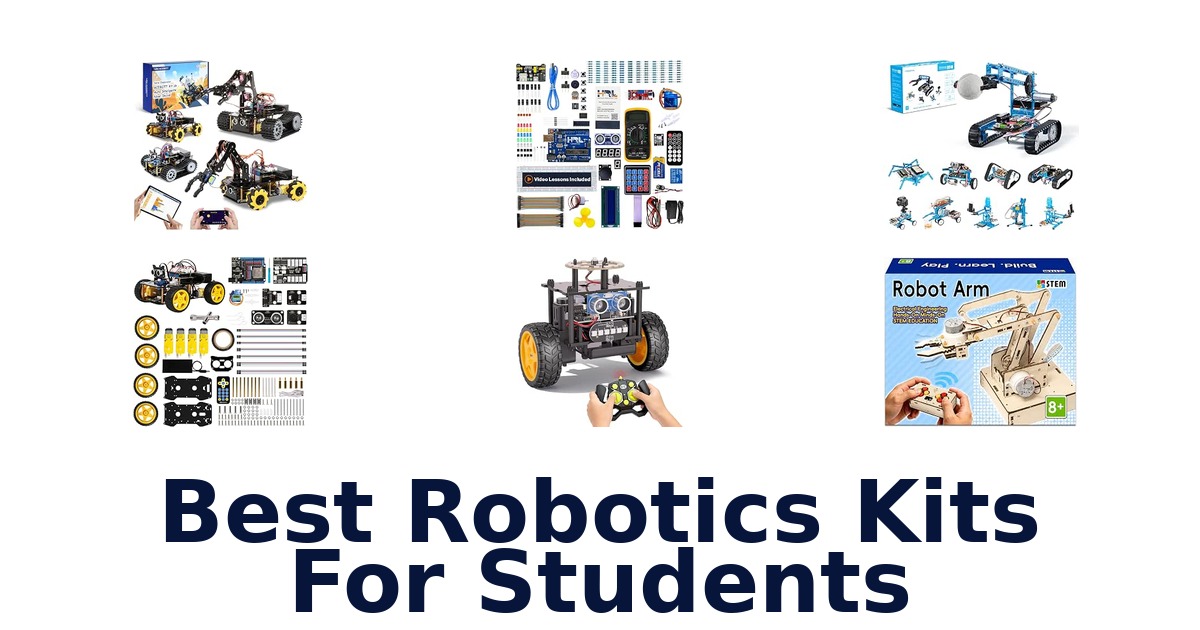
A strong student robotics kit should turn assembly into a practical lesson in coding, electronics, mechanics or control, with a format that matches the learner’s experience. The ELEGOO UNO R3 Smart Robot Car Kit V4 is a standout for students who want to build and program a moving car, while the ELEGOO UNO R3 Project Super Starter Kit suits lessons centered on circuits and components. Other choices range from multi-build robot platforms to a hydraulic hand that demonstrates movement without motors.
Compare what students will actually build, which programming routes are listed, and the age guidance supplied by each manufacturer. The kits vary substantially: some include structured tutorials, while others emphasize mechanical construction or repeated model changes.
Small parts appear across several kits, so check age guidance and supervise younger learners.
The ELEGOO UNO R3 Smart Robot Car Kit V4 is the best overall choice for students who want to assemble, code and drive a robot. Its listed features include app or IR remote control, FPV video from an onboard camera, line tracking and ultrasonic obstacle avoidance, giving learners several functions to explore in one car. For students who prefer a multi-language coding path, the ACEBOTT QD106 supports Scratch, Arduino and Python and includes 16 story-based tutorials.
Our Top Picks
 Best Overall
Combines assembly and programming with app or IR control, FPV camera, line tracking and ultrasonic obstacle avoidance; recommended for ages 12 and up.
View on Amazon Most Coding Paths
Supports Scratch, Arduino and Python, and its 16 story-based tutorials make it a versatile route into coding and robot-car projects.
View on Amazon Most Build Options
Students can build 10 models, including a robotic arm and remote-controlled tank, using a kit intended for ages 12 and up.
View on Amazon- Most Modular ACEBOTT 4-in-1 Robot Arm Car
- Best Circuit Lessons ELEGOO UNO R3 Starter Kit
Compare student robotics kits by learning goal
| # | Product | Dimensions | Weight | Material Type | Buy |
|---|---|---|---|---|---|
| 1 | 1. ELEGOO UNO R3 Robot CarBest Overall | 8 x 7 x 6 in | 1.23 kg | Acrylic, Plastic | View on Amazon |
| 2 | 2. ACEBOTT QD106 Robot CarMost Coding Paths | 9 x 7 x 4.5 in | 13.12 oz | Acrylic | View on Amazon |
| 3 | 3. Makeblock mBot UltimateMost Build Options | 20 x 12 x 6 in | 8 lb | Aluminum | View on Amazon |
| 4 |  4. ACEBOTT 4-in-1 Robot Arm CarMost Modular 4. ACEBOTT 4-in-1 Robot Arm CarMost Modular | 2.76 x 0.98 x 2.36 in | — | Plastic | View on Amazon |
| 5 |  5. ELEGOO UNO R3 Starter KitBest Circuit Lessons 5. ELEGOO UNO R3 Starter KitBest Circuit Lessons | 8.3"L x 5.5"W x 1.97"H | 1.2 lb | — | View on Amazon |
| 6 |  6. Horizon Uno Starter KitVideo-Led Electronics Learners 6. Horizon Uno Starter KitVideo-Led Electronics Learners | 10"L x 8"W x 4"H | — | — | View on Amazon |
| 7 |  7. EggTailz Smart Robot CarObstacle-Avoiding Car Starters 7. EggTailz Smart Robot CarObstacle-Avoiding Car Starters | 6.04 x 3.62 x 5.15 in | — | Acrylic, Aluminum | View on Amazon |
| 8 |  8. Klever Kits 36-in-1 Motor KitMulti-Build Craft Engineers 8. Klever Kits 36-in-1 Motor KitMulti-Build Craft Engineers | — | 0.5 g | Plastic, ABS | View on Amazon |
| 9 |  9. ANNISOKA Robot Arm KitBattery-Powered Arm Builders 9. ANNISOKA Robot Arm KitBattery-Powered Arm Builders | 6.8 x 4.48 x 4.3 in | — | Wood | View on Amazon |
| 10 |  10. Thames & Kosmos Mega Cyborg HandHydraulic Mechanism Explorers 10. Thames & Kosmos Mega Cyborg HandHydraulic Mechanism Explorers | 10 x 4.75 x 11 in | 1.8 lb | Mixed | View on Amazon |
Detailed Reviews: Best Robotics Kits For Students
#1 · Best Overall
1. ELEGOO UNO R3 Robot Car
- Dimensions: 8 x 7 x 6 in
- Weight: 1.23 kg
- Material Type: Acrylic, Plastic
Best for: FPV Robot-Car Explorers.
Why it ranks #1: Combines assembly and programming with app or IR control, FPV camera, line tracking and ultrasonic obstacle avoidance; recommended for ages 12 and up.
An onboard camera brings live FPV video to this ELEGOO programmable car, letting students observe its route as they drive and experiment. App and IR-remote control, line tracking, and ultrasonic obstacle avoidance add distinct ways to explore robotics through a working vehicle rather than isolated components.
The camera’s live FPV view pairs naturally with app or IR-remote driving, giving learners a visual way to follow the car’s movement. Line tracking and an ultrasonic sensor support experiments with following a path and avoiding obstacles, so students can explore different behaviors with one assembled platform. Its acrylic-and-plastic construction and 12-and-up recommended age help set expectations for a hands-on build; small parts make adult supervision relevant for younger siblings.
- Onboard camera provides live FPV video
- Control options include an app and IR remote
- Line-tracking behavior supports path-following experiments
- Ultrasonic sensor enables obstacle avoidance
- The listed recommended age is 12 years and up, limiting its fit for younger beginners.
Skip it if you want a lesson-led component kit rather than a driveable car; ELEGOO’s UNO R3 Project Super Starter Kit includes 22+ guided lessons.
A good fit for students aged 12 and up who want to assemble and program a camera-equipped car while exploring navigation behaviors. Choose a component-focused starter kit instead if guided electronics lessons matter more than driving.
Full product details
| Brand | ELEGOO |
|---|---|
| Item Dimensions | 8 x 7 x 6 inches |
| Item Weight | 1.23 kg |
| Manufacturer | ELEGOO |
| Part Number | US-EL-KIT-012 |
| Manufacturer Warranty Description | Half year |
| Manufacturer recommended age | 12 years and up |
| Material | Acrylic, Plastic |
| Model Number | US-EL-KIT-012 |
| Size | 7 x 8 x 6 inches |
| Sub Brand | ELEGOO |
| Additional Information | Important information Safety Information Samll parts not for baby |
Listed on Amazon as: ELEGOO UNO R3 Smart Robot Car Kit V4 with Camera, Compatible with Arduino
View on Amazon#2 · Most Coding Paths
2. ACEBOTT QD106 Robot Car
- Dimensions: 9 x 7 x 4.5 in
- Weight: 13.12 oz
- Material Type: Acrylic
Best for: Multi-Language Car Coders.
Why it ranks #2: Supports Scratch, Arduino and Python, and its 16 story-based tutorials make it a versatile route into coding and robot-car projects.
Scratch, Arduino, and Python support give the ACEBOTT QD106 smart car room for learners to explore different coding approaches on one robot. Its ESP32 controller and 16 story-based tutorials connect programming practice with a hands-on vehicle, making it suitable for students progressing through robotics activities at different levels.
The ESP32 controller provides the hardware basis for the smart car, while the three listed programming languages let learners approach coding through Scratch, Arduino, or Python. Sixteen story-based tutorials give activities a guided structure for home learning or classroom use. The acrylic car kit is specified for indoor use, an important boundary when planning activities. Its recommended age is 12 and up, even though the product title also describes age ranges beginning at eight.
- ESP32 controller
- Supports Scratch, Arduino, and Python
- Includes 16 story-based tutorials
- Acrylic smart-car kit for indoor use
- The safety information specifies indoor use only.
Skip it if you need a robot for outdoor driving; ACEBOTT’s 4-in-1 Smart Robot Arm kit lists tank-track and outdoor-adventure configurations.
This is a fit for learners who want a smart car and a path from block-based Scratch toward Arduino or Python. Keep activities indoors, and note the stated 12-and-up recommended age when selecting it for a student.
Full product details
| Brand | ACEBOTT |
|---|---|
| Color | A-yellow |
| Included Components | smart car kit |
| Item Dimensions | 9 x 7 x 4.5 inches |
| Dimensions | 9"L x 7"W x 4.5"H |
| Item Weight | 13.12 ounces |
| Manufacturer | ACEBOTT Co., Ltd. |
| Part Number | QD106 |
| Manufacturer recommended age | 12 years and up |
| Material | Acrylic |
| Model | QD106 |
| Model Number | QD106 |
| Model Series | ACEBOTT Robotics Kit |
| Operation Mode | automatic |
| Size | 6 x 7 x 1.6 inches |
| Additional Information | Important information Safety Information only for indoor use |
Listed on Amazon as: ACEBOTT Robotics Kit for Kids Ages 8-12 12-16, Smart Robot Car Kit Compatible with Arduino & Scratch, STEM Toys Coding Robot Kit with App Control, STEM Gifts for Kids and Teens
View on Amazon#3 · Most Build Options
3. Makeblock mBot Ultimate
- Dimensions: 20 x 12 x 6 in
- Weight: 8 lb
- Material Type: Aluminum
Best for: Ten-Model Metal Builders.
Why it ranks #3: Students can build 10 models, including a robotic arm and remote-controlled tank, using a kit intended for ages 12 and up.
Ten build options, including a robotic arm and remote-controlled tank, give Makeblock’s mBot Ultimate students several forms to explore from one kit. Its aluminum construction and manual and automatic operation modes support a substantial hands-on building experience for teenagers and adults interested in robotics and coding.
The 10-in-1 format lets builders move between models such as a robotic arm and a remote-controlled tank, which can sustain interest across different mechanical projects. User-friendly guides support assembly and coding, while the listed manual and automatic operation modes offer more than one way to operate the kit. At 8 pounds and with listed dimensions of 20 x 12 x 6 inches, it calls for dedicated space during storage and assembly; the intended age is 12 and up.
- Supports 10 different models
- Includes robotic-arm and remote-controlled-tank builds
- User-friendly guides cover assembly and coding
- Aluminum material construction
- At 8 pounds, it is a relatively heavy kit to move between work areas.
Skip it if you need a smaller, indoor-only car kit with story-based coding tutorials; ACEBOTT QD106 includes 16 tutorials and lists dimensions of 9 x 7 x 4.5 inches.
Choose it for a teenager or adult who wants multiple substantial builds, including an arm and tank. Its listed weight and dimensions make it worth planning a dedicated assembly and storage area.
Full product details
| Brand | Makeblock |
|---|---|
| Color | Blue (Ultimate) |
| Item Dimensions | 20 x 12 x 6 inches |
| Item Weight | 8 pounds |
| Manufacturer | Makeblock |
| Part Number | FBA_90024 |
| Material | Aluminum |
| Model Number | 90024 |
| Operation Mode | manual, automatic |
| Size | 20.86 x 13.38 x 6.69 in |
| Additional Information | Important information Safety Information CHOKING HAZARD: Small parts included. Not for children under 3 years age |
Listed on Amazon as: Makeblock mBot Ultimate 10 in 1 Robot Building Kit for Teenagers & Adults
View on Amazon#4 · Most Modular
4. ACEBOTT 4-in-1 Robot Arm Car
- Dimensions: 2.76 x 0.98 x 2.36 in
- Material Type: Plastic
Best for: Modular Robot-Arm Builders.
Why it ranks #4: Combines a robot car, tank-track expansion and robotic arm kit to make several robot styles, with Arduino and Scratch compatibility.
Four modular build configurations make the ACEBOTT kit more versatile than a single-form robot: students can assemble a car, tank, robotic-arm car, or robotic-arm tank. Its 5DOF arm can grab and move objects, giving learners a hands-on way to explore mechanical movement alongside Arduino- and Scratch-compatible coding.
The included QD001 base car, QD004 tank-track expansion, and QD007 robotic-arm kit allow students to change the vehicle configuration instead of stopping at one build. An arm that grabs and moves objects adds a practical manipulation task, while app and remote control offer ways to operate the assembled robot. Arduino and Scratch compatibility supports coding exploration. The listed recommended age is 12 and up, so the small-part kit is a better match for older students than very young children.
- Four robot configurations from modular components
- 5DOF robotic arm can grab and move objects
- Compatible with Arduino and Scratch
- Offers app and remote control
- The manufacturer-recommended age is 12 years and up.
Skip it if you want a guided electronics kit rather than a modular vehicle; ELEGOO’s UNO R3 Project Super Starter Kit provides 22+ lessons and varied components.
This suits students aged 12 and up who want to rebuild a vehicle into different forms and experiment with an object-grabbing arm. Its modular car-and-tank focus is less suitable for learners seeking circuit lessons alone.
Full product details
| Brand | ACEBOTT |
|---|---|
| Included Components | smart robot car kit |
| Item Dimensions | 2.76 x 0.98 x 2.36 inches |
| Manufacturer | ACEBOTT Co., Ltd. |
| Part Number | QD043 |
| Manufacturer recommended age | 12 years and up |
| Material | Plastic |
| Additional Information | Important information Safety Information WARNING:CHOKING HAZARD-Small parts Not for children under 3 years Do not mix oldand new batteries Do not mix alkaline,standard(carbon-zinc) or rechargeable |
Listed on Amazon as: Robotics for Kids Ages 12-16, ACEBOTT 4 in 1 Smart Robot Arm with 5DOF + Tank Car, STEM Toys Coding Kit Compatible with Arduino & Scratch, App & Remote Control, for Kids & Teens
View on Amazon#5 · Best Circuit Lessons
5. ELEGOO UNO R3 Starter Kit
- Dimensions: 8.3"L x 5.5"W x 1.97"H
- Weight: 1.2 lb
Best for: Guided Arduino Beginners.
Why it ranks #5: Its 22-plus guided lessons use components such as an LCD, sensors, joystick and motors for varied electronics and programming exercises.
More than 22 guided lessons give ELEGOO’s UNO R3 Project Super Starter Kit a clear route from first circuits to motor and sensor projects. Students can practice blinking LEDs, reading temperature and distance, and controlling displays or motors, making it a component-rich choice for structured coding and electronics learning.
The UNO R3 controller and Arduino IDE compatibility provide a platform for the included lessons, while the LCD1602, ultrasonic and DHT11 sensors, joystick, and IR receiver offer varied project inputs and outputs. A pre-soldered LCD header and breadboard power module support assembling circuits without sourcing those parts separately. The lesson-led format suits a classroom, coding club, or homeschool sequence; it is less directly focused on building and driving a complete robot car.
- Includes 22+ guided lessons
- Compatible with Arduino boards and Arduino IDE devices
- Includes LCD1602 with pre-soldered header
- Ultrasonic and DHT11 sensors support varied projects
- It is a component starter kit, not a complete robot car to assemble and drive.
Skip it if you want a ready-to-drive robotics vehicle with FPV video; ELEGOO’s UNO R3 Smart Robot Car Kit V4 includes an onboard camera.
Choose this kit for learners who want guided Arduino-compatible projects across sensors, displays, and motors. It suits structured electronics practice, but students seeking a complete mobile robot should look at a car kit instead.
Full product details
| Brand | ELEGOO |
|---|---|
| CPU Model | ARM Cortex A-9 |
| Compatible Devices | Arduino boards and devices compatible with Arduino IDE |
| Dimensions | 8.3"L x 5.5"W x 1.97"H |
| Item Weight | 1.2 pounds |
| Manufacturer | ELEGOO |
| Model | UNO Project Super Starter Kit |
| Model Number | EL-KIT-003 |
| Processor Brand | Atmel (Microchip) |
| Ram Memory Installed Size | 2 KB |
| Warranty Description | 1 Year Manufacturer |
Listed on Amazon as: ELEGOO UNO R3 Project Super Starter Kit with PDF Tutorial for Beginners
View on Amazon#6
6. Horizon Uno Starter Kit
- Dimensions: 10"L x 8"W x 4"H
Best for: Video-Led Electronics Learners.
Why it ranks #6: Offers over 200 components, 40-plus projects, 50-plus guided video lessons and a digital multimeter for broad electronics practice.
A course of guided video lessons makes the Horizon Uno kit a particularly supported entry into electronics and coding. Its Arduino-compatible board and more than 200 curated components give beginners materials to apply each lesson through circuits and projects, rather than relying on a parts collection alone.
The kit combines LEDs, sensors, servos, and specialty components with an Arduino-compatible Horizon Uno board, supporting experiments across electronics and coding. Its 40+ structured projects and 50+ guided video lessons offer a sequence for learners who benefit from demonstrations and project prompts. The included digital multimeter adds a tool for electronics work. Compatibility with Windows, macOS, and Linux broadens the listed computer options, while the USB cable is included for setup.
- Over 200 curated components
- 40+ structured projects
- 50+ guided video lessons
- Includes a digital multimeter
- The supplied details do not specify a robot-car build or vehicle-control features.
Skip it if you need a mobile car with obstacle avoidance and multiple programming languages; ACEBOTT QD106 lists a smart car and Scratch, Arduino, and Python support.
A strong match for beginners who want video-guided electronics and coding practice across a broad component set. Consider a dedicated robot-car kit instead if the main goal is driving a vehicle or exploring navigation.
Full product details
| Brand | Horizon Robotics Lab |
|---|---|
| Compatible Devices | Windows, macOS, Linux |
| Included Components | USB Cable |
| Dimensions | 10"L x 8"W x 4"H |
| Manufacturer | Horizon Robotics Lab |
| Memory Storage Capacity | 1 KB |
| Model | Horizon Uno Electronics Starter Kit |
| Warranty Description | This product is covered by Amazon’s standard return policy. You may return any new Horizon Robotics Lab product purchased from Amazon.com that arrives damaged, defective, or incomplete within 30 days of delivery. Amazon may inspect returned items and apply a restocking fee if the product shows signs |
Listed on Amazon as: Horizon Uno Electronics Starter Kit with Video Lessons – Arduino-Compatible Board, Sensors, LEDs, Servos & More – Learn Electronics & Coding for Beginners
View on Amazon#7
7. EggTailz Smart Robot Car
- Dimensions: 6.04 x 3.62 x 5.15 in
- Material Type: Acrylic, Aluminum
Best for: Obstacle-Avoiding Car Starters.
Why it ranks #7: The car includes ultrasonic obstacle detection and a rechargeable battery, and its listing provides an illustrated guide and video instructions.
An ultrasonic radar lets the EggTailz smart car detect and avoid obstacles in real time, giving students a concrete starting point for exploring robot navigation. The kit combines DIY assembly with headlights and taillights, pairing a moving vehicle with visible electronic features for hands-on robotics learning.
The ultrasonic radar’s obstacle-avoidance behavior gives the assembled car a way to respond to nearby objects, while headlights and taillights add visible features to explore during operation. The listing includes an illustrated assembly and usage guide with video instructions, supporting students as they construct and use the kit. A built-in rechargeable car battery avoids a separate battery purchase for the vehicle; the remote control uses included AA batteries. The recommended age is eight and up.
- Ultrasonic radar detects and avoids obstacles in real time
- Includes headlights and taillights
- Built-in rechargeable battery for the car
- Assembly guide includes illustrations and video instructions
- The remote control uses AA batteries, while the car itself has a built-in rechargeable battery.
Skip it if you need a kit with explicit Scratch, Arduino, and Python support; ACEBOTT QD106 lists all three programming languages.
A suitable choice for students aged eight and up who want to assemble a car and observe obstacle avoidance, with lights adding visible features. Choose a coding-language-focused kit if named programming options are essential.
Full product details
| Brand | EggTailz |
|---|---|
| Included Components | Smart robot car kit |
| Item Dimensions | 6.04 x 3.62 x 5.15 inches |
| Manufacturer | Shenzhen Dachi Communication Co., Ltd. |
| Part Number | 265-A |
| Manufacturer recommended age | 8 years and up |
| Material | Acrylic, Aluminum |
| Model Number | 265-A |
| Additional Information | Important information Safety Information CHOKING HAZARD — Small parts. Not for children under 3 yrs. Directions A detailed assembly and usage guide is provided, including illustrations and video instructions. |
Listed on Amazon as: Smart Robot Car Kit, Robotics for Kids Ages 8-12 12-16
View on Amazon#8
8. Klever Kits 36-in-1 Motor Kit
- Weight: 0.5 g
- Material Type: Plastic, ABS
Best for: Multi-Build Craft Engineers.
Why it ranks #8: Provides parts for 36 robot builds, including 14 motorized models, plus a sorting tray; its recommended age range is 8 to 13.
Thirty-six possible robot builds, including 14 motorized models, make the Klever Kits set a broad construction project for students who enjoy changing designs. The range includes walking machines and racing cars, so learners can explore different mechanical forms rather than assemble just one fixed robot.
The 334-piece set supports repeated building across its 36 listed models, with 14 motorized options adding movement to some constructions. That variety can extend a hands-on activity beyond a single assembly, while the parts tray helps keep components sorted and makes cleanup and finding pieces more straightforward. Its focus is building and mechanical exploration for ages 8–13; the supplied information does not describe programming or a controller, so it is best considered a construction-led kit.
- 36 different robot builds
- 14 motorized models
- Includes a parts tray for sorting and storage
- Recommended for ages 8–13
- The supplied features describe motorized builds but do not list programming support.
Skip it if you want a programmable car with multiple coding languages; ACEBOTT QD106 supports Scratch, Arduino, and Python.
A good match for students aged 8–13 who enjoy hands-on construction, model variety, and sorting parts between builds. Look elsewhere if coding lessons or programming a robot vehicle are central to the project.
Full product details
| Brand | Klever Kits |
|---|---|
| Item Weight | 0.5 g |
| Manufacturer | JOVA US INC |
| Manufacturer recommended age | 8 – 13 years |
| Material | Plastic, ABS |
| Size | 334PCS |
| Additional Information | Important Information Toy Safety Our recommended age: Manufacturer's minimum age: 8 years Small parts. Not for children under 3 yrs. |
Listed on Amazon as: JOVA Klever Kits 36-in-1 Motor Robotic Kits, Make Your Own Kids Craft Kits Educational STEM Toys for Ages 8-13 Boys and Girls, Science Gifts for 8 Years Old
View on Amazon#9
9. ANNISOKA Robot Arm Kit
- Dimensions: 6.8 x 4.48 x 4.3 in
- Material Type: Wood
Best for: Battery-Powered Arm Builders.
Why it ranks #9: Introduces circuits and mechanical movement through a wooden robot arm, but requires six AA batteries that are not included.
A wooden robotic arm powered by six AA batteries gives this ANNISOKA kit a tangible introduction to circuits and mechanical movement. Students assemble the arm from a 3D-puzzle-style kit, then operate it to see how motors, a PCB microcontroller board, and wiring relate to a moving mechanism.
The included motors, PCB microcontroller boards, and wires connect the assembly activity to basic circuit concepts, while operating the finished arm gives students a direct view of mechanical movement. Its wooden construction makes this a different kind of build from a wheeled robot, and the clamp rotates up to 180 degrees according to the supplied facts. Plan for six AA batteries, which are not included; the listing recommends new batteries for powering the arm.
- Wooden robot-arm construction
- Includes motors, PCB microcontroller boards, and wires
- Clamp rotation reaches up to 180 degrees
- Recommended for ages 8 and up
- Six AA batteries are required and are not included.
Skip it if you need a multi-model motorized building set with parts storage; Klever Kits JOVA 36-in-1 includes 14 motorized models and a sorting tray.
A fitting choice for students who want to assemble and operate a single mechanical arm while learning about circuits. Account for the separate six-AA battery requirement, and choose a vehicle kit if driving is essential.
Full product details
| Brand | ANNISOKA |
|---|---|
| Included Components | Robot Arm Kit |
| Item Dimensions | 6.8 x 4.48 x 4.3 inches |
| Manufacturer | ANNISOKA |
| Part Number | A-48 |
| Manufacturer recommended age | 8 years and up |
| Material | Wood |
| Size | 4.48 x 6.8 x 4.3 inches |
| Additional Information | Important information Safety Information Choking Hazard – Small Parts |
#10
10. Thames & Kosmos Mega Cyborg Hand
- Dimensions: 10 x 4.75 x 11 in
- Weight: 1.8 lb
- Material Type: Mixed
Best for: Hydraulic Mechanism Explorers.
Why it ranks #10: Demonstrates hydraulic movement with water and air pressure rather than coding or electronics, making it a less direct fit for robotics study.
Hydraulic pistons move the fingers of this wearable mechanical hand using air pressure, water, and the wearer’s own hands, with no motors or batteries. Students can build a gripping mechanism and explore how hydraulic power translates into movement without needing an electrical robot platform.
The hand’s piston tubes and flexible tubing use water to actuate the fingers, connecting assembly to a visible mechanical process. Adjustable finger joints support different angles for precision movement, while right-hand, left-hand, and claw-like configurations offer different ways to use the finished build. The design adjusts to fit virtually any human hand, according to the supplied description. With more than 200 plastic pieces and a manual included, this is a hands-on assembly project rather than a programmable vehicle.
- Hydraulic pistons open and close the fingers
- No motors or batteries required
- Three configurations: right hand, left hand, and claw-like
- Adjustable finger joints support different angles
- The hand uses water-filled piston tubes, so it is not an electronics-based robotics kit.
Skip it if you want a programmable robot car rather than a wearable mechanical build; ELEGOO’s UNO R3 Smart Robot Car Kit V4 offers app control and obstacle avoidance.
This suits students curious about hydraulics and mechanical gripping who want to operate a wearable build with their hands. Choose an electronic car kit instead if coding, sensors, or remote driving are priorities.
Full product details
| Brand | Thames & Kosmos |
|---|---|
| Included Components | Plastic building pieces, metal springs, flexible tubing, screws, manual |
| Item Dimensions | 10 x 4.75 x 11 inches |
| Item Weight | 1.8 pounds |
| Manufacturer | Thames & Kosmos |
| Part Number | 620501 |
| Manufacturer Warranty Description | 1 Year Warranty Against Manufacturer Defects |
| Manufacturer recommended age | 7 years and up |
| Material | Mixed |
| Model Number | 620501 |
| Size | Small |
| Sub Brand | Mega Cyborg |
Listed on Amazon as: Thames & Kosmos Mega Cyborg Hand STEM Experiment Kit | Build Your Own GIANT Hydraulic Amazing Gripping Capabilities Adjustable for Different Sizes Learn Pneumatic Systems
View on AmazonAvoid the common robotics-kit mismatch
The most common mismatch is buying a robot-themed build when the student actually wants to learn coding, or choosing a coding platform when the goal is mechanical construction. The Thames & Kosmos Mega Cyborg Hand demonstrates hydraulic movement but uses no motors or batteries, so it is a hands-on mechanics lesson rather than a programmable robot. By contrast, the ELEGOO UNO R3 Robot Car and ACEBOTT QD106 are explicitly programmable car kits.
Another trap is assuming all robot cars offer the same learning route: the ACEBOTT QD106 lists Scratch, Arduino and Python, while the ELEGOO car highlights FPV, line tracking and obstacle avoidance. Match the kit’s stated activity to the lesson objective before comparing how many parts or builds it offers.
If the assignment requires a particular programming environment, verify that the listed compatibility matches it.
Check age guidance and power needs
Age labels and power requirements can affect whether a kit is practical for a student’s setting. Listed age guidance ranges from 7 years and up for the Thames & Kosmos Mega Cyborg Hand to 12 years and up for several programmable kits; Klever Kits lists ages 8 to These are manufacturer recommendations, not a guarantee that every student will find assembly easy.
Check the small-parts warnings and plan appropriate supervision. Power details also differ: the ANNISOKA Robot Arm requires six AA batteries that are not included, while EggTailz says its car has a built-in rechargeable battery and the remote uses included AA batteries.
The product data does not establish classroom charging arrangements, device availability, or setup time. Confirm those practical details before assigning a kit, especially if students will share equipment or work independently.
How to Choose a Student Robotics Kit
Choose the build format
Look for a format that matches what the student wants to make: a programmable car, modular platform, arm, or circuit project. The ELEGOO UNO R3 Robot Car combines a moving vehicle with camera, line tracking and obstacle avoidance; the ACEBOTT 4-in-1 Robot Arm Car offers car, tank-track and arm configurations. Makeblock mBot Ultimate lists 10 models, while Klever Kits offers 36 builds, 14 motorized.
For lessons focused on components rather than a finished vehicle, the ELEGOO UNO R3 Starter Kit includes an LCD, sensors, joystick and motors. A student interested in repeated construction may prefer a multi-build kit; one working toward a defined coding or robotics lesson may benefit more from a programmable car or electronics kit.
Match the coding and lesson format
Check which programming routes and instruction formats are explicitly included, rather than assuming every kit teaches the same skills. ACEBOTT QD106 lists Scratch, Arduino and Python with 16 story-based tutorials; ELEGOO UNO R3 Starter Kit advertises 22-plus guided lessons. Horizon Uno lists 40-plus projects and 50-plus video lessons, while the ELEGOO Robot Car highlights app control and Arduino compatibility.
These are different learning structures, not directly comparable measures of difficulty or quality. Students new to electronics may benefit from a kit with guided projects; learners who already know a coding environment should prioritize stated compatibility with it.
If a course requires a particular device or software setup, confirm that requirement separately because the listed facts do not settle every classroom compatibility question.
Check age, components and power
Review the recommended age, included components and power notes before assigning a kit to a student. Listed recommendations span ages 7 and up for the Thames & Kosmos hand, 8 and up for ANNISOKA, 8 to 13 for Klever Kits, and 12 and up for several programmable kits. ANNISOKA specifically requires six AA batteries that are not included; EggTailz lists a built-in rechargeable car battery and included AA batteries for its remote.
ELEGOO UNO R3 Starter Kit lists an LCD, breadboard power module, sensors and motors, while Horizon lists a digital multimeter among its verified additional facts. Younger students may need more adult help with small parts, while a classroom project may favor a kit whose listed components and power arrangement fit the available setup.
Which Robotics Kit Fits This Student?
For a student who wants to build, code and drive a car with several sensor-driven features, choose the ELEGOO UNO R3 Robot Car. If learning Scratch, Arduino and Python is the priority, the ACEBOTT QD106 Robot Car offers those three routes and 16 story-based tutorials. Choose the Makeblock mBot Ultimate for a student drawn to assembling multiple models, or the ACEBOTT 4-in-1 Robot Arm Car for a modular car, tank and arm combination.
For component-based electronics lessons, the ELEGOO UNO R3 Starter Kit has 22-plus guided lessons; Horizon Uno adds extensive video lessons and a digital multimeter. Younger builders may prefer Klever Kits’ multiple models, while ANNISOKA suits a simple mechanical arm project.
Pick the Thames & Kosmos Mega Cyborg Hand only when hydraulic mechanics—not coding—is the learning goal.
Frequently Asked Questions
What age is appropriate for a student to start using a robotics kit?
The right age depends on the kit’s complexity and the student’s interests, rather than one universal starting point. The listed options include kits aimed at younger children, teens, and adults. Check the product’s stated age guidance and consider whether the student is comfortable following build instructions and working with small components.
Do students need prior coding or electronics experience to use these kits?
Not necessarily. Several listed kits are presented for beginners or include tutorials, and the ACEBOTT QD106 supports Scratch, Arduino, and Python with 16 story-based tutorials. Students should still check the instructions for their chosen kit; a beginner-friendly description does not mean every project or coding route will be equally simple.
What extra tools, batteries, or devices might students need to complete a kit?
Check each product’s included-items list before starting, because the supplied information does not specify batteries or extra tools for every kit. Some options mention app control, so a compatible device may be relevant; others offer remote control. Confirm device compatibility and power requirements in the product instructions rather than assuming they are included.
Which kit suits a student who wants to learn multiple coding languages?
The ACEBOTT QD106 is the clearest fit for that goal: it supports Scratch, Arduino, and Python and includes 16 story-based tutorials. The ELEGOO robot car is a strong alternative for a student focused on assembling, coding, and driving a car with several listed features, but the supplied details do not describe the same three-language path.
Which option focuses on mechanics rather than coding?
Choose the Thames & Kosmos Mega Cyborg Hand when the learning goal is hydraulic mechanics. Its title describes building a hydraulic hand and learning pneumatic systems, while the editorial guidance specifically recommends it for hydraulic mechanics rather than coding. For a different hands-on mechanical project, the ANNISOKA kit is described as a simple mechanical arm project.
Final Words
Choose the ELEGOO UNO R3 Smart Robot Car Kit V4 for an all-around build-and-drive experience with coding and several listed car functions. Pick ACEBOTT QD106 when Scratch, Arduino, and Python are the priority, or Makeblock mBot Ultimate for assembling multiple models. For focused lessons, consider the starter kits; for mechanical learning, choose the arm or hydraulic-hand option according to the project.
Check age guidance, included components, and device requirements before ordering.